

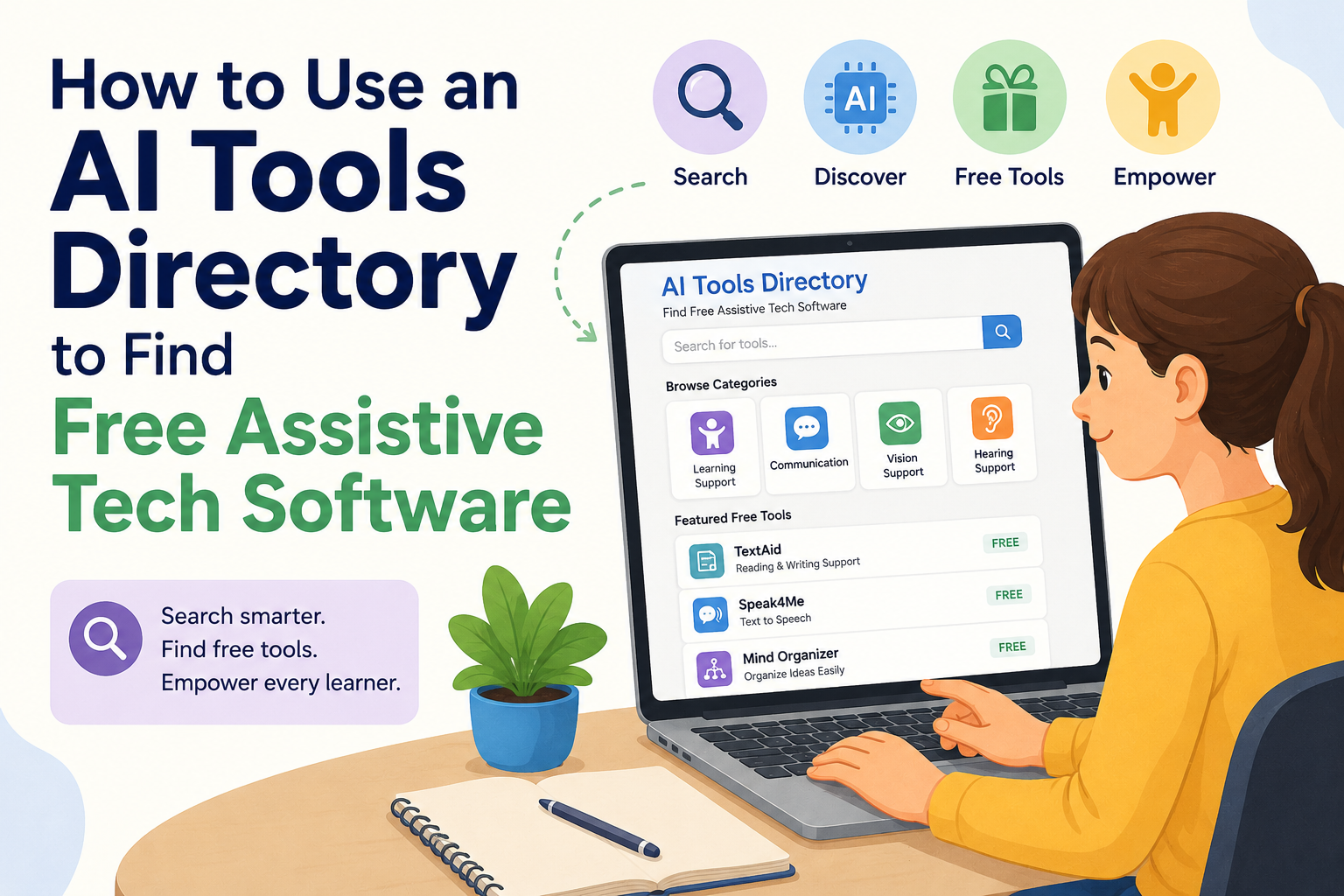
🗂️ How to Use an AI Tools Directory to Find Free Assistive Tech Software: 2026 Guide for School Admins and Therapists
An AI Tools Directory — a categorical registry of artificial intelligence and assistive technology software, organised by disability type, function, and cost. It is one of the fastest, most underused ways for school administrators and therapists to discover genuinely free speech-to-text, executive functioning, and communication tools for students with disabilities, and to build the evidence-based documentation needed to request formal funding for anything beyond what free tiers provide.
This guide gives you the full workflow: how to find the right tools, how to evaluate them, and how to turn a successful free-tool pilot into a funded accommodation. 💛

- 🔍 What Is an AI Tools Directory in the Assistive Tech Context?
- 💛 Why This Matters for Schools and Therapists in 2026
- 📊 The Numbers: AT Access, Funding Gaps, and AI Growth
- ✅ THE 6-STEP WORKFLOW: FROM DIRECTORY SEARCH TO FUNDED ACCOMMODATION
- 🗣️ THE BEST FREE AI TOOLS FOR SPEECH-TO-TEXT (VERIFIED, CURRENT)
- 🧠 THE BEST FREE AI TOOLS FOR EXECUTIVE FUNCTIONING (VERIFIED, CURRENT)
- 🗂️ HOW TO USE CATEGORICAL DIRECTORIES TO FIND THE RIGHT TOOL
- 📚 Directory 1: The AT Toolbox (TechPotential.net)
- 📚 Directory 2: ATIA — Assistive Technology Industry Association
- 📚 Directory 3: JMU Free Assistive Technology Guide
- 📚 Directory 4: ECTA Center AT Resources
- 💰 HOW TO REQUEST FUNDING AFTER A SUCCESSFUL FREE-TOOL PILOT
- 🔍 What You Must Not Miss About This Topic
- 1. 🏗️ The “Built-In First” Framework Is Rarely Taught
- 2. 🔁 The Pilot-to-Funding Pipeline Is Almost Never Explained as a System
- 3. ⚖️ The Legal “At No Cost” Requirement Is Often Framed as a Parent Right Only
- 4. 🌍 AI Accessibility Gaps Are Rarely Disclosed Alongside the Tool Recommendations
- 💙 A Therapist’s Story: From Directory Search to District-Funded Software
- ❓ FAQs About AI Tools Directories and Free Assistive Tech
- Q: What is the best AI tools directory for finding free assistive technology software for schools?
- Q: Is assistive technology free in public schools under IDEA?
- Q: What is the best free speech-to-text software for students with dyslexia?
- Q: What free AI tools help students with executive functioning challenges?
- Q: How do I request funding for assistive technology for a student?
- Q: What are the funding sources for assistive technology in K-12 schools?
- 🔗 Trusted Resources for Administrators and Therapists
- 💙 Final Thoughts: The Right Tool Already Exists — You Just Need to Know Where to Look
🔍 What Is an AI Tools Directory in the Assistive Tech Context?
An AI Tools Directory in assistive technology refers to any organised, categorical registry — either maintained by a professional body, university, or independent specialist — that catalogues software tools by their function, target disability, platform compatibility, and cost structure.
These directories are not simple app store searches. They are curated, expert-reviewed collections that allow administrators and therapists to search by specific accommodation need — for example, “speech-to-text for students with dyslexia” or “executive functioning support for students with ADHD” — and receive a filtered list of tools with enough detail to evaluate suitability before a single download.
In 2026, many of the most valuable AI Tools Directory resources are specifically maintained by assistive technology specialists, academic disability offices, and nonprofit organisations — with some of the most comprehensive built by practitioners who use these tools directly with clients every day.
The best example of a practitioner-built AI Tools Directory is the AT Toolbox, maintained by Rachael M. Haven, a certified assistive technology specialist. It includes tools used with real clients, filtered by function, and designed specifically for individuals with learning differences. It meets approximately 99% of clients’ needs in a direct service context. (Source: AT Toolbox — TechPotential.net)
Understanding this distinction — between a curated, expert-built AI Tools Directory and a generic software database — is the foundation of using these resources effectively.
💛 Why This Matters for Schools and Therapists in 2026
The practical reality of assistive technology access in most schools comes down to a familiar, frustrating pattern: a student clearly needs a specific tool, the evidence base for that tool is strong, but the budget has no line item for it.
What most administrators and therapists do not realise is that the solution often has two distinct parts — and a well-used AI Tools Directory addresses both.
First: Many of the most effective AI-powered assistive technology tools are free, built into existing platforms, or available through free-tier plans that are more than sufficient for classroom use. The challenge is not cost — it is discovery. AI is not just enhancing existing assistive technologies — it is becoming a powerful assistive tool in its own right, offering innovative ways to address accessibility needs.
AI-driven tools, such as conversational agents, predictive text, and personalised learning platforms, can support people with cognitive, speech, or mobility disabilities by adapting to user preferences and learning from interactions. (Source: Every Learner Everywhere — AI and Assistive Technology, 2025)
Second: When a free tool is not sufficient and a paid solution is genuinely needed, a successful pilot of the free equivalent — documented through a systematic AI Tools Directory search — becomes compelling evidence for a formal funding request.
Under the Individuals with Disabilities Education Act (IDEA), assistive technology must be provided by the school district at no cost to the family, if it is identified as part of a child’s IEP (34 CFR §300.105). (Source: ECTA Center — Funding Sources for AT)
The workflow in this guide connects both parts: finding the right free tool now, and building the pathway to funded support when more is needed.
📊 The Numbers: AT Access, Funding Gaps, and AI Growth
| Statistic | Figure | Source |
|---|---|---|
| People worldwide requiring one or more assistive products (WHO) | Up to 2.5 billion | Digital Learning Institute — AI in Assistive Technology |
| Projected global AT need by 2050 | 3.5 billion people | Digital Learning Institute, 2025 |
| US legal requirement for AT in IEPs under IDEA (Part B) | At no cost to families — legally required | ECTA Center — AT Funding Guide |
| State AT Grant Programs under the AT Act of 2004 | One grant per state, DC, Puerto Rico, and outlying areas | ACL — Assistive Technology Program |
| IDA Rocky Mountain Branch AT grant award range | $1,000–$3,500 per school | IDA RMB — AT Grant Program |
| Rural Technology Fund AT micro-grants | $500–$2,500 (rolling, no deadline) | Rural Technology Fund |
| Platforms for donation-based classroom tech funding | DonorsChoose, Digital Wish, AdoptAClassroom | Progress Learning — Tech Grants Guide, 2025 |
| AI assistive tools accuracy (speech-to-text, 2025 baseline) | ~80% for automatic captions; higher for dedicated AI STT tools | JMU — Free Assistive Technology Guide |
💡 What this tells administrators and therapists: The legal and financial infrastructure for AT funding is more robust than most schools realise — and genuinely free tools are more available than most practitioners know to look for. The gap is not legislative or budgetary. It is informational. This is exactly what a well-used AI Tools Directory closes.
✅ THE 6-STEP WORKFLOW: FROM DIRECTORY SEARCH TO FUNDED ACCOMMODATION

This is the complete, practical system — building from a free-tool discovery through to a documented funding request.
| Step | What to Do | Time Required |
|---|---|---|
| 1 | Identify the specific accommodation need by functional category (speech-to-text, executive functioning, reading, communication) | 15–30 minutes review of student file and IEP |
| 2 | Search a curated AI Tools Directory using that functional category | 20–30 minutes |
| 3 | Filter by cost (free/built-in first), platform compatibility, and disability-specific evidence | 15–20 minutes |
| 4 | Trial the selected free tool with the student for 4–6 weeks; document progress systematically | 4–6 weeks |
| 5 | Build a documented case using trial data, IEP goals, and the legal framework (IDEA Part B) | 1–2 days |
| 6 | Submit a formal AT funding request to the IEP team, district, or appropriate grant programme | Ongoing — resubmit if needed |
Let us now walk through the most important steps in detail.
🗣️ THE BEST FREE AI TOOLS FOR SPEECH-TO-TEXT (VERIFIED, CURRENT)
The following tools are verified as available free or free-tier as of 2026 and are directly relevant to school-based accommodation needs.
| Tool | Cost | Platform | Best For |
|---|---|---|---|
| Microsoft Dictate (built into Office 365/Windows) | Free — integrated into existing Microsoft plans most schools already have | Windows, Microsoft 365 | Students who write assignments in Word; hands-free writing |
| Google Voice Typing (built into Google Docs) | Free — built into Google Workspace Education | Chrome, Google Docs | Students working in Google Classroom environments |
| VoiceIn Voice Typing (Chrome extension) | Free | Chrome browser | Email dictation, voice typing across websites, 40 languages |
| Google Live Transcribe | Free | Android | Real-time transcription of spoken conversations; accessibility in class |
| Apple Dictation (built-in) | Free | iOS, macOS | Students with Apple devices already in school inventory |
Microsoft Dictate is an AI-enabled add-on that converts speech to text, integrated into Office 365 and Windows 10 and available to all users of those platforms. (Source: Undivided — AT Tools Guide, 2025)
VoiceIn Voice Typing is available in 40 languages and can be used for email dictation, voice typing, and language pronunciation practice, at no cost. (Source: Undivided — AT Tools Guide, 2025)
Key point for administrators: Microsoft Dictate and Google Voice Typing are built into platforms most schools pay for already. The incremental cost of deploying these as accommodations is literally zero. A well-structured AI Tools Directory search surfaces these before ever looking at paid options.
🧠 THE BEST FREE AI TOOLS FOR EXECUTIVE FUNCTIONING (VERIFIED, CURRENT)
Executive functioning accommodations are among the most searched-for and most underfunded in special education. Here is what is actually available at no cost.
| Tool | Cost | What It Does | Best For |
|---|---|---|---|
| Microsoft Copilot (free tier) | Free | Breaks large assignments into steps, generates schedules, summarises course content | Students with ADHD, dyslexia, processing disorders |
| Google Keep (AI-enhanced, 2026) | Free with Google account | Voice-to-structured-notes; automatically organises brain-dump voice memos | Students who cannot organise thoughts by typing |
| Otter.ai (free tier) | Free (limited hours) | Records and automatically transcribes notes in real time so students can focus on discussion | Note-taking accommodation, meeting/class comprehension |
| Microsoft Outlook / Apple Mail AI suggestions | Free (built into existing platforms) | Suggests calendar events from email content, auto-reminders | Students with time management and organisation challenges |
| Google Docs Gemini Sidebar | Free with Google Workspace Education | Summarises, restructures, and simplifies documents; writing scaffolding | Students who need writing structure and support |
AI can assist with executive functioning tasks, helping students stay organised and manage their time more effectively. Generative AI tools can break down large assignments into smaller steps, create personalised schedules, and set reminders. (Source: Every Learner Everywhere, 2025)
Furthermore, AI-driven task management tools embedded in email platforms like Apple Mail and Microsoft Outlook suggest calendar events from email content, promoting better organisation and focus specifically for users with executive function challenges. (Source: Every Learner Everywhere, 2025)
🗂️ HOW TO USE CATEGORICAL DIRECTORIES TO FIND THE RIGHT TOOL
Here is exactly how to navigate the most useful AI Tools Directory resources available to practitioners in 2026.
📚 Directory 1: The AT Toolbox (TechPotential.net)
Best for: Therapists and AT specialists needing a comprehensive, practitioner-verified tool list organised by function.
How to navigate it:
- Go to techpotential.net/attoolbox
- Scroll through the functional categories: text-to-speech, speech-to-text, note-taking, writing support, and more
- Each tool listing includes platform compatibility, cost notes, and the specialist’s own usage context
- Cross-reference the tools you identify here against your student’s IEP accommodation goals
📚 Directory 2: ATIA — Assistive Technology Industry Association
Best for: Administrators needing a professional-body-endorsed starting point with funding guidance.
How to navigate it:
- Go to atia.org
- Use the Resources and Funding Guide section to filter by disability category and tool type
- The funding guide section includes a directly useful breakdown of IDEA, Medicaid, and state AT programme funding streams
- Use the product listings as your categorical search base
📚 Directory 3: JMU Free Assistive Technology Guide
Best for: Finding built-in, zero-cost tools across Apple, Microsoft, and Google platforms.
How to navigate it:
- Go to jmu.edu/ods/accommodations/accessible-media/free_assistive_technology.shtml
- This directory specifically flags “Built-In!” tools that are already available on school devices at no cost
- Filter by tool type — speech-to-text, text-to-speech, screen readers, magnification
- Particularly useful for demonstrating to district administrators that significant AT can be deployed using already-owned hardware and software
📚 Directory 4: ECTA Center AT Resources
Best for: Early childhood specialists and those working with students under the IDEA Part C framework (ages 0–3) and Part B (ages 3–21).
How to navigate it:
- Go to ectacenter.org/topics/atech/funding.asp
- Use this as the legal and funding reference document when preparing an IEP team AT discussion
💰 HOW TO REQUEST FUNDING AFTER A SUCCESSFUL FREE-TOOL PILOT
This is the section where the real advocacy work happens.
📋 Building Your Documentation Case
A successful free-tool pilot turns into a funded accommodation when it is documented systematically. Here is what to record throughout the trial period:
| Documentation Element | What to Record | Why It Matters |
|---|---|---|
| Baseline data | Student performance before tool introduction | Shows the starting gap the tool is addressing |
| Tool identification method | Which AI Tools Directory was used; why this tool was selected | Demonstrates systematic, evidence-based selection |
| Trial duration and frequency | How long, how often, in which settings | Establishes reliability of the data |
| Progress observations | Qualitative notes from teacher and therapist | Provides human context alongside metrics |
| Student self-report | Student’s own description of how the tool helps | Strengthens the case with direct stakeholder voice |
| Limitation notes | Anything the free tool could not do that a paid equivalent could | Builds the case for upgrade if needed |
🏛️ Funding Pathways in Order of Effort
Step 1: The IEP Team Meeting (Lowest Effort, Legally Strongest)
Under IDEA Part B, if AT is identified as necessary in an IEP, the school district must provide it at no cost to the family (34 CFR §300.105). Your documented trial is the evidence. Present it at the next IEP meeting and request that the specific tool be formally written into the IEP as an accommodation or related service.
Step 2: State AT Programs (Under the AT Act of 2004)
Every US state has a State Grant for Assistive Technology Program funded under the Assistive Technology Act of 2004. These programs make AT devices and services more available to individuals with disabilities of all ages. (Source: ACL — AT Program) Contact your state’s AT programme directly to ask about device loan programmes, demonstration centres, and funding assistance.
Step 3: Competitive Grants (Moderate Effort, Real Results)
Several specific grants are worth pursuing directly:
- Rural Technology Fund — Rolling micro-grants of $500–$2,500 for AT projects in rural or underserved schools; no application deadline. (ruraltechfund.org)
- IDA Rocky Mountain Branch AT Grants — $1,000–$3,500 for K–12 schools in Colorado, Utah, and Wyoming for AT for students with dyslexia. (idarmb.org/atgrant)
- DonorsChoose — Donation-based platform where teachers can post AT requests (devices, software subscriptions) for community funding. (donorschoose.org)
Step 4: Medicaid (For Eligible Students)
Medically necessary AT services are covered under Federal Medicaid law, and AT devices considered durable medical equipment are often covered under state Medicaid regulations. The Early and Periodic Screening, Diagnosis and Treatment (EPSDT) program requires states to provide eligible children, from birth through age 21, any service listed in the Medicaid Act. (Source: ECTA Center)
🔍 What You Must Not Miss About This Topic
Here is what you should more know about AT software:
1. 🏗️ The “Built-In First” Framework Is Rarely Taught
Almost no AT guide begins by systematically checking what is already built into platforms the school already pays for before recommending new software. The JMU AT directory specifically flags “Built-In!” tools at every category, representing a powerful, zero-cost layer that should always be the first search result. This framework — built-in first, then free-tier, then paid — is the most budget-efficient approach possible and is almost never explicitly taught to school administrators.
2. 🔁 The Pilot-to-Funding Pipeline Is Almost Never Explained as a System
Most resources describe either tool discovery or funding pathways as separate topics. The direct link — systematic free-tool pilot → documented evidence → IEP team request → formal AT funding — is rarely presented as a connected workflow. This connection is the most practically actionable insight in this entire guide.
3. ⚖️ The Legal “At No Cost” Requirement Is Often Framed as a Parent Right Only
IDEA’s AT funding requirement is typically presented in parent-facing resources. In reality, school administrators and therapists should be equally fluent in this legal framework, since it is the most direct and legally powerful lever available — no grant application required. AT in the IEP is a legal requirement, not a discretionary budget decision.
4. 🌍 AI Accessibility Gaps Are Rarely Disclosed Alongside the Tool Recommendations
While AI is reshaping the assistive technology landscape powerfully, it is critical to acknowledge limitations honestly. New technologies frequently neglect universal design principles.
Many AI tools are text-based and accessible to screen readers, but many content creation tools fail to meet comprehensive accessibility standards and have barriers to use with less common assistive technology. (Source: CMU — AI and the Future of Accessibility, 2025) Always verify accessibility compliance before deploying any AI tool as a formal accommodation.
💙 A Therapist’s Story: From Directory Search to District-Funded Software
Denise had been an occupational therapist in a mid-sized school district for eight years. One of her students — a twelve-year-old with ADHD and significant executive functioning challenges — was struggling to complete multi-step assignments independently, despite strong verbal comprehension and creativity.
“Every strategy we tried required someone to be physically present to help him organise,” Denise recalls. “That is not a sustainable accommodation. That is dependence.”
She had heard of AI tools helping with executive function but had no structured way to find them. A colleague mentioned the AT Toolbox at a professional development session.
“I spent an hour in the directory, filtering by ‘note-taking’ and ‘organising knowledge,'” Denise says. “I found three tools I had never heard of, and two that were built into software we already had. Microsoft’s Copilot was already in his school-issued laptop. Free. Zero new spend.”
She piloted Copilot with him for six weeks — specifically using its task-breakdown and outline-generation features. She documented every session: his baseline performance, his progress each week, and his own description of what helped.
“By week four, he was independently breaking down a five-part essay assignment into daily tasks. By week six, he submitted an assignment on time — the first time in two years.”
At the next IEP meeting, Denise presented the documentation and formally requested that AI-assisted executive functioning support be written into his accommodation plan. The team agreed. The district covered the cost of a premium subscription for additional features she had identified as beneficial.
“The directory search took an hour,” she reflects. “The pilot took six weeks. The documentation took a day. And a student who had been called ‘lazy’ for years suddenly had a funded, evidence-based accommodation in his IEP. That is the whole system working exactly as it should.”
❓ FAQs About AI Tools Directories and Free Assistive Tech
Q: What is the best AI tools directory for finding free assistive technology software for schools?
Several strong options exist for school-based practitioners. The AT Toolbox (techpotential.net/attoolbox) is a practitioner-built, comprehensively categorised directory for learning differences and executive functioning. The JMU Free Assistive Technology Guide (jmu.edu) specifically highlights built-in, zero-cost tools across Apple, Microsoft, and Google platforms. The ATIA resources directory (atia.org) combines tool listings with funding guidance in a professional-body-endorsed format.
Q: Is assistive technology free in public schools under IDEA?
Under the Individuals with Disabilities Education Act (IDEA) Part B, if assistive technology is identified as necessary in a student’s IEP, the school district must provide it at no cost to the family. No eligible child can be denied an assistive technology device or service because of a family’s inability to pay. This legal requirement is the strongest lever available for securing AT funding within the school system.
Q: What is the best free speech-to-text software for students with dyslexia?
Multiple genuinely free options exist. Microsoft Dictate, built into Office 365 and Windows 10, converts speech to text and is available to all users of those platforms. Google Voice Typing in Google Docs is free with Google Workspace Education accounts. VoiceIn Voice Typing is a free Chrome extension available in 40 languages. Apple Dictation is built into all Apple devices at no cost.
Q: What free AI tools help students with executive functioning challenges?
AI tools helping with executive functioning include the free tier of Microsoft Copilot, which can break large assignments into manageable steps and create personalised schedules. Google Keep’s AI-enhanced voice-to-notes feature automatically structures verbal brain-dump recordings. Otter.ai’s free tier provides real-time class transcription so students can focus on listening rather than note-taking.
Q: How do I request funding for assistive technology for a student?
Start by documenting a free-tool pilot: identify a tool through a curated AT directory, trial it systematically, and record progress data. Then bring that documentation to the IEP team meeting and request the technology be formally written into the IEP — a legal entitlement under IDEA. For additional funding, explore State AT Programs under the AT Act of 2004, the Rural Technology Fund (rolling micro-grants), DonorsChoose, and Medicaid EPSDT for eligible students.
Q: What are the funding sources for assistive technology in K-12 schools?
The primary funding sources are the IEP/IDEA legal framework (AT required at no cost if written into the IEP), State AT Programs (one per state under the AT Act of 2004), Title I and Title III federal programme funds, Medicaid and EPSDT for eligible children, competitive grants (IDA, Rural Technology Fund), and donation-based platforms like DonorsChoose.
🔗 Trusted Resources for Administrators and Therapists
| Resource | What It Offers | Link |
|---|---|---|
| 🗂️ AT Toolbox (TechPotential.net) | Practitioner-built AT directory for learning differences | techpotential.net/attoolbox |
| 🎓 JMU Free Assistive Technology Guide | Built-in and free AT tools across all major platforms | jmu.edu/ods/accommodations/accessible-media |
| 🏛️ ATIA — Resources and Funding Guide | Professional AT directory with funding guidance | atia.org |
| ⚖️ ECTA Center — AT Funding Sources | Legal and programme-based AT funding reference | ectacenter.org |
| 🌐 ACL — State AT Programs | Federal AT Act grant programme overview | acl.gov/programs/assistive-technology |
| 💰 Rural Technology Fund — AT Grants | Rolling micro-grants for underserved schools | ruraltechfund.org |
| 📚 DonorsChoose | Donation-based platform for classroom AT requests | donorschoose.org |
| 🏫 Reading Rockets — Alternative AT Funding | Comprehensive guide to alternative funding pathways | readingrockets.org |
💙 Final Thoughts: The Right Tool Already Exists — You Just Need to Know Where to Look
Every week, a student somewhere sits in a classroom, struggling with an assignment they could complete independently if they had the right tool — while that tool sits, uncatalogued and undiscovered, in a directory no one has pointed anyone to yet.
That gap is not a budget problem. It is an information problem.
An AI Tools Directory is not a complicated research project. It is one hour of your time, a functional category search, and the willingness to pilot something free before requesting something funded. The legal infrastructure, the funding pathways, and the technology itself are all already in place.
What was missing was a clear, practical guide to connect them all. 💛
📝 This article is for informational and educational purposes only. Legal requirements, funding programme details, and tool availability may change; always verify current information with your state’s AT programme, your school’s legal counsel, and directly with software providers before making formal accommodation or funding decisions.


