

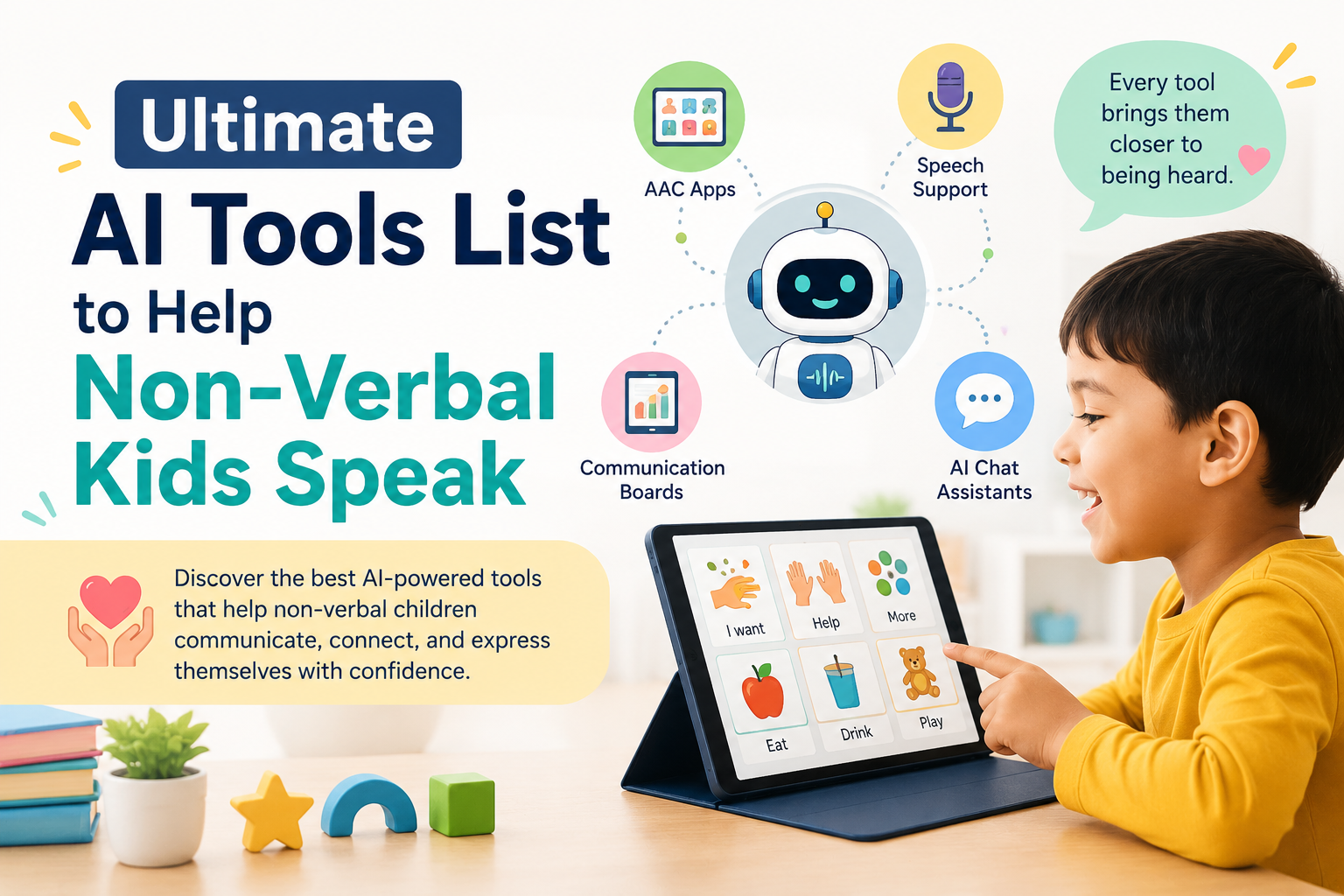
🗣️ Ultimate AI Tools List to Help Non-Verbal Kids Speak: 2026 Parent and Therapist Guide
This AI Tools List covers the most effective, research-backed technology available in 2026 to help non-verbal children communicate — from eye-tracking devices and single-tap picture grids to predictive voice generation and sketch-to-speech tools. In short: the right AI tool can give your non-verbal child a genuine voice, and this guide shows you exactly what exists, how it works, and how to choose it.
No marketing. No hype. Just what actually works. 💛

- 💡 Why AI Is Changing What “Non-Verbal” Means
- 🖐️ Understanding the Input Methods: How Non-Verbal Kids Access These Tools
- 📊 The Numbers: AAC Research, Market Growth, and Outcome Evidence
- 🗂️ THE COMPLETE AI TOOLS LIST: ORGANISED BY INPUT METHOD
- 👁️ CATEGORY 1: Eye-Tracking AAC Tools
- 🖼️ CATEGORY 2: Picture Grid and Symbol-Based AAC Tools
- 🟢 Tool 3: Proloquo2Go (AssistiveWare)
- 🟢 Tool 4: TouchChat HD
- 🟢 Tool 5: CoughDrop
- 🟢 Tool 6: LAMP Words for Life (PRC-Saltillo)
- ✏️ CATEGORY 3: Sketch and Drawing-Based Input
- 🟡 Tool 7: AsTeRICS Grid (with Custom Drawing Boards)
- 🟡 Tool 8: LetMeTalk (Open-Source PECS-Style App)
- 🎙️ CATEGORY 4: Voice Banking and Personal Voice Tools
- 🤖 CATEGORY 5: AI-Powered Predictive and Context-Aware Communication
- 📋 Master Comparison Table: The Full AI Tools List at a Glance
- 🔍 What You Should Not Miss About This Topic
- 1. 🗣️ “Non-Verbal” Does Not Mean “Nothing to Say”
- 2. 🔄 The Input Method Is More Important Than the Tool Brand
- 3. 💰 Free Tools Are Rarely Listed Alongside Premium Ones
- 4. 🏥 The IEP Funding Pathway Is Almost Never Mentioned in Tool Lists
- 5. 👁️ Eye-Tracking Benefits Go Beyond Communication
- ✅ How to Choose the Right Tool From This AI Tools List
- 💙 A Parent’s Story: The First Word She Said With Her Eyes
- ❓ FAQs About the AI Tools List for Non-Verbal Children
- Q: What is the best AI tool to help a non-verbal child speak?
- Q: Are there free AAC apps for non-verbal children?
- Q: Can a non-verbal child use eye tracking to communicate?
- Q: Will using an AAC app stop my child from developing speech?
- Q: Can the school be required to pay for AAC tools?
- Q: What is voice banking for AAC users?
- 🔗 Trusted Resources for Families and SLPs
- 💙 Final Thoughts: Every Child Deserves to Be Heard
💡 Why AI Is Changing What “Non-Verbal” Means
For most of history, “non-verbal” was treated as a fixed description. A child who did not speak was assumed to have limited communication. They were spoken about, not spoken to. Their ideas, needs, and feelings went largely unexpressed — not because they had nothing to say, but because the tools to say it did not yet exist.
That is changing. AI technologies such as speech recognition, predictive text, and AI-driven voice synthesis are already transforming AAC tools. AI-driven voice recognition can adapt to individual communication patterns, while voice synthesis gives a voice to those who are non-verbal, promoting a sense of inclusivity. (Source: Give Kids A Voice — AI for Non-Verbal Autistic Children)
By incorporating AI, AAC devices can offer predictive text and suggestions, helping children communicate more efficiently and effectively. AI can also analyse usage data, helping parents and therapists monitor a child’s progress and adjust interventions accordingly. (Source: Give Kids A Voice)
The AI Tools List in this guide represents the clearest possible view of where this technology stands in 2026 — what is real, what works, and what your family can access today.
🖐️ Understanding the Input Methods: How Non-Verbal Kids Access These Tools
Before diving into the AI Tools List itself, it is essential to understand the different ways a non-verbal child can interact with communication technology. This determines which tool on the list is the right fit for your specific child.
| Input Method | How It Works | Best For |
|---|---|---|
| Eye gaze / tracking | Infrared sensors track where the child looks; gaze selects symbols | Children with very limited motor control (e.g., severe CP) |
| Single switch / single tap | One button or screen tap cycles through options or confirms selection | Children with limited but reliable motor movement |
| Picture grid / symbol grid | Child taps on picture symbols in a grid layout on a screen | Children with basic motor control and visual recognition |
| Touch / multi-touch | Direct touch on a tablet or touchscreen | Children with reliable hand or finger movement |
| Sketch / drawing input | Child draws or scribbles; AI interprets the intent | Children with some motor control but limited fine motor precision |
| Head tracking / facial movement | Camera tracks head movements to control a cursor | Children with head movement but limited hand use |
| Voice approximation | Partial or atypical sounds that AI interprets | Children with some vocalisations that do not form words |
Understanding your child’s most reliable and least effortful motor action is the first step to choosing effectively from any AI Tools List.
📊 The Numbers: AAC Research, Market Growth, and Outcome Evidence
| Statistic | Figure | Source |
|---|---|---|
| Global AAC devices market value (2025) | $0.82 billion | DataIntelo — AAC Devices Market Report, 2026 |
| Projected AAC market CAGR (2023–2030) | Over 10% annually | DataIntelo, 2026 |
| North America’s share of global AAC market | Over 40% | DataIntelo, 2026 |
| Eye-tracking market projected size by 2025 | $1.82 billion | MarketsandMarkets, via IAAIC |
| Eye-tracking benefits for children with CP | Increased communication outcomes; positive impact on QoL, self-efficacy, and self-esteem | ClinicalTrials.gov — Eye-Tracking WM Training in CP Study |
| Most widely deployed AAC app in US schools | Proloquo2Go (AssistiveWare) | DataIntelo — AAC Market Report, 2026 |
| Leading clinical recommendation for ASD AAC (2025) | Tobii Dynavox TD Snap and PRC Accent series with LAMP Words for Life | DataIntelo, 2026 |
| AAC communication benefits documented | Express emotions, request items, social interaction, building language skills over time | Apple ABA Care — Autism Communication Devices Guide, 2026 |
💡 What this means for parents: The AAC market is growing at over 10% per year because the evidence base for these tools is strong and expanding. This is not an emerging niche — it is a well-funded, fast-developing field with clinical recommendations backed by peer-reviewed research.
🗂️ THE COMPLETE AI TOOLS LIST: ORGANISED BY INPUT METHOD
This is the core of the guide — a structured, lookup-ready AI Tools List covering every major input method, with verified tool names, features, costs, and links.

👁️ CATEGORY 1: Eye-Tracking AAC Tools
Eye-tracking AAC is the most advanced input method available and represents one of the most significant achievements in communication technology for children with severe motor impairments.
Eye movements are tracked by an infrared sensor and translated to cursor movements on the screen, by which children can navigate and select icons of interest.
Eye-tracking technology leads to increased communication outcomes and has a positive impact on quality of life through increased activity levels, participation levels, self-efficacy, and self-esteem. (Source: ClinicalTrials.gov — Eye-Tracking Working Memory Training Study, CP Cohort)
🔵 Tool 1: Tobii Dynavox TD Snap
What it does: Tobii Dynavox TD Snap is one of the leading clinical recommendations for non-verbal children with autism spectrum disorder in 2025. (Source: DataIntelo, 2026) It combines eye-tracking hardware with an AI-powered symbol-based communication system. The child looks at symbols to select them; AI predicts next likely selections based on context and usage history.
Key AI features:
- Gaze-based symbol selection requiring no hand movement
- Predictive vocabulary based on usage patterns
- Natural-sounding voice output with multiple voice options
- Customisable grid layouts based on visual and cognitive level
Input method: Eye gaze
Platform: Dedicated Tobii Dynavox hardware + app
Cost: Premium (hardware + software; often insurance/Medicaid eligible)
Best for: Children with cerebral palsy, Rett syndrome, or very limited motor control
Clinical status: Strong peer-reviewed evidence for ASD and CP populations
👉 Learn more: tobiidynavox.com
🔵 Tool 2: Grid 3 (Smartbox / Sensory Software)
What it does: Grid 3 is a full AAC software platform that supports eye-gaze, switch access, head tracking, and touch — making it one of the most versatile tools on this AI Tools List. It uses AI-powered symbol prediction and natural voice output.
Key AI features:
- Supports multiple access methods including eye gaze and head tracking
- Word and symbol prediction using contextual AI
- Over 20 natural voices; voice banking available
- Can run on Windows devices paired with compatible eye trackers
Input method: Eye gaze, head tracking, switch, touch
Platform: Windows + compatible hardware
Cost: Subscription + hardware
Best for: Children needing one platform that adapts as motor abilities change over time
👉 Learn more: thinksmartbox.com
🖼️ CATEGORY 2: Picture Grid and Symbol-Based AAC Tools
This category represents the most widely used segment of the AI Tools List — symbol-based systems that translate picture taps into spoken words and sentences.
AAC communication systems help children with autism express emotions, request items, participate in social interactions, and build language skills over time. Many children who are minimally verbal or nonspeaking benefit from an AAC system that supports spontaneous communication in daily lives. (Source: Apple ABA Care, 2026)
🟢 Tool 3: Proloquo2Go (AssistiveWare)
What it does: AssistiveWare’s Proloquo2Go on Apple iPad is the most widely deployed AAC app in US school systems for children with ASD, offering picture-based and symbol-based communication displays with core vocabulary frameworks. (Source: DataIntelo, 2026)
Key AI features:
- Symbol-based grid with AI-powered predictive vocabulary
- Natural language progression — grows with the child’s communication level
- 100+ voice options including child voices
- Customisable grid sizes (from large single-cell to dense multi-cell grids)
- Evidence-based core vocabulary approach built into the architecture
Input method: Touch / single tap / switch access
Platform: iOS (iPad, iPhone)
Cost: ~$250 (often covered by insurance or school funding)
Best for: Children with autism, Down syndrome, or developmental delays who can use touch reliably
👉 Learn more: assistiveware.com/products/proloquo2go
🟢 Tool 4: TouchChat HD
What it does: TouchChat HD is a full-featured AAC application offering multiple vocabulary sets for different ages, ability levels, and communication goals, with AI-enhanced word prediction and natural voice output.
Key AI features:
- Multiple vocabulary frameworks for different skill levels
- AI-assisted word prediction based on context and user history
- Switch access supported for children with limited motor control
- Active SLP community sharing customised vocabulary boards
- Works with LAMP (Language Acquisition through Motor Planning) vocabulary
Input method: Touch / switch access
Platform: iOS Cost: Paid (funding assistance available)
Best for: Children transitioning between communication levels; highly adaptable to changing needs
👉 Learn more: touchchatapp.com
🟢 Tool 5: CoughDrop
What it does: CoughDrop is an open-source, cloud-based AAC system that works in a browser without requiring installation. Its cloud architecture means boards can be shared across parents, teachers, and therapists in real time.
Key AI features:
- AI-enhanced symbol prediction
- Real-time board sharing with school and therapy team
- Works offline after initial setup
- Free for basic use — one of the only genuinely free tools on this AI Tools List
- Active open-source community continuously adding vocabulary boards
Input method: Touch / switch
Platform: iOS, Android, Web
Cost: Free basic / paid plans
Best for: Families needing a free, cross-device AAC solution with team-sharing capability
👉 Learn more: mycoughdrop.com
🟢 Tool 6: LAMP Words for Life (PRC-Saltillo)
What it does: LAMP Words for Life has significant peer-reviewed evidence for ASD populations and is used on PRC’s Accent series dedicated devices as well as the Accent app. (Source: DataIntelo, 2026) LAMP is a language acquisition approach that uses consistent motor patterns so communication becomes automatic over time — reducing cognitive load for the child.
Key AI features:
- Motor learning-based word access — consistent pathways reduce effort
- AI voice with natural prosody
- Robust evidence base for ASD populations
- Available as app or dedicated device
Input method: Touch, switch, eye gaze (on dedicated devices)
Platform: iOS app + PRC dedicated hardware
Cost: App pricing + optional dedicated device
Best for: Children with ASD who benefit from motor-routine-based learning
👉 Learn more: prc-saltillo.com
✏️ CATEGORY 3: Sketch and Drawing-Based Input
This is the most emerging category on this AI Tools List — tools that use AI to interpret rough drawing gestures and translate them into communication, bypassing the need for precise symbol selection.
🟡 Tool 7: AsTeRICS Grid (with Custom Drawing Boards)
What it does: AsTeRICS Grid is a completely free, open-source AAC grid system that can be customised to use personalised photos or drawings — including a child’s own sketches — as symbols within a communication grid.
While not a full sketch-to-speech AI in itself, it represents the most accessible entry point for families wanting picture grids built from their child’s own visual world.
Key AI features:
- Custom image upload (including child’s own sketches or photos)
- AI-enhanced text-to-speech output
- Works offline
- Fully free — important for families in lower-resource settings
- Switch, eye gaze, and touch compatible
Input method: Touch, switch, eye gaze
Platform: Web, Android (offline capable)
Cost: Completely free
Best for: Families wanting a free, customisable grid using personalised images
👉 Learn more: grid.asterics.eu
🟡 Tool 8: LetMeTalk (Open-Source PECS-Style App)
What it does: LetMeTalk is a free, open-source Picture Exchange Communication System (PECS)-style app that lets families build communication boards from photos — including photos of a child’s own drawings, objects in the home, or personalised symbols.
Key AI features:
- Photos or custom images as communication symbols
- Text-to-speech voice output from selected pictures
- Over 9,000 ARASAAC symbols included (largest free symbol set)
- Available in multiple languages
Input method: Touch
Platform: Android
Cost: Free
Best for: Families needing a free PECS-style system with a large symbol library
👉 Learn more: letmetalk.info
🎙️ CATEGORY 4: Voice Banking and Personal Voice Tools
For children who currently have some speech but may lose it — or for families who want their child’s future AAC voice to sound like them — voice banking is one of the most emotionally significant items on any AI Tools List.
🟠 Tool 9: VocaliD (VocaliD / Veritone)
What it does: VocaliD creates personalised synthetic voices by blending a child’s own vocal recordings — even very limited ones — with an age- and gender-matched donor voice, producing an AI-generated voice that sounds uniquely like that person.
Key AI features:
- AI voice synthesis from as few as 10–15 minutes of recorded vocalisations
- Creates a personalised, natural-sounding voice for AAC output
- The voice can be used across multiple AAC platforms
- Available in child voice profiles
Input method: Voice recording (parent- or child-generated)
Platform: Web-based; integrates with AAC systems
Cost: Subscription
Best for: Children with degenerative conditions, or any family who wants their child’s AAC voice to sound like them
👉 Learn more: vocalid.ai
🟠 Tool 10: ModelTalker (Nemours BioMedical Research)
What it does: ModelTalker is a free voice banking system developed at Nemours/Alfred I. duPont Hospital for Children, designed specifically for people who may lose their voice. Recorded speech samples are used to create a personal synthetic voice for use in AAC systems.
Key AI features:
- Free voice banking system
- Records speech samples that are processed into a synthetic personal voice
- Voices can be used with AAC software once created
- Designed for both children and adults
Input method: Voice recording
Platform: Web + Windows software
Cost: Free
Best for: Children with ALS, MND, or degenerative conditions who wish to bank their voice before losing it
👉 Learn more: modeltalker.com
🤖 CATEGORY 5: AI-Powered Predictive and Context-Aware Communication
This is the fastest-growing category on this AI Tools List — tools where AI does not just output what was selected, but actively predicts what the child is trying to say next.
🔴 Tool 11: Snap Core First (Tobii Dynavox)
What it does: Snap Core First uses AI-powered symbol prediction — as a child selects symbols, the system surfaces the most contextually likely next symbols, reducing the number of taps needed to form a complete message.
Key AI features:
- Intelligent symbol prediction based on context and usage patterns
- Large core vocabulary with topic page extensions
- Learning profiles that grow with the child’s communication development
- Multi-access: touch, eye gaze, switch
- Award-winning interface designed with SLP input
Input method: Touch, eye gaze, switch
Platform: iOS, Android, Windows
Cost: Subscription (often covered by school or insurance)
Best for: Children who benefit from predictive symbol support; widely used in school settings
👉 Learn more: tobiidynavox.com/snap-core-first
🔴 Tool 12: Proloquo4Text (AssistiveWare)
What it does: Proloquo4Text is a text-based AAC app with sophisticated AI word prediction specifically designed for literate AAC users who prefer text over symbols. It bridges the gap between early symbol-based AAC and full text-based communication.
Key AI features:
- AI word prediction with semantic and syntactic awareness
- Phrase prediction — predicts entire phrases, not just next words
- Natural-sounding voices with multiple options
- Abbreviation expansion — short codes expand into full phrases instantly
Input method: Touch (text entry)
Platform: iOS Cost: ~$200 (funding available)
Best for: Older children or those with strong literacy skills who communicate faster with text than symbols
👉 Learn more: assistiveware.com/products/proloquo4text
📋 Master Comparison Table: The Full AI Tools List at a Glance
| # | Tool | Input Method | AI Feature | Cost | Best For | Platform |
|---|---|---|---|---|---|---|
| 1 | Tobii Dynavox TD Snap | Eye gaze | Contextual prediction + gaze calibration | Premium | Severe motor impairment, ASD | Dedicated hardware |
| 2 | Grid 3 | Eye gaze, head, switch, touch | Multi-modal prediction | Subscription + hardware | All motor levels | Windows |
| 3 | Proloquo2Go | Touch, switch | Predictive vocabulary | ~$250 | ASD, developmental delay | iOS |
| 4 | TouchChat HD | Touch, switch | Contextual word prediction | Paid | Transitional learners | iOS |
| 5 | CoughDrop | Touch, switch | Team-shared grid prediction | Free / Paid | All ages; team coordination | iOS, Android, Web |
| 6 | LAMP Words for Life | Touch, switch, eye gaze | Motor-routine prediction | App + device | ASD; motor learning approach | iOS + PRC hardware |
| 7 | AsTeRICS Grid | Touch, switch, eye gaze | Custom image to speech | Free | Low-resource families | Web, Android |
| 8 | LetMeTalk | Touch | PECS-style photo to speech | Free | Early communication | Android |
| 9 | VocaliD | Voice recording | AI personal voice synthesis | Subscription | Voice preservation | Web |
| 10 | ModelTalker | Voice recording | Free voice banking | Free | Progressive conditions | Web, Windows |
| 11 | Snap Core First | Touch, eye gaze, switch | Intelligent symbol prediction | Subscription | School-based use | iOS, Android, Windows |
| 12 | Proloquo4Text | Text/touch | Phrase and word prediction | ~$200 | Literate AAC users | iOS |
🔍 What You Should Not Miss About This Topic
1. 🗣️ “Non-Verbal” Does Not Mean “Nothing to Say”
AAC communication systems help children with autism express emotions, request items, participate in social interactions, and build language skills over time. (Source: Apple ABA Care, 2026) Yet most AI Tools List articles treat non-verbal children as output problems to solve rather than communicators with specific access needs. Framing matters enormously for families.
2. 🔄 The Input Method Is More Important Than the Tool Brand
Most articles compare tool brands without first addressing input method. A child who cannot reliably touch a screen has no use for the best touch-based AAC app in the world. The input method question — what can my child do most reliably? — should precede every tool choice on any AI Tools List, and almost no mainstream resource makes this point clearly.
3. 💰 Free Tools Are Rarely Listed Alongside Premium Ones
Most curated lists either focus entirely on free tools or entirely on clinical-grade devices, without acknowledging that both categories serve real, different families. This guide deliberately includes completely free tools (CoughDrop, AsTeRICS Grid, LetMeTalk, ModelTalker) alongside premium options — because a family’s budget should not determine the quality of this guide’s usefulness to them.
4. 🏥 The IEP Funding Pathway Is Almost Never Mentioned in Tool Lists
Under IDEA, if an AAC tool is identified as necessary in a child’s IEP, the school must provide it at no cost. Yet this legal pathway is almost never mentioned in consumer-facing AI tools list articles — leaving families assuming they must pay out of pocket for tools their child is legally entitled to.
5. 👁️ Eye-Tracking Benefits Go Beyond Communication
Eye-tracking technology has a positive impact on quality of life through increased activity levels, participation levels, self-efficacy, and self-esteem — not just through direct communication output. (Source: ClinicalTrials.gov — Eye-Tracking Working Memory Study)
The confidence and agency that come from being able to control a screen with your eyes extend far beyond any single communication interaction — a benefit rarely discussed outside clinical literature.
✅ How to Choose the Right Tool From This AI Tools List
This framework helps families navigate the list systematically rather than choosing based on brand recognition alone.
🗺️ The 4-Question Selection Framework
Question 1: What is my child’s most reliable motor movement? → Answers the input method question before any tool is considered
Question 2: What is my child’s current communication level?
- Early communicator (requesting, protesting) → Start with LetMeTalk, CoughDrop, or AsTeRICS Grid
- Developing communicator (expanding vocabulary, combining symbols) → Proloquo2Go, LAMP Words for Life
- Advanced communicator (full sentences, grammatical output) → Proloquo4Text, Snap Core First
Question 3: What is the setting?
- School → Tools with SLP community support and IEP documentation (Proloquo2Go, Snap Core First)
- Home → Ease of parent setup (CoughDrop, LetMeTalk, AsTeRICS Grid)
Question 4: What is the budget?
- $0 → CoughDrop, AsTeRICS Grid, LetMeTalk, ModelTalker
- Low/medium → Proloquo2Go (~$250), TouchChat HD, Proloquo4Text
Always: Device selection should always be guided by a certified speech-language pathologist through a formal AAC assessment. (Source: DataIntelo, 2026) Use this AI tools list as your informed starting point for that conversation — not as a substitute for clinical guidance.
💙 A Parent’s Story: The First Word She Said With Her Eyes
Amara had never spoken a word. She was four years old with cerebral palsy, profound motor impairment in all four limbs, and a communication profile that left professionals focused almost entirely on what she could not do.
Her mother, Joy, refused to accept that the silence was permanent.
“I knew she understood everything,” Joy says. “She laughed at the right moments. She cried when I was upset. She had a sense of humour — she would light up when her brother was silly. There was so much happening inside her. We just had no way to hear it.”
After a year of advocacy, Joy secured a formal AAC assessment through their school district. The SLP recommended a Tobii Dynavox device with eye-tracking access.
The first calibration session took twenty minutes. The first communication session took five more.
Amara looked at the symbol for “music.” The device said: “music.”
“She looked at it again,” Joy recalls. “Then she looked at me. Then back at the device. And the expression on her face — I have spent four years trying to describe it and I cannot. It was like she realised for the first time that something in the world was actually going to listen.”
Over the following months, Amara began building short phrases. “more music.” “no — stop.” “I want — daddy.”
“She told us she was bored one Tuesday afternoon,” Joy says. “Four words. ‘I — am — bored — today.’ I had to leave the room. I was not ready for how much it would feel to finally hear her.”
The tool that gave Amara a voice is on this AI tools list. The process that funded it was the IEP. The SLP who assessed her was the essential first step. All three mattered. None was sufficient alone.
❓ FAQs About the AI Tools List for Non-Verbal Children
Q: What is the best AI tool to help a non-verbal child speak?
The best AI tool depends entirely on the child’s motor abilities, communication level, age, and setting. For children with very limited motor control, Tobii Dynavox with eye-tracking is the most clinically supported option. For children with reliable touch ability, Proloquo2Go is the most widely deployed and evidence-based app in US school systems. Always start with a formal AAC assessment from a certified SLP before choosing any tool.
Q: Are there free AAC apps for non-verbal children?
Yes. CoughDrop, LetMeTalk, AsTeRICS Grid, and ModelTalker are all genuinely free tools on this AI tools list. CoughDrop and AsTeRICS Grid offer browser-based and Android versions that work without subscription fees. ModelTalker provides free voice banking. LetMeTalk offers a large free symbol library in a PECS-style format for Android.
Q: Can a non-verbal child use eye tracking to communicate?
Yes. Eye-tracking AAC is a well-established, research-backed communication method for children with limited motor control. Infrared sensors track the child’s eye movements and translate gaze direction into symbol selection on screen. Research shows eye-tracking AAC leads to increased communication outcomes and improved quality of life, self-efficacy, and self-esteem.
Q: Will using an AAC app stop my child from developing speech?
No. Research and expert consensus from ASHA consistently confirm that AAC tools do not prevent speech development — they often support it. A child who has a reliable way to communicate their needs is less frustrated, more engaged, and more motivated to communicate in all forms. Many children who begin with symbol-based AAC go on to develop some or significant functional speech.
Q: Can the school be required to pay for AAC tools?
Yes. Under IDEA, if an AAC tool is identified as necessary for a child to access their education, the school must provide it at no cost to the family as part of the child’s free appropriate public education (FAPE). Request a formal AT evaluation and ask for AAC needs to be assessed and addressed in your child’s IEP.
Q: What is voice banking for AAC users?
Voice banking is the process of recording a person’s natural speech to create a personalised AI-generated synthetic voice for use in AAC systems. Tools like VocaliD and ModelTalker use these recordings to build a unique voice that sounds like the individual — not a generic computer voice. Voice banking is especially important for children with degenerative conditions who may lose their natural speech over time.
🔗 Trusted Resources for Families and SLPs
| Resource | What It Offers | Link |
|---|---|---|
| 🗣️ ASHA — AAC Information for Families | Official guidance on AAC from the American Speech-Language-Hearing Association | asha.org/public/speech/disorders/aac |
| 👁️ Tobii Dynavox | Eye-tracking AAC hardware and software | tobiidynavox.com |
| 📱 AssistiveWare — Proloquo2Go | Most widely deployed AAC app in US schools | assistiveware.com |
| 🌐 AsTeRICS Grid | Free, offline-capable open-source AAC | grid.asterics.eu |
| 🎙️ VocaliD | Personalised AI voice creation | vocalid.ai |
| 🔬 PRC-Saltillo — LAMP Words for Life | Evidence-based AAC for ASD | prc-saltillo.com |
| 📊 ISAAC — International Society for AAC | Research and professional resources | isaac-online.org |
💙 Final Thoughts: Every Child Deserves to Be Heard
The tools on this AI tools list exist because parents refused to accept silence as an answer. Because SLPs pushed for technology that meets children where they are. Because engineers and researchers believed that the gap between a child’s thoughts and the world’s ability to receive them was a problem worth solving.
In 2026, that gap is narrower than it has ever been. An eye gaze at a symbol. A single tap on a picture. A sketch that becomes a word. A voice that sounds like their own.
None of this replaces the human relationship, the patient SLP, the loving parent who keeps showing up. But the right tool — chosen carefully, supported consistently, introduced with patience — can give your child something they deserve: a way to say I am here. I want. I think. I feel.
That is not a small thing. It is everything. 💛
📝 This article is for informational and educational purposes only. Always complete a formal AAC assessment with a certified speech-language pathologist before selecting any communication tool. Tool features, pricing, and availability may change; always verify current details directly with providers.


