

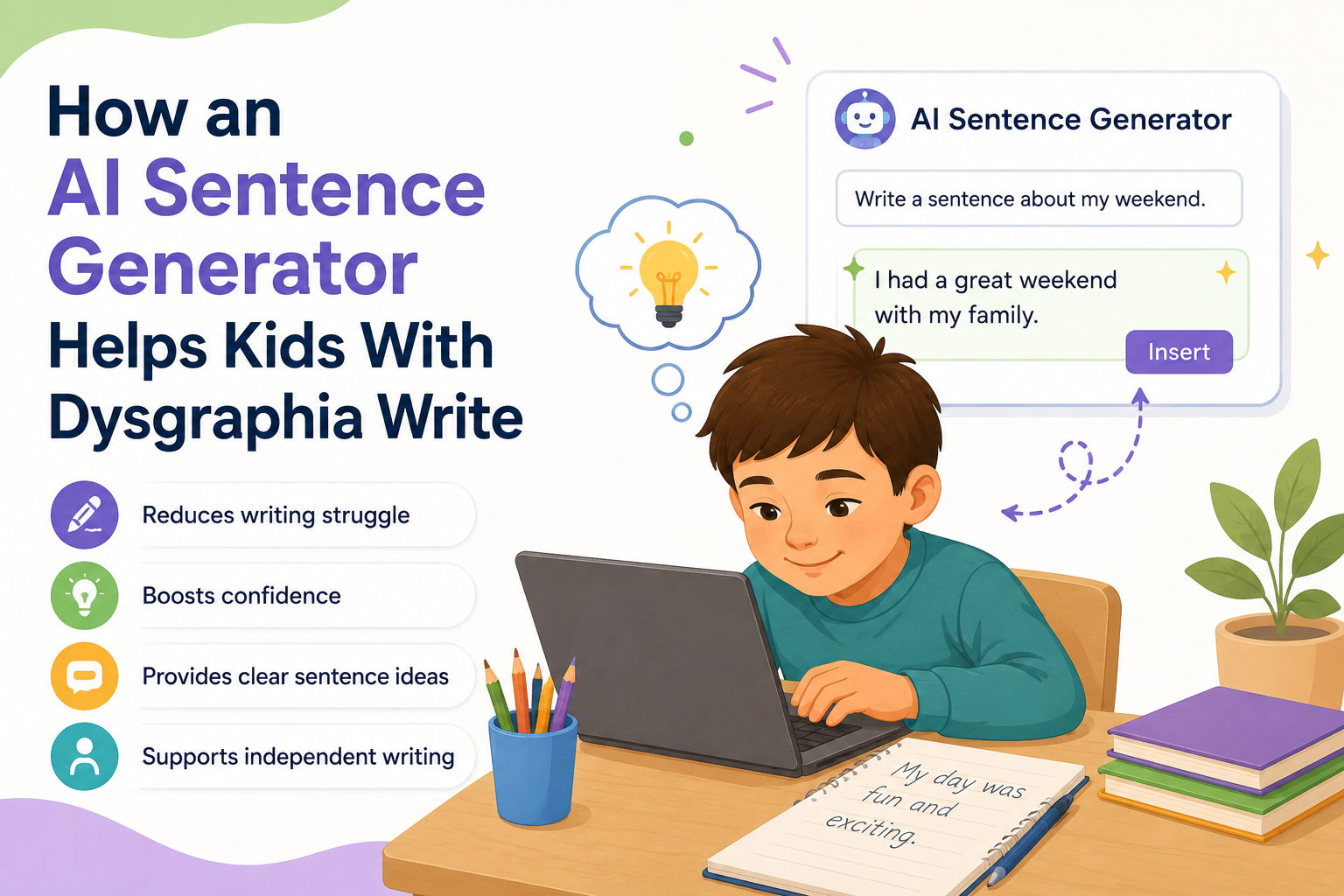
✍️ How an AI Sentence Generator Helps Kids With Dysgraphia Write: 2026 Parent and Teacher Guide
An AI Sentence Generator for dysgraphia works by interpreting a child’s fragmented words, phonetic spelling attempts, or partial letter sequences and transforming them into complete, grammatically correct sentences — bypassing the physical and neurological barriers that make handwriting and unaided typing so exhausting. In short: these tools do not fix dysgraphia, but they restore the one thing it steals most cruelly — a child’s ability to get their ideas out.
This guide explains how, with real tools, real examples, and real research behind every step. 💛

- 🧠 What Is Dysgraphia — and Why It Is So Much More Than Messy Handwriting
- ⚙️ The Writing Barrier That an AI Sentence Generator Is Built to Solve
- Layer 1: The Graphomotor Barrier (The Physical Layer)
- Layer 2: The Orthographic Barrier (The Spelling Layer)
- 📊 The Numbers: Dysgraphia Prevalence, AT Outcomes, and Research Evidence
- 🤖 How an AI Sentence Generator Actually Works for Dysgraphic Students
- 🔤 Step 1: Phonetic Word Prediction
- 🧩 Step 2: Contextual Grammar Awareness
- 📚 Step 3: Topic-Specific Vocabulary
- 🛠️ The Best AI Sentence Generators for Kids With Dysgraphia
- 📝 Real Before-and-After Examples: What These Tools Actually Do
- Example 1: Co:Writer (Official Documentation)
- Example 2: Ghotit (Official Documentation)
- Example 3: Voice-to-Sentence Workflow (Speech Bypass)
- 🏫 How to Introduce an AI Sentence Generator in the Classroom or at Home
- 📋 How to Include These Tools in an IEP
- 🔍 What You Must Not Miss About This Topic
- 1. 🧩 The Grammar-Aware Prediction Distinction Is Almost Never Explained
- 2. 🗂️ Topic Dictionaries Are Almost Never Mentioned in Parent-Facing Guides
- 3. 💔 The Emotional Cost of Dysgraphia Is Underrepresented
- 4. 🔄 The IEP Funding Mechanism Is Almost Never Connected to Specific Tools
- 💙 A Parent’s Story: The Day the Words Finally Came Out Right
- ❓ FAQs About AI Sentence Generators for Dysgraphia
- Q: What is the best AI sentence generator for kids with dysgraphia?
- Q: How does an AI sentence generator help children with dysgraphia?
- Q: Can Co:Writer understand phonetic spelling?
- Q: Is an AI writing tool considered cheating for a student with dysgraphia?
- Q: Should AI writing support be in a child’s IEP?
- Q: Does using an AI sentence generator prevent a child from learning to write properly?
- 🔗 Trusted Resources for Families and Educators
- 💙 Final Thoughts: Ideas Deserve to Be Heard
🧠 What Is Dysgraphia — and Why It Is So Much More Than Messy Handwriting
Before understanding why an AI Sentence Generator is genuinely transformative for students with dysgraphia, it helps to understand what dysgraphia actually is — because “messy handwriting” is the surface-level description that hides a far more complex neurological reality.
Dysgraphia is a neurological condition that makes producing written language difficult. (Source: Voibe — Best Dictation Software for Dysgraphia, 2026) It affects the neurological processes responsible for handwriting, spelling, and the organisation of written thoughts — independently of a child’s intelligence, verbal ability, or genuine understanding of the subject matter.
For students with dysgraphia, the act of producing written text involves a cascade of simultaneous demands: physically forming letters, remembering correct spelling, applying grammar rules, organising thoughts into sequence, and maintaining pressure and directionality on the writing tool — all at once.
While a typical writer completes these steps automatically, a child with dysgraphia consciously struggles with each one, and the combined cognitive load often leaves almost no capacity for the actual thinking they are trying to express.
Common struggles with dysgraphia include forming legible letters, spacing and aligning words correctly, and organising thoughts on paper. For those with dysgraphia, it is not a matter of laziness or lack of effort; it is a genuine struggle that can impact their confidence and academic progress. (Source: KiwiWrite — Dysgraphia Apps Guide, 2025)
This is why an AI Sentence Generator is not a shortcut or a workaround. It is a bypass — a way around the blocked road, so the ideas that are genuinely there can finally arrive on the page.
⚙️ The Writing Barrier That an AI Sentence Generator Is Built to Solve
The specific writing barrier dysgraphia creates has two distinct layers — and the best AI sentence generators address both simultaneously.
Layer 1: The Graphomotor Barrier (The Physical Layer)
Dysgraphia is a writing-output disorder, so the most useful tools are ones that remove both barriers at once — the physical effort of forming letters or typing, and the spelling and encoding effort — so that the cognitive resources that would otherwise be consumed by physical production can be redirected toward thinking, organising, and communicating. (Source: Voibe, 2026)
For many dysgraphic students, even typing is physically and cognitively demanding. The motor memory required to locate keys, the visual tracking between keyboard and screen, and the sustained fine motor effort of pressing keys accurately can all contribute to a writing process that exhausts a child before a single complete sentence has been produced.
Layer 2: The Orthographic Barrier (The Spelling Layer)
Dysgraphia often co-occurs with significant spelling difficulties. Students produce what researchers call “phonetic spelling” — words approximated by sound rather than correct letter sequence. “friend” becomes “frend.” “because” becomes “becuz.” “elephant” becomes “elfant.”
Standard spell-checkers fail these students consistently, because standard algorithms look for near-matches to correctly spelled words — and a phonetically spelled word may not be close enough to trigger the right suggestion.
An AI Sentence Generator with phonetic intelligence addresses this specific problem directly, understanding that the intended word is not the closest-matching correctly spelled word, but the word that sounds like what the student typed.
📊 The Numbers: Dysgraphia Prevalence, AT Outcomes, and Research Evidence
| Statistic | Figure | Source |
|---|---|---|
| Estimated prevalence of dysgraphia in school-age children | 5–20% (varies by diagnostic criteria) | KiwiWrite — Dysgraphia Apps Guide, 2025 |
| Co:Writer phonetic spelling examples (documented) | “blk jargon flu over the bra lfnt” → “The black dragon flew over the gray elephant” | Co:Writer Chrome Web Store — Official Documentation |
| Co:Writer topic-specific dictionaries | Over 4 million | Co:Writer Chrome Web Store |
| Essay length with AI-assisted writing workflow vs. unaided (dyslexic/dysgraphic students) | 2.5x longer | KidsAITools — AI Tools for Dyslexia, 2026 |
| Ghotit documented phonetic correction example | “Help us to andesa” → “Help us to understand” (3 spelling errors corrected) | Ghotit — Word Prediction Technology |
| US children receiving IDEA services (2023–24) | 7.9 million (14.7% of all students) | Congress.gov — IDEA Part B Provisions, Feb 2026 |
| Students qualifying for AT under IDEA if educationally necessary | At no cost under FAPE requirement | Congress.gov — Rights of Students with Disabilities |
| Yale Center co-occurrence of dysgraphia with other learning differences | Frequently co-occurs with dyslexia and ADHD | Yale Dyslexia — Co:Writer Tool Overview |
💡 What these numbers mean for parents: The transformation documented in real tool examples is not marketing language — it is observable, documented output showing precisely the kind of barrier-bypass that makes an AI Sentence Generator meaningful for a dysgraphic child. These are not small improvements. They are complete bridges over the gap between thought and written expression.
🤖 How an AI Sentence Generator Actually Works for Dysgraphic Students
Understanding the technology helps parents and teachers evaluate tools intelligently and set accurate expectations with children.
🔤 Step 1: Phonetic Word Prediction
When a dysgraphic student types even a partial, incorrectly spelled attempt at a word, a well-designed AI Sentence Generator analyses the phonetic pattern — not just the letter sequence — and predicts what word was intended.
Co:Writer uses Flexspell™ technology to handle the widest range of spelling mistakes, including phonetic spelling and inventive spelling errors such as letter omissions, word ending omissions, and letter reversals. (Source: Co:Writer Chrome Web Store)
Co:Writer’s AI word prediction understands phonetic approximations — when a child types “f-r-e-n”, Co:Writer suggests “friend,” not “French” or “frenzy,” because it recognises the phonetic intent. (Source: KidsAITools — AI Tools for Dyslexia, 2026) This distinction — phonetic intent vs. letter-sequence matching — is the core difference between a tool designed for typical spellers and one designed for dysgraphic and dyslexic learners.
🧩 Step 2: Contextual Grammar Awareness
Beyond correcting individual words, the best AI sentence generators use grammatical context to predict which word should come next — actively helping a student complete a sentence, not just correct an individual word.
Co:Writer bases its prediction on proper grammar and uses its understanding of grammar to accurately predict words within the framework of valid sentence structures. After typing “three, very, mangy,” the system predicts plural noun choices, then plural verb tenses automatically. (Source: Co:Writer Chrome Web Store)
This grammar-aware prediction means the AI Sentence Generator is not just correcting what the student typed — it is actively co-constructing the sentence alongside them, reducing the cognitive load at every step.
📚 Step 3: Topic-Specific Vocabulary
Co:Writer has access to over 4 million topic-specific dictionaries which are activated based on the writing task — from everyday vocabulary to specialised academic topics — ensuring the predictions offered match the content the student is actually working on. (Source: Co:Writer Chrome Web Store)
For a student writing about science, history, or a personal interest topic, this means the AI suggests relevant, content-appropriate vocabulary rather than only the most common everyday words — dramatically expanding the expressive range available to a student who would otherwise be limited to words they can spell from memory.
🛠️ The Best AI Sentence Generators for Kids With Dysgraphia

| Tool | Key AT Feature | Cost | Platform | Best For |
|---|---|---|---|---|
| Co:Writer | Flexspell™ phonetic word prediction + grammar-aware sentence completion + 4M+ topic dictionaries | Free basic / $145/year | Chrome, Windows, Mac | Students with phonetic spelling errors and sentence-level support needs |
| Ghotit Real Writer | Contextual spell check for phonetic errors; word prediction; works in any text editor | Paid (contact provider) | Windows, Mac, iOS | Students needing prediction directly within existing apps |
| Read&Write (Texthelp/Everway) | Word prediction + speech-to-text + text-to-speech + phonetic spell check, bundled | School pricing available | Windows, Mac, Chrome | All-in-one literacy suite; schools wanting one deployment |
| Kurzweil 3000 | Talking word prediction + vocabulary support; works in digital environment | Cost-effective school licensing | Web, Windows | Students needing full academic support suite including reading |
| Google Voice Typing + Gemini | Voice-to-text (removes graphomotor barrier entirely); AI restructuring of spoken content | Free with Google account | Google Docs, Chrome | Students for whom speech-to-text bypasses the writing barrier entirely |
| Microsoft Dictate + Copilot | Dictation in Microsoft 365 apps; AI sentence completion and restructuring | Free with Microsoft 365 | Windows, Mac, web | Students in Microsoft 365 school environments |
(Sources: Co:Writer Chrome Store; Voibe Dysgraphia Guide 2026; KiwiWrite; KurzweilEdu)
📝 Real Before-and-After Examples: What These Tools Actually Do
Here are documented, real examples of the transformation an AI Sentence Generator produces.
Example 1: Co:Writer (Official Documentation)
Before Co:Writer: “The blk jargon flu over the bra lfnt. R u hpy to ce me? I no hw to nor the fone.” After Co:Writer: “The black dragon flew over the gray elephant. Are you happy to see me? I know how to answer the phone.”
(Source: Co:Writer Chrome Web Store — Official Product Documentation)
What happened here: the student knew what they wanted to say. The words were in their mind. The AI Sentence Generator decoded their phonetic attempt — even when the first letters of words were missing or wrong — and produced the intended sentence accurately.
Example 2: Ghotit (Official Documentation)
A Ghotit user entered the text “Help us to andesa.” Despite three spelling errors in the writing of the desired word “understand,” Ghotit was still able to predict correctly the word “understand.”
(Source: Ghotit — Word Prediction Technology)
“andesa” → “understand.” Three letters missing, completely different ending, no conventional spelling pattern — and the AI identified the intended word correctly. Standard spell-check would have failed completely.
Example 3: Voice-to-Sentence Workflow (Speech Bypass)
For students where even typing is too demanding, a voice workflow provides an alternative path.
The student says: “dinosaurs were really big and they ate leaves and some of them had really long necks” — and the AI structures this spoken thought into: “Dinosaurs were very large animals. Some species were herbivores that consumed plant matter. Certain dinosaurs, such as the Brachiosaurus, were characterised by their notably elongated necks.”
The child’s idea, preserved. The child’s effort, dramatically reduced.
🏫 How to Introduce an AI Sentence Generator in the Classroom or at Home
Getting started with an AI Sentence Generator for a dysgraphic student requires a thoughtful, gradual introduction — particularly for children who have developed significant anxiety around writing.
📋 Classroom Introduction Checklist
| Step | Action | Why |
|---|---|---|
| 1 | Start with one tool — introduce during a low-stakes activity | Prevents overwhelm; builds confidence without academic pressure |
| 2 | Let the student explore phonetic predictions without correcting them | Builds trust in the tool and reduces fear of “being wrong” |
| 3 | Have the student dictate one sentence aloud, then type it with AI prediction | Creates a bridge between their spoken fluency and written output |
| 4 | Celebrate the finished sentence, not the writing process | Reinforces the emotional win of successful expression |
| 5 | Gradually increase the complexity of tasks as confidence grows | Scaffolds appropriately without overwhelming |
| 6 | Ensure the same tool is available at home and at school | Consistency maximises learning transfer |
| 7 | Brief the child’s other teachers — all should accept AI-assisted writing | Prevents inconsistent expectations undermining progress |
🏠 Home Setup Tips for Parents
- Set up the tool before introducing it formally — children with writing anxiety benefit from seeing the technology work before being asked to use it
- Try it yourself first, on purpose typing incorrectly, so your child can see it correct your “mistakes” — normalising the tool
- Keep first sessions short — five to ten minutes maximum — and end on a success
- Keep a “things I wrote today” folder to build a visible evidence base of the child’s growing written output
📋 How to Include These Tools in an IEP
Assistive technology for dysgraphia — including an AI Sentence Generator — can and should be formally included in a child’s IEP when it meaningfully supports their access to the curriculum.
Under IDEA, schools must provide assistive technology at no cost when it is identified as necessary for a student to access their education. If word prediction is in the IEP, the school must provide it at no cost to the family. (Source: KidsAITools, 2026)
Suggested IEP accommodation language:
“Student will have access to word prediction software with phonetic spelling recognition (e.g., Co:Writer) for all written assignments. Student will be permitted to use speech-to-text software and/or AI-assisted sentence generation for written assessments. All written output produced with assistive technology will be accepted as the student’s own work.”
Additionally, request:
- That the accommodation applies across all subjects, not just English or language arts
- That test accommodations include the same AT tools used during instruction
- That a brief training period is provided to ensure the student is fluent with the tool before high-stakes use
- That the school covers licensing costs for any paid tool identified as necessary
🔍 What You Must Not Miss About This Topic
1. 🧩 The Grammar-Aware Prediction Distinction Is Almost Never Explained
The best word prediction tools use grammatical context — predicting not just any word but the grammatically appropriate word given everything already written in that sentence. This distinction determines whether a prediction is genuinely helpful or merely another word the student must evaluate and discard.
2. 🗂️ Topic Dictionaries Are Almost Never Mentioned in Parent-Facing Guides
The existence of Co:Writer’s 4-million+ topic-specific dictionaries is almost never mentioned in general dysgraphia resources — yet it is one of the most practically significant features for students who need to write about academic content (history, science, literature) rather than only everyday vocabulary.
3. 💔 The Emotional Cost of Dysgraphia Is Underrepresented
Dysgraphia can impact a child’s confidence and academic progress in ways that extend well beyond the act of writing itself. (Source: KiwiWrite, 2025)
When a child who is verbally articulate, intellectually engaged, and brimming with ideas cannot produce a single legible sentence on paper, the experience is not merely inconvenient — it is identity-damaging. An AI Sentence Generator that gives a child their first experience of seeing their ideas in print is not just a writing tool. It is a confidence restoration tool.
4. 🔄 The IEP Funding Mechanism Is Almost Never Connected to Specific Tools
Most guides discuss AT tools and IEPs entirely separately. This guide’s direct connection — if this tool is in the IEP, the school must pay — gives parents a specific, actionable legal pathway that most articles never make explicit.
💙 A Parent’s Story: The Day the Words Finally Came Out Right
Lucas was nine years old. He could tell you, in vivid, accurate detail, how a volcano formed, what the layers of the Earth were called, and why Pompeii was buried in 79 AD. His teacher confirmed he was one of the most engaged students in science discussions.
His written science test came back with a mark of four out of twenty. The examiner could not read what he had written. What was legible was so phonetically spelled it was incomprehensible without knowing what he had intended.
“He cried on the way home,” his father, David, recalls. “He said, ‘I know all of it. I just can’t write it.'”
An educational psychologist confirmed dysgraphia. The IEP team agreed to trial Co:Writer.
The first time Lucas typed with it in class, his teacher walked over when she noticed he had written three sentences in four minutes — more than he had produced in an entire lesson before.
“He had typed: ‘magma iz hot rok undr the erth’ — and Co:Writer had turned it into: ‘Magma is hot rock under the Earth’s surface.’ He stared at the screen,” David says. “Then he looked up and said: ‘That’s what I meant. It actually understood me.'”
Over the following months, Lucas’s written work began to match his verbal ability for the first time. His science teacher submitted a written commendation noting he had produced the most detailed analysis of plate tectonics in the class — using an AI Sentence Generator to bridge the gap between his knowledge and the page.
“The tool did not make him smarter,” David reflects. “He was always smart. It just finally let the smart out.”
❓ FAQs About AI Sentence Generators for Dysgraphia
Q: What is the best AI sentence generator for kids with dysgraphia?
Co:Writer is widely recognised as one of the most purpose-built AI sentence generators for students with dysgraphia and dyslexia. Its Flexspell™ technology handles phonetic spelling errors, word omissions, and letter reversals, transforming fragmented phonetic attempts into grammatically correct sentences. Ghotit Real Writer is another strong option specifically designed for phonetic and dyslexic spelling patterns.
Q: How does an AI sentence generator help children with dysgraphia?
An AI sentence generator interprets a child’s phonetically spelled or fragmented word attempts and predicts the intended word using both phonetic and contextual intelligence, then uses grammar awareness to complete the sentence structure. This removes the barrier created by dysgraphia — the disconnection between a child’s ideas and their ability to produce those ideas in written form — without requiring the child to spell correctly or form letters manually.
Q: Can Co:Writer understand phonetic spelling?
Yes. Co:Writer uses Flexspell™ technology specifically designed to interpret phonetic spelling, inventive spelling, letter omissions, word-ending omissions, and letter reversals. For example, a student typing “blk jargon flu over the bra lfnt” would see Co:Writer correctly predict and complete “The black dragon flew over the gray elephant.” This level of phonetic tolerance is specifically designed for students whose spelling differs significantly from standard patterns.
Q: Is an AI writing tool considered cheating for a student with dysgraphia?
No. An AI sentence generator for a student with dysgraphia is assistive technology — equivalent to a wheelchair for a child with a mobility impairment. It does not generate the ideas, the knowledge, or the content. It provides a mechanism for the student to express what is already in their mind in written form, bypassing the neurological barrier that prevents them from doing so unaided. Used as an IEP accommodation, it is explicitly a legal, school-approved support tool.
Q: Should AI writing support be in a child’s IEP?
Yes, if the technology is necessary for the child to access the curriculum, it should be formally included in the IEP as an assistive technology accommodation. Under IDEA, if AT is written into the IEP, the school must provide it at no cost to the family. Suggested IEP language: “Student will have access to word prediction software with phonetic recognition for all written assignments and assessments.”
Q: Does using an AI sentence generator prevent a child from learning to write properly?
No. Research and clinical practice in assistive technology consistently show that appropriate AT tools do not prevent skill development — they reduce the cognitive load that makes learning impossible for children without support. A child who is not producing any written output because of dysgraphia is not developing writing skills. A child who is producing output with AT support — experiencing the writing process, seeing their ideas completed — is actively learning about sentence structure, vocabulary, and written expression.
🔗 Trusted Resources for Families and Educators
| Resource | What It Offers | Link |
|---|---|---|
| ✍️ Co:Writer (Texthelp/Everway) | Leading AI word prediction tool for dysgraphia | texthelp.com |
| 🔤 Ghotit Real Writer | Contextual spell check and word prediction for dyslexia and dysgraphia | ghotit.com |
| 📚 Yale Dyslexia — Tech Tips | Expert AT tool guidance from Yale Center for Dyslexia | dyslexia.yale.edu |
| 🏥 Kurzweil 3000 — Dysgraphia Support | Full literacy suite with talking word prediction | kurzweiledu.com |
| 🏛️ IDEA — AT Funding Rights | Federal legal framework for AT in IEPs | sites.ed.gov/idea |
| 📖 International Dyslexia Association | Research and resources on dyslexia and related conditions | dyslexiaida.org |
💙 Final Thoughts: Ideas Deserve to Be Heard
Every child with dysgraphia who sits in a classroom, knowing exactly what they want to say, watching the words refuse to form correctly on the page — that child is not struggling because they lack intelligence, effort, or care. They are struggling because the pathway between thought and written word is genuinely, neurologically blocked.
An AI Sentence Generator is not a magic solution. It does not remediate dysgraphia. It does not replace the patient work of occupational therapy, structured literacy instruction, or the skilled teaching of a specialist who understands this child’s profile.
What it does is give that child — right now, today — the experience of seeing their ideas in print. Of having the computer understand what they meant. Of producing a sentence they are proud of.
That experience matters. Because confidence is not a luxury in education. It is the foundation everything else is built on. 💛
📝 This article is for informational and educational purposes only. Tool features, pricing, and availability may change; always verify current details directly with providers. Always consult your child’s occupational therapist, SLP, or educational specialist regarding the most appropriate AT tools for your child’s specific profile.


