

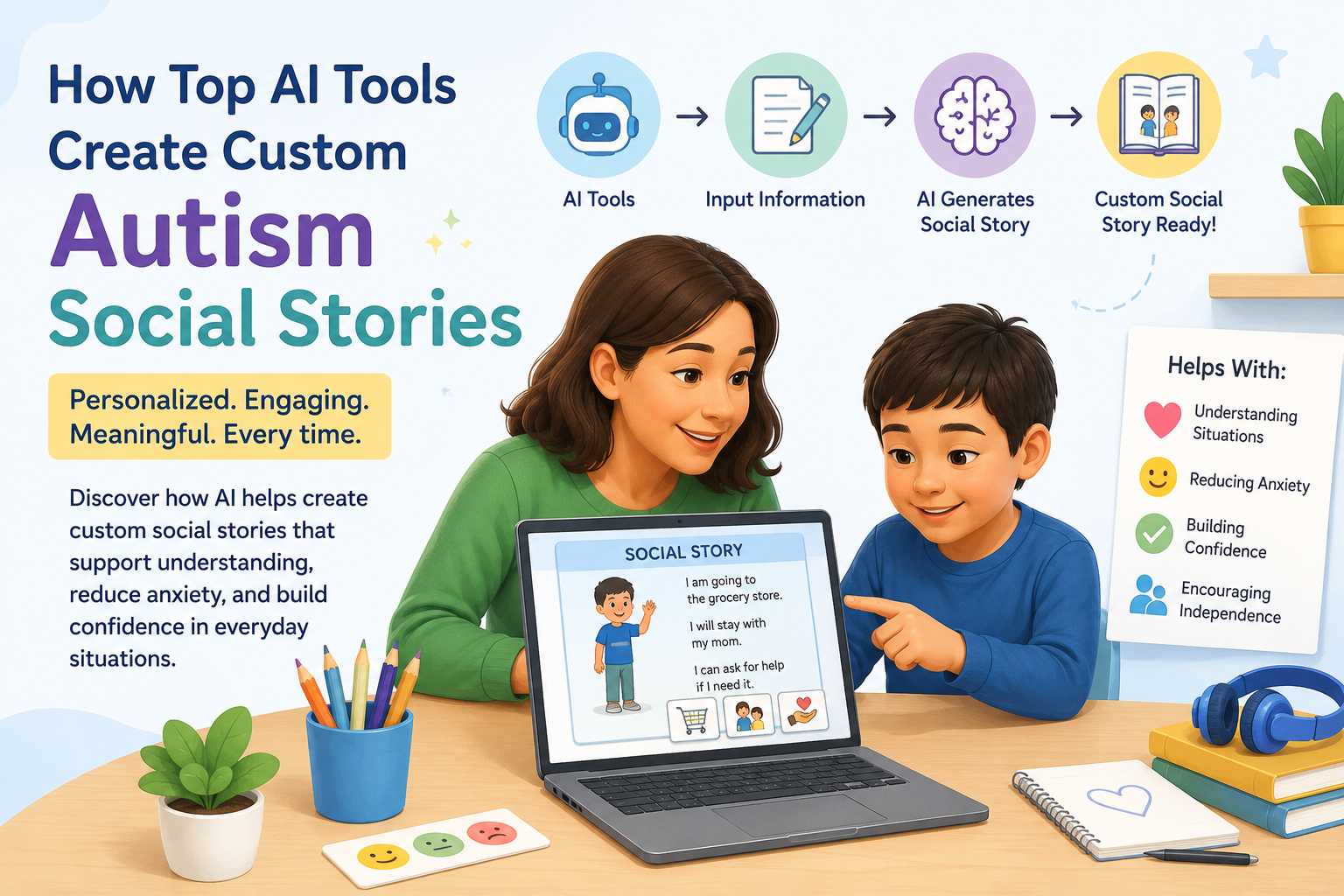
📖 How Top AI Tools Create Custom Autism Social Stories: 2026 Parent Guide
The top AI tools for autism social stories can generate a personalised, illustrated narrative about your child’s specific upcoming experience — a first dental visit, a new school layout, a haircut — in minutes, not hours. In short: yes, these tools are real, they are backed by research, and they are changing how parents manage autism-related change anxiety before it becomes a crisis.
This guide shows you exactly how. 💛

- 📚 What Is a Social Story — and Why It Works for Autism
- 🤖 Why AI Is Transforming Social Story Creation in 2026
- 📊 The Numbers: Social Stories Research and AI Outcomes
- 🛠️ THE TOP AI TOOLS FOR BUILDING CUSTOM AUTISM SOCIAL STORIES
- 🥇 Tool 1: socialstories.app — Purpose-Built AI Social Story Generator
- 🥈 Tool 2: Ella — AI Social Story App
- 🥉 Tool 3: Google Gemini + Canva — The DIY AI Workflow
- 🏅 Tool 4: Microsoft Copilot + Designer — The Microsoft Ecosystem Workflow
- 🏅 Tool 5: ChatGPT + DALL-E — Flexible Custom Story Builder
- 🏅 Tool 6: SOFA — Stories Online For Autism (Digital Research Tool)
- 📋 Quick Comparison: Top AI Tools at a Glance
- ✅ THE 7-STEP WORKFLOW: FROM BLANK PAGE TO PRINTED STORY IN UNDER 15 MINUTES
- 📋 Step 1: Define the Specific Situation (2 minutes)
- 📝 Step 2: Prompt the AI for Text (3 minutes)
- 🎨 Step 3: Generate Matching Illustrations (3 minutes)
- 🔍 Step 4: Review for Accuracy and Safety (2 minutes)
- 🖊️ Step 5: Personalise With Your Child’s Details
- 🖨️ Step 6: Format and Print (2 minutes)
- 📖 Step 7: Read Together Before the Event
- 📌 REAL SOCIAL STORY EXAMPLES
- 🔍 How Personalisation Makes AI Social Stories More Effective
- 🔍 What You Must Not Miss About This Topic
- 1. 🧩 Carol Gray’s Sentence Ratio Is Almost Never Explained for Parents
- 2. 📸 Photos of the Actual Location Are the Most Powerful Element — and the Most Underused
- 3. 🔄 Stories Need to Be Read Multiple Times, Not Once
- 4. 🗣️ The Child’s Voice Should Be in the Story
- 💙 A Parent’s Story: The Dental Visit That Actually Went Well
- ❓ FAQs About Using Top AI Tools for Autism Social Stories
- Q: What is the best AI tool to create a social story for an autistic child?
- Q: How do you write an AI-generated social story for a dental visit?
- Q: Are AI-generated social stories as effective as ones created by a therapist?
- Q: How many pages should an AI-generated autism social story be?
- Q: How often should you read a social story before a new event?
- Q: Can you use a photo of the real location in an AI social story?
- 🔗 Trusted Resources for Families and Therapists
- 💙 Final Thoughts: Your Child Deserves a Map
📚 What Is a Social Story — and Why It Works for Autism
A Social Story™ — originally developed by Carol Gray in 1991 — is a short, structured narrative written from a child’s perspective that describes a social situation, the steps involved, and the expected or appropriate responses. (Source: Ella Kids — How Engaging Visuals Change the Conversation, 2026)
Social stories use straightforward language and vivid pictures to make information comprehensible and relatable for autistic children, aiming to explain what to expect, decrease anxiety, teach rules, demonstrate social cues, and provide guidance in responding to social situations.
Over the years, educators and caregivers have witnessed the positive impact of personalised stories in promoting self-awareness, self-calming, and self-management among children. (Source: Ella Kids, 2026)
Why do they work specifically for autism?
Many autistic children experience significant anxiety around transitions, new environments, unexpected events, and social expectations they have not encountered before. The challenge is not lack of intelligence or willingness — it is the absence of a mental map.
Social stories provide that map. They answer the questions a child’s mind is already asking: What will happen? Who will be there? What will I need to do? What will it feel like? When will it be over?
When those questions are answered in advance — through a story that feels familiar because it includes the child’s own name, their interests, and their own face — the anxiety curve flattens dramatically before the event has even begun.
🤖 Why AI Is Transforming Social Story Creation in 2026
For decades, creating an effective, personalised social story required significant time and skill — writing at the right reading level, sourcing or creating appropriate images, formatting for print, and repeating the entire process for every new situation.
The result was predictable: educators and parents created one or two stories and reused them far past their usefulness, or skipped the process entirely when time was short. The child who needed a story about their new school layout before the first day had to manage without one because it simply was not ready in time.
The top AI tools in 2026 collapse this workflow. What once took hours — drafting, illustrating, formatting — now takes minutes.
AutiHero, a generative AI-based social narrative system specifically designed for behavioural guidance, enables parents to create personalised stories for their autistic children and read them together.
In a two-week deployment study with 16 autistic child-parent dyads, parents created 218 stories and read an average of 4.25 stories per day, demonstrating a high level of engagement. AutiHero also provided an effective, low-demanding means to guide children’s social behaviours, encouraging positive change. (Source: arXiv — AutiHero: Leveraging Generative AI in Social Narratives, 2025)
This is not a theoretical future capability. It is happening right now, with documented outcomes.
📊 The Numbers: Social Stories Research and AI Outcomes
| Statistic | Figure | Source |
|---|---|---|
| Social Stories™ original development | Carol Gray, 1991 | Ella Kids, 2026 |
| Social Stories™ research status | One of the most popular and researched autism interventions | Frontiers in Psychiatry — SOFA Study, 2024 |
| SOFA digital study participants | 856 participants across 3 datasets | PMC — SOFA Study, 2024 |
| AutiHero deployment study (2025) | 16 child-parent dyads, 218 stories in 2 weeks | arXiv — AutiHero, 2025 |
| Average AutiHero story reading rate | 4.25 stories per day per family | arXiv — AutiHero, 2025 |
| AutiHero outcome | Effective, low-demanding behavioural guidance; positive change documented | arXiv — AutiHero, 2025 |
| Personalisation research finding (Edwards et al.) | Personalised stories (child’s images + role play) produced greater improvements than generic narratives | Ella Kids, 2026, citing Edwards et al. |
| Global ASD prevalence | Approximately 1 in 100 children worldwide | arXiv — CHI 2024 ASD Social-Emotional Games Study |
💡 What this data means for parents: The research base for social stories is extensive. The research base for AI-personalised social stories is rapidly expanding — and the early deployment data shows high engagement and measurable behavioural outcomes. The top AI tools in this guide are not experimental. They are practically effective.
🛠️ THE TOP AI TOOLS FOR BUILDING CUSTOM AUTISM SOCIAL STORIES
This is the core top AI tools reference section — organised from purpose-built autism tools to adaptable general platforms.

🥇 Tool 1: socialstories.app — Purpose-Built AI Social Story Generator
What it does: socialstories.app generates personalised social stories in seconds using advanced AI that understands autism support needs and educational best practices. It offers multiple art styles — from realistic to cartoon — ensuring every story resonates with a child’s preferences and learning styles, and exports print-ready social stories for classrooms, therapy sessions, or home use. (Source: socialstories.app)
Key features:
- Multiple art styles including cartoon, realistic, and illustrated
- IEP-aligned story topics available
- Print-ready export for classroom or home use
- Designed specifically for autism support and special education contexts
Best for: Parents wanting a dedicated, purpose-built tool with minimal setup
Cost: Subscription model; free trial available
Platform: Web
Personalization level: Topic, child name, specific scenario
👉 Learn more: socialstories.app
🥈 Tool 2: Ella — AI Social Story App
What it does: Ella is an app that utilises AI to generate custom social stories designed to teach kids routines, new skills, and prepare them for new adventures. Ella streamlines the process by tailoring stories based on just a few inputs, making the creation of personalised social stories faster and more efficient. (Source: Ella Kids, 2026)
Key features:
- Focuses on routines, new skill acquisition, and change preparation
- Designed for caregivers and educators without specialist writing skills
- Child’s preferences and challenges can be inputted to personalise stories
Best for: Parents wanting a guided, input-based story generator for everyday situations
Platform: App-based
👉 Learn more: ella.kids
🥉 Tool 3: Google Gemini + Canva — The DIY AI Workflow
What it does: This combination uses Google’s Gemini AI to write a perfectly structured social story text, then Canva’s AI image generation to create matching visuals — producing a fully illustrated, printable social story in under 15 minutes.
Why it works for autism social stories:
- Gemini can write at the exact reading level you specify
- Gemini follows Carol Gray’s sentence-ratio guidelines when prompted correctly
- Canva’s AI generates consistent character images across pages
- The resulting document can be exported as a PDF for print or tablet use
Best for: Parents who want maximum customisation and already use Google or Canva
Cost: Free (Gemini) + Free/Pro Canva
Platform: Web
Personalization level: Extremely high — you control every detail
👉 Gemini: gemini.google.com | Canva: canva.com
🏅 Tool 4: Microsoft Copilot + Designer — The Microsoft Ecosystem Workflow
What it does: Microsoft Copilot (built into Microsoft 365 and available free at copilot.microsoft.com) can draft a full social story. Microsoft Designer generates matching AI illustrations. Both integrate naturally in schools using Microsoft 365 environments.
Key features:
- Designer generates consistent AI illustrations matching story scenes
- Familiar tools for school environments already using Microsoft 365
Best for: Teachers and parents in Microsoft 365 school environments
Cost: Free Copilot tier + Designer (free with Microsoft account)
Platform: Web, Windows
👉 Learn more: copilot.microsoft.com | designer.microsoft.com
🏅 Tool 5: ChatGPT + DALL-E — Flexible Custom Story Builder
What it does: ChatGPT (GPT-4o) can generate a highly personalised social story when given specific prompting instructions — including the child’s name, the specific situation, the child’s interests, and the language level required. DALL-E 3 (integrated into ChatGPT Plus) generates matching, consistent illustrations.
Key features:
- Extremely flexible and detail-rich personalisation
- Generates consistent character illustrations using DALL-E 3
- Can iterate and revise the story based on parent feedback in the same conversation
Best for: Parents comfortable with AI tools who want the highest personalisation level
Cost: Free ChatGPT tier (text only); ChatGPT Plus (~$20/month) for image generation
Platform: Web, mobile
👉 Learn more: chatgpt.com
🏅 Tool 6: SOFA — Stories Online For Autism (Digital Research Tool)
What it does: SOFA (Stories Online For Autism) is a digital application developed by the Centre for Applied Autism Research (CAAR) at the University of Bath that supports the development and delivery of Social Stories in a real-world setting. (Source: PMC — SOFA Study, 2024)
Why it matters: SOFA is one of the most research-validated digital social story platforms available. The PMC/Frontiers in Psychiatry study gathered data from 856 participants and analysed what predicted story effectiveness, comprehension, and child enjoyment — making it uniquely evidence-grounded.
Best for: Families and clinicians who want a research-validated digital tool with tracking capability
Platform: App-based
👉 Learn more: frontiersin.org/articles/SOFA-study
📋 Quick Comparison: Top AI Tools at a Glance
| Tool | Purpose-Built for Autism | AI Illustrations | Personalisation Level | Cost | Best For |
|---|---|---|---|---|---|
| socialstories.app | ✅ Yes | ✅ Yes | High | Subscription | Parents wanting instant, purpose-built stories |
| Ella | ✅ Yes | ✅ Yes | High | App pricing | Routine and transition preparation |
| Gemini + Canva | ❌ General | ✅ Yes | Very High | Free / Pro | DIY parents wanting maximum control |
| Copilot + Designer | ❌ General | ✅ Yes | High | Free / Microsoft 365 | School/Microsoft environments |
| ChatGPT + DALL-E | ❌ General | ✅ Yes | Very High | Free / Plus | Tech-comfortable parents |
| SOFA | ✅ Yes | Structured | Moderate | Research tool | Evidence-validated clinical use |
✅ THE 7-STEP WORKFLOW: FROM BLANK PAGE TO PRINTED STORY IN UNDER 15 MINUTES
Use this workflow with any of the top AI tools above. The steps apply universally whether you are using a purpose-built autism app or a general-purpose AI platform.
📋 Step 1: Define the Specific Situation (2 minutes)
Be precise. The more specific you are, the more useful the story will be.
Write down:
- What is the situation? (e.g., “First dental cleaning appointment at Dr. Patel’s office”)
- What specifically is the child worried about? (the chair moving, the noise of the drill, strangers touching their face)
- What will actually happen, step by step?
- What do you want the child to understand or feel by the end?
📝 Step 2: Prompt the AI for Text (3 minutes)
Use this template prompt for any of the top AI tools that generate text:
🎨 Step 3: Generate Matching Illustrations (3 minutes)
For each page of the story, generate a matching illustration using one of the image AI tools. Use consistent character descriptions in every image prompt to maintain the same character across pages.
Example image prompt for a dental story:
“A friendly cartoon child with brown hair sitting in a big blue dentist chair, looking calm. A dentist in a white coat is smiling and showing the child a toothbrush. Soft, warm colours. No scary objects visible.”
🔍 Step 4: Review for Accuracy and Safety (2 minutes)
Check every page for:
- ✅ Accuracy — does it correctly describe what will actually happen?
- ✅ Tone — is it reassuring without minimising the child’s real concerns?
- ✅ Language level — is every sentence simple and clear?
- ✅ Safety — does it include your child’s actual coping strategy?
🖊️ Step 5: Personalise With Your Child’s Details
Add your child’s name, replace any generic images with photos of the actual location if possible, and include any of their specific comfort items, coping strategies, or trusted people mentioned in the story.
🖨️ Step 6: Format and Print (2 minutes)
Format as one image + one short text per page. Print with a border, laminate if possible, and bind with a comb binder or clip. For a digital version, save as a PDF and display on a tablet.
📖 Step 7: Read Together Before the Event
Begin reading the story at least 3–5 days before the event. Read it daily. Let the child ask questions. Use the story as a conversation starter rather than a one-way information delivery.
📌 REAL SOCIAL STORY EXAMPLES
Example 1: First Dental Visit
Story title: “The Day I Go to the Dentist”
Page 1: “On Tuesday, I am going to the dentist. The dentist’s name is Dr. Patel. Lots of children go to the dentist to keep their teeth healthy.”
Page 2: “When we arrive, there will be a waiting room with chairs. It might be a little noisy. I can hold my fidget toy while I wait.”
Page 3: “A friendly person will call my name. I will walk with Mum to a big chair that goes up and down. The chair feels a bit like a ride.”
Page 4: “The dentist will look at my teeth with a small mirror. The light is bright. I can close my eyes for a moment if I need to.”
Page 5: “When it is finished, I will feel proud. I went to the dentist. I did something brave.”
Example 2: New School Layout
Story title: “My New School”
Page 1: “Next Monday, I am going to my new school for the first time. It is called Maple Grove School. New places can feel strange at first. That is okay.”
Page 2: “The school has two floors. My classroom is Room 4 on the ground floor. I do not have to go upstairs.”
Page 3: “My teacher is called Miss Clarke. She knows I am coming. She will be happy to see me.”
Page 4: “If I feel worried, I can go to the quiet room next to the library. A yellow dot on the door shows me where it is.”
Page 5: “At 3:15, the day is finished. Mum will be waiting at the blue gate. I will know it is time to go home.”
🔍 How Personalisation Makes AI Social Stories More Effective
Research by Kelly A.M. Edwards and colleagues examined the impact of personalised social narratives on children with ASD. They found that personalisation — such as using images of the child and incorporating role play — led to greater improvements in target behaviours compared to generic narratives. (Source: Ella Kids, 2026, citing Edwards et al.)
This research finding is the reason why simply downloading a generic social story from the internet is significantly less effective than building a custom one with the top AI tools available today.
Elements that most powerfully personalise a social story:
| Personalisation Element | Example | Why It Works |
|---|---|---|
| Child’s name throughout | “When Luca arrives at the dentist…” | Activates personal relevance; the child’s brain recognises “this is my story” |
| Child’s specific interests woven in | “Luca can bring his dinosaur toy to hold” | Reduces threat response; familiar elements anchor the child |
| Real location details | “Dr. Patel’s office has a fish tank in the waiting room” | Eliminates surprises; the child recognises the place before arriving |
| Child’s actual coping strategy | “If Luca feels scared, he can squeeze Mum’s hand two times” | Gives the child an action to anchor to instead of escalating |
| Real photos of the location | Photo of the actual dental chair, the actual waiting room | Most powerful element; the child literally sees where they are going |
The top AI tools that allow image uploads — or that generate illustrations you can customise — enable all of these elements in a single, integrated workflow.
🔍 What You Must Not Miss About This Topic
1. 🧩 Carol Gray’s Sentence Ratio Is Almost Never Explained for Parents
Carol Gray’s original Social Story™ guidelines specify a ratio of descriptive and perspective sentences to directive sentences — approximately 2-3 that describe what is happening for every 1 that tells the child what to do.
Most parent guides ignore this distinction entirely, leading to stories that are essentially instruction manuals (“you must do X, then Y, then Z”) rather than genuine social narratives. When using top AI tools, prompting for this ratio produces significantly better stories — and this guide is one of the only parent resources that explains it.
2. 📸 Photos of the Actual Location Are the Most Powerful Element — and the Most Underused
Research consistently supports personalisation. Yet almost no parent guide makes the specific, actionable recommendation to photograph the actual location before the event and embed those photos into the story. A child seeing the actual chair, actual door, and actual waiting room of the dentist they will visit next Tuesday is receiving meaningfully more powerful preparation than a child reading a story with cartoon illustrations of a generic dental office.
3. 🔄 Stories Need to Be Read Multiple Times, Not Once
Almost no parent guide specifies how many times a social story should be read before an event. Clinical practice strongly suggests beginning at least 3–5 days before the event and reading it daily — sometimes multiple times per day for highly anxious children. A story read once the night before is unlikely to produce the same anxiety reduction as one read every day for a week.
4. 🗣️ The Child’s Voice Should Be in the Story
Genuinely effective AI-generated social stories include perspective sentences — sentences that describe what the child might think or feel. These are not prescriptive (“I will feel calm”) but validating and normalising (“I might feel nervous when I first sit in the chair. That is okay. Lots of children feel nervous”). This distinction is frequently lost in generic story templates.
💙 A Parent’s Story: The Dental Visit That Actually Went Well
Sam had not had his teeth cleaned in two years. The last appointment had ended with him in the waiting room floor, overwhelmed, while his mother Maya apologised repeatedly to staff who were quietly relieved when they left.
“It was not anyone’s fault,” Maya says. “Sam did not know what was coming. He had no map for any of it.”
Before the next appointment, Maya used ChatGPT to draft a social story and Canva to add illustrations. She photographed the actual dental office waiting room after calling ahead and asking the receptionist if that was okay. She included Sam’s specific interest — trains — by having him bring his small locomotive toy. She wrote that Sam could hold his train the whole time if he needed.
“I read it to him every night for six days before the appointment,” she says. “By day four, he was reading parts of it back to me.”
The appointment lasted eleven minutes. Sam sat in the chair. He held the locomotive. He squeezed Maya’s hand once, when the suction tool made a noise. He did not get off the chair.
“Driving home, he asked me if we could go back next time,” Maya recalls. “He said, ‘It was exactly like the story.'”
That sentence — it was exactly like the story — is the goal of every social story ever written.
❓ FAQs About Using Top AI Tools for Autism Social Stories
Q: What is the best AI tool to create a social story for an autistic child?
The best purpose-built options are socialstories.app and Ella, both specifically designed for autism social stories with AI generation and illustration. For maximum personalisation, ChatGPT with DALL-E for images, or Google Gemini combined with Canva, give parents the most control over every detail of the story. Always include the child’s name, specific location details, and their own coping strategies for highest effectiveness.
Q: How do you write an AI-generated social story for a dental visit?
Open any of the top AI tools listed in this guide. Prompt the AI with the child’s name, their age, the specific dental office details, what will happen step by step, what the child might feel, and their coping strategy. Specify simple, short sentences and a first-person perspective. Add illustrations for each page using an AI image generator. Review for accuracy, then print and begin reading to your child 3-5 days before the appointment.
Q: Are AI-generated social stories as effective as ones created by a therapist?
Research supports personalisation as the key variable in social story effectiveness — and AI tools enable very high levels of personalisation quickly. However, the most effective social stories are always reviewed by a human who knows the child well — ideally the parent or a therapist — before use. Use AI as the creator and yourself as the editor: the combination produces better stories faster than either approach alone.
Q: How many pages should an AI-generated autism social story be?
Carol Gray’s guidelines suggest keeping social stories short and focused — typically 8 to 12 pages for most situations. Each page should contain one illustration and 1 to 3 short sentences. Longer stories risk losing a child’s attention and diluting the key preparation messages. When prompting the top AI tools for social stories, specify 8-12 pages as your target.
Q: How often should you read a social story before a new event?
Begin reading the story at least 3 to 5 days before the event, ideally daily. For children with higher anxiety or for more unfamiliar situations, reading multiple times per day is appropriate. The goal is that the story becomes familiar enough that the child’s brain recognises the real-life situation as matching the narrative they have already rehearsed.
Q: Can you use a photo of the real location in an AI social story?
Yes — and research on personalisation strongly supports doing so. Photos of the actual location (the real dental chair, the real school entrance, the real swimming pool) are the most powerful personalisation element available. Take photos during a pre-visit or by calling ahead and asking, then embed them directly in the story pages rather than using only AI-generated illustrations.
🔗 Trusted Resources for Families and Therapists
| Resource | What It Offers | Link |
|---|---|---|
| 📖 Carol Gray — Social Stories™ Official Site | Original Social Story™ guidelines and training | carolgraysocialstories.com |
| 🤖 socialstories.app | Purpose-built AI social story generator | socialstories.app |
| 👧 Ella Kids | AI social story app for families | ella.kids |
| 🔬 PMC — SOFA Digital Social Stories Study | Peer-reviewed research on digital social stories | pmc.ncbi.nlm.nih.gov |
| 📄 arXiv — AutiHero Research, 2025 | Generative AI social narrative deployment study | arxiv.org |
| 🏛️ Autism Speaks — Social Stories Resource | Family-facing guidance on social stories | autismspeaks.org |
| 🖼️ Canva AI Image Generation | Free-tier AI illustration tool for story creation | canva.com |
💙 Final Thoughts: Your Child Deserves a Map
Every autistic child who has ever melted down at an unexpected event was not being difficult. They were navigating an unmapped territory with no tools and no guide — and the fear of the unknown is one of the most powerful triggers in the human nervous system, for any brain, and especially for a brain that craves predictability and structure.
The top AI tools in this guide are map-makers. They do not remove every challenge. They do not guarantee a perfect appointment or a seamless first day. But they give your child something precious: the experience of arriving somewhere they have already been — in the story, in their mind, in the familiar sentences they have heard every night for a week.
It was exactly like the story.
That is the goal. And in 2026, the top AI tools that build these stories are fast, accessible, and genuinely effective.
Start with one situation. Pick one tool. Build one story. 💛
📝 This article is for informational and educational purposes only. Social Stories™ is a trademarked term owned by Carol Gray. AI-generated stories should always be reviewed by a parent, caregiver, or therapist who knows the child well before use. These tools supplement — not replace — professional guidance from autism specialists, behaviour analysts, or speech-language pathologists.


