

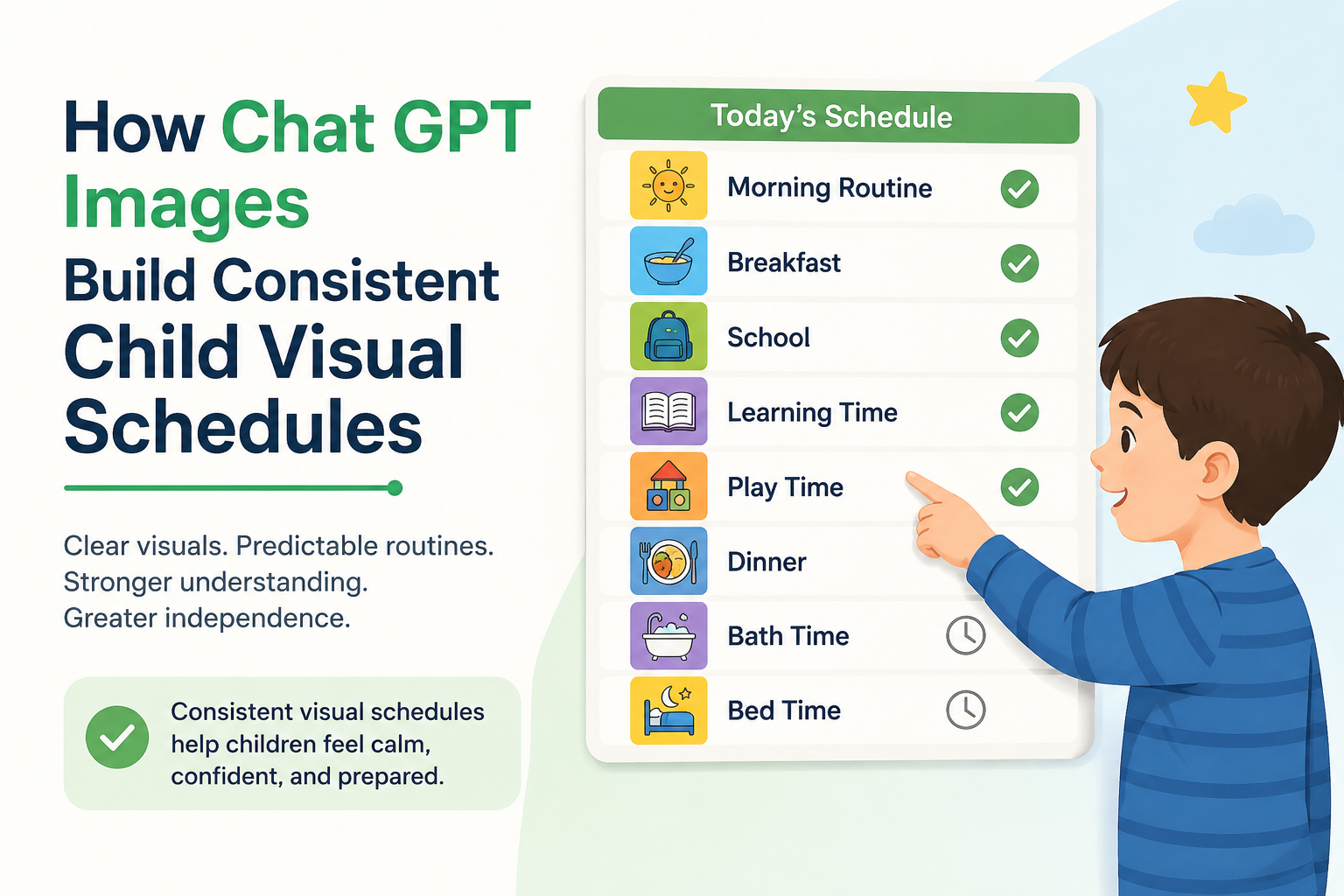
How Chat GPT Images Build Consistent Child Visual Schedules? 2026 Guide for Special Needs Families 💛
🎨 Visual schedules cut meltdowns by up to 50% for children with autism — now Chat GPT Images makes creating them faster than ever. Discover the exact 2026 step-by-step system for custom, consistent visual schedules. 💛👇

- 🌟 Can Chat GPT Images Really Build Better Visual Schedules for Special Needs Children?
- 📊 Visual Schedules Research — The Evidence Behind the Strategy
- 🧠 Why Visual Schedules Work for Special Needs Children — The Science
- 🤖 What Are Chat GPT Images and How Do They Work?
- 📋 The Complete System — How to Use Chat GPT Images for Visual Schedules
- Phase 1: Plan Your Schedule 🗓️
- Phase 2: Master the ChatGPT Image Prompt Formula 🎯
- The Visual Schedule Card Prompt Formula
- Your Style Anchor Prompt — Create This First
- Phase 3: The Complete Prompt Library — Ready to Use 📚
- Phase 4: Generation Tips for Consistency 🔧
- Phase 5: Printing, Laminating, and Assembling Your Visual Schedule 🖨️
- 💬 A Parent’s Experience — How Chat GPT Images Changed Our Mornings
- 💡 What Most Visual Schedule Guides Miss — The Advanced Insights
- 1. Inconsistency Is the Silent Schedule Killer
- 2. Transition Cards Are Missing From Most Sets
- 3. First-Person Perspective Prompts Work Better for Some Children
- 4. Emotion Cards Complete the Set
- 🔮 The Future — Where Chat GPT Images for Special Needs Schedules Is Going
- ❓ FAQs — Chat GPT Images and Visual Schedules 2026
- Q1: What are Chat GPT Images and how do they work?
- Q2: Why is visual schedule consistency important for autistic children?
- Q3: Do I need a paid ChatGPT subscription to create visual schedule images?
- Q4: Can Chat GPT images create cards that look like my specific child?
- Q5: How do I make all my visual schedule cards look the same?
- Q6: What size should I print ChatGPT image visual schedule cards?
- Q7: What app should I use to create a digital visual schedule with ChatGPT images?
- Q8: Can Chat GPT images add text labels to visual schedule cards?
- Q9: Are visual schedules supported by research?
- Q10: How many cards should a visual schedule have?
- 💛 Final Words: Your Child’s Best Visual Schedule Is One You Can Actually Create
🌟 Can Chat GPT Images Really Build Better Visual Schedules for Special Needs Children?
Chat GPT Images — the AI image generation capability built into ChatGPT — can create custom, consistent, child-friendly visual schedule images in seconds, transforming one of the most time-consuming tasks in special needs parenting.
The direct answer: yes, ChatGPT images can build better visual schedules than most parents currently use, because they produce custom illustrations with consistent art style, skin tone, and character across every activity card — eliminating the visual inconsistency that confuses many autistic children and undermines the schedule’s effectiveness.
This guide shows you exactly how to use ChatGPT images for visual schedules — from the precise prompts to use, to how to print and assemble them, to the research behind why visual schedules work so powerfully for children with autism, ADHD, Down Syndrome, and other special needs.
📊 Visual Schedules Research — The Evidence Behind the Strategy
| Statistic | Data | Source |
|---|---|---|
| Visual schedules and anxiety reduction | Visual schedules can significantly reduce stress during medical procedures by providing clear and structured guidance — improving communication, fostering engagement, and creating predictability | PMC / HSAG — Koekemoer et al., February 2025 |
| AI and autism intervention — research explosion | Since 2017 and especially in 2022–2025, researchers have begun to harness advanced AI (GPT-3, GPT-4, and similar models) to tackle long-standing challenges in ASD diagnosis, intervention, and caregiver support | Frontiers in Psychiatry / PMC Scoping Review, June 2025 |
| ChatGPT empathy in ASD caregiver support | ChatGPT surpassed physician responses in empathy ratings — suggesting LLM chatbots can augment caregiver psychoeducation with a more empathic tone | Frontiers in Psychiatry, June 2025 |
| AI annual cost of autism support in US | The estimated annual cost of autism in the United States is expected to reach $461 billion by 2025 — making cost-effective AI tools for home support increasingly valuable | PMC / Frontiers in Psychology, 2023 |
| ChatGPT images launched / gpt-image-1 | In April 2025, OpenAI launched gpt-image-1, a new DALL-E-based model with dramatically improved instruction-following for image generation — including the ability to generate text within images accurately | OpenAI, April 2025 |
| Generative AI children and adolescents | Generative AI chatbots including ChatGPT have moved from novelty to ubiquity in just a few years, serving purposes ranging from learning support to everyday conversation across all age groups | PMC — AI Screen Time Review, 2026 |
| Visual schedule teaching effectiveness | Picture activity schedules successfully teach on-task and on-schedule behaviours to children with autism across multiple research studies | Wikipedia — Visual Schedules Research Summary |
🧠 Why Visual Schedules Work for Special Needs Children — The Science
Before diving into how ChatGPT images create them, it is important to understand why visual schedules are so powerful for special needs children — because this understanding shapes how you build them.
Visual schedules work across the autism, ADHD, intellectual disability, and anxiety spectrum for the same neurological reason: predictability reduces cognitive load. When a child knows what comes next, they do not need to spend energy on uncertainty. That freed energy can go toward the task itself — learning, engaging, participating.
The Core Neuroscience in Plain Language
Many autistic children process visual information significantly more reliably than auditory information. Verbal instructions — “Get dressed, then eat breakfast, then brush your teeth” — pass through the auditory processing system in a linear, time-limited way. Miss one word. Lose track. Start over.
A visual schedule externalises the same information into the environment, where it remains visible. The child can look at it repeatedly. They can check off completed steps. They can see what is coming next without waiting for anyone to tell them.
The result: visual schedules can significantly reduce stress by providing clear and structured guidance, improving communication, fostering patient engagement, and creating a sense of predictability. (Source: PMC / Health SA Journal, February 2025)
What Makes a Visual Schedule Actually Work
Not all visual schedules are equal. Research and clinical experience reveal that the most effective visual schedules share these features:
| Feature | Why It Matters | How ChatGPT Images Helps |
|---|---|---|
| Consistent art style | Style changes between cards confuse children who process visual information literally | ChatGPT images can generate every card in the same illustration style with one prompt instruction |
| Consistent character | If a child appears in the cards, they must look the same in every card | Specify consistent character description across all prompts |
| Clear, simple images | Cluttered backgrounds compete with the key activity for attention | “Simple background” or “white background” instruction in prompts |
| Accurate text labels | Many children begin connecting written words with images | ChatGPT’s gpt-image-1 model now accurately renders text within images |
| Skin tone and cultural accuracy | The character should look like the child using the schedule | Specify skin tone, hair colour, and other features in the prompt |
| Activity-specific accuracy | The image must clearly show the intended activity | Detailed activity descriptions in prompts produce accurate results |
🤖 What Are Chat GPT Images and How Do They Work?
Chat GPT images refers to the image generation capability built into ChatGPT — initially powered by DALL-E models and in 2025 upgraded to the gpt-image-1 model, which offers dramatically improved instruction following, text rendering within images, and consistency across multiple generations.
In April 2025, OpenAI launched gpt-image-1 — a new image generation model available through the ChatGPT interface and the API. This model is particularly significant for special needs families because of its ability to follow complex, detailed instructions about style, content, and text rendering with high accuracy.
What Makes gpt-image-1 Different for Visual Schedule Creation
- Instruction following — Can follow complex, multi-part descriptions of what the image should contain
- Text rendering — Can accurately write words within the image (the activity label on the card)
- Style consistency — Can maintain consistent illustration style when given clear style descriptions
- Character consistency — With detailed prompting, can produce a character who looks similar across multiple images
- Output quality — Produces clean, printable images at high enough resolution for laminated schedule cards
Access — Who Can Use Chat GPT Images
| Access Level | What You Get | Cost (June 2026) |
|---|---|---|
| ChatGPT Free | Limited image generation | Free |
| ChatGPT Plus | Standard image generation; gpt-image-1 access | ~$20/month |
| ChatGPT Pro | Enhanced image generation; highest quality output | ~$200/month |
| API (developers) | gpt-image-1 via API for apps and integrations | Per-token pricing |
For most parents, the Plus tier provides everything needed for creating comprehensive visual schedule card sets.
📋 The Complete System — How to Use Chat GPT Images for Visual Schedules

Phase 1: Plan Your Schedule 🗓️
Before opening ChatGPT, plan the schedule structure. This takes 10 minutes and makes everything else faster and more consistent.
Step 1: Identify the schedule type
| Schedule Type | Best For | Number of Cards Needed |
|---|---|---|
| Morning routine | Daily independence skills | 6–10 cards |
| School day schedule | Transition predictability | 8–15 cards |
| Homework routine | Executive function support | 4–6 cards |
| Bedtime routine | Sleep preparation | 5–8 cards |
| Mealtime routine | Self-care independence | 4–6 cards |
| Community outing | Novel environment preparation | 4–8 cards (outing-specific) |
Step 2: List every activity in order
Write out every single step — do not skip obvious ones. Many autistic children need every transition explicitly shown, including steps neurotypical children perform automatically.
Morning routine example:
- Wake up
- Get out of bed
- Use the bathroom
- Wash hands
- Brush teeth
- Wash face
- Get dressed
- Make bed
- Eat breakfast
- Pack school bag
- Put on shoes
- Wait for the school bus
Step 3: Define your character
Decide on the character who will appear in your cards:
- A cartoon child who resembles your child (specify hair colour, skin tone, clothing colour)
- A simple symbol or icon set (no character)
- A realistic illustration style
- Your child’s favourite character or animal theme
For most children, a simple cartoon character with consistent features produces the best results with ChatGPT images.
Phase 2: Master the ChatGPT Image Prompt Formula 🎯
This is the most important section — because the quality of your ChatGPT images depends entirely on the quality of your prompts.
The Visual Schedule Card Prompt Formula
Use this exact structure for every card you create:
“[Style instruction] illustration of [character description] [specific action]. [Setting]. [Background]. [Additional style notes]. Include text label at the bottom reading ‘[ACTIVITY NAME]’ in [font style] font.”
Your Style Anchor Prompt — Create This First
Before generating individual cards, create a style anchor prompt that you will include in every single card prompt. This ensures visual consistency.
Example Style Anchor: “Flat illustration style, simple cartoon, warm colours, thick outlines. Child character: 7-year-old boy, brown skin, short black curly hair, wearing a green t-shirt and blue shorts. White background.”
Save this description. Copy and paste it into every subsequent card prompt.
Phase 3: The Complete Prompt Library — Ready to Use 📚
Here is a complete prompt library for the most common visual schedule activities. Each prompt follows the formula. Replace the character description with your style anchor.
🌅 Morning Routine Card Prompts
Wake Up: “Flat illustration style, simple cartoon, warm colours, thick outlines. Child character: 7-year-old with brown skin, short black curly hair, green t-shirt. Cartoon child waking up in bed, stretching arms above head, sunlight through window. White background. Include bold text label at the bottom: ‘WAKE UP’ in clean rounded font.”
Brush Teeth: “[Your style anchor]. Cartoon child standing at bathroom sink, holding a blue toothbrush to their mouth, smiling. White bathroom setting. White background. Bold text label at bottom: ‘BRUSH TEETH’.”
Get Dressed: “[Your style anchor]. Cartoon child pulling on a colourful shirt, one arm through the sleeve. Bedroom setting, bed visible in background. White background. Bold text label at bottom: ‘GET DRESSED’.”
Eat Breakfast: “[Your style anchor]. Cartoon child sitting at a table with a bowl of cereal and a glass of orange juice, spoon in hand. White background. Bold text label at bottom: ‘EAT BREAKFAST’.”
Pack School Bag: “[Your style anchor]. Cartoon child putting books and pencils into an open backpack on the floor. White background. Bold text label at bottom: ‘PACK YOUR BAG’.”
Put on Shoes: “[Your style anchor]. Cartoon child sitting on the floor, putting on a trainer/sneaker, lace visible. White background. Bold text label at bottom: ‘PUT ON SHOES’.”
🏫 School Day Schedule Prompts
Circle Time: “[Your style anchor]. Cartoon child sitting cross-legged on a colourful mat with other children in a circle, listening to a teacher. Simple classroom background. Bold text label at bottom: ‘CIRCLE TIME’.”
Reading Time: “[Your style anchor]. Cartoon child sitting at a desk with an open book, looking at the pages. Simple school desk setting. White background. Bold text label at bottom: ‘READING TIME’.”
Lunch: “[Your style anchor]. Cartoon child sitting at a cafeteria table with a lunch tray, eating. White background. Bold text label at bottom: ‘LUNCH TIME’.”
Playground: “[Your style anchor]. Cartoon child running on a playground near a slide, arms wide, smiling. Simple outdoor background with blue sky. Bold text label at bottom: ‘PLAYGROUND’.”
🌙 Bedtime Routine Prompts
Bath Time: “[Your style anchor]. Cartoon child in a bathtub with bubbles, holding a rubber duck, smiling. White bathroom background. Bold text label at bottom: ‘BATH TIME’.”
Pyjamas: “[Your style anchor]. Cartoon child putting on star-patterned pyjama bottoms, one leg up. Bedroom background. White background. Bold text label at bottom: ‘PUT ON PYJAMAS’.”
Story Time: “[Your style anchor]. Cartoon child in bed with white sheet, parent sitting beside holding an open storybook, soft lamp light. White background. Bold text label at bottom: ‘STORY TIME’.”
Lights Out: “[Your style anchor]. Cartoon child lying in bed with eyes closed, peaceful expression, stars visible through window, room dark. Bold text label at bottom: ‘SLEEP TIME’.”
Phase 4: Generation Tips for Consistency 🔧
Getting consistent results from ChatGPT images across a full card set requires a few specific techniques.
Tip 1: Generate one test card first
Before generating all 10–12 cards, generate one “Wake Up” card and evaluate:
- Does the character match your description?
- Is the style what you wanted?
- Is the text readable?
- Is the image clean enough to print?
Refine your style anchor prompt until this test card looks exactly right. Then generate all remaining cards.
Tip 2: Regenerate any card that looks different
If a card does not match your style anchor, regenerate it. ChatGPT images will produce slightly different results each time — and with gpt-image-1, you can add “Make the character match exactly: [describe]” to bring a stray card back into alignment.
Tip 3: Use the same session for all cards if possible
ChatGPT does not maintain perfect memory across sessions. If possible, generate your entire card set in one session — keeping your style anchor visible at the top of the conversation.
Tip 4: Save in a consistent format
Download every card as a PNG file. Name files systematically: 01_wake_up.png, 02_bathroom.png, etc. This makes printing and reassembly much faster.
Phase 5: Printing, Laminating, and Assembling Your Visual Schedule 🖨️
ChatGPT images are digital files. Getting them into a usable physical format involves a few practical steps.
Option 1: Standard A5 or A6 Card Format
- Arrange cards in a document (Google Slides or Word) — 4 per A4 page
- Print on card stock (160gsm minimum) for durability
- Laminate each card at home or at a print shop
- Add velcro dots to the back — stick to a velcro strip on the wall or a schedule board
Card size recommendations:
- Younger children (2–5): A5 (large, easy to see)
- School-age children (6–12): A6 (smaller, more portable)
- Teens: Business card size or digital schedule
Option 2: Digital Visual Schedule (iPad or Tablet)
For children comfortable with technology, a digital schedule using the ChatGPT images as thumbnails can be created in a simple app:
- Choiceworks — fancyhands.com/apps — purpose-built visual schedule app where you can upload custom images
- Visual Schedule Planner — Upload your ChatGPT images as custom cards
- AutiPlan — Supports custom image upload with a visual timer
Option 3: First-Then Board (Simplest Format)
For children just starting with visual schedules, a First-Then board uses only two cards at a time: “FIRST [activity A] — THEN [activity B].”
Generate just two ChatGPT images per use and display them on a simple laminated board. This is the gentlest introduction to visual schedule use.
💬 A Parent’s Experience — How Chat GPT Images Changed Our Mornings
“My son Arav has autism and severe anxiety around transitions. Our mornings were a daily battle — getting out of bed, into the bathroom, dressed, and to the school bus. Each transition triggered a meltdown. We had tried pre-made visual schedule apps but Arav found the generic characters confusing — they didn’t look right to him, and the styles changed between cards.
I started using ChatGPT images in March 2025. I spent about two hours generating 12 custom cards with a character I designed to look roughly like Arav — same brown skin, same curly hair, same green school shirt he wears. Every single card looked like the same character doing a different activity. I printed them on card stock, laminated them, and stuck them to the bathroom door with velcro.
Within a week, the morning meltdowns dropped dramatically. Within a month, they were rare. He would go to the board himself, check what was next, do it, and move his card to the ‘done’ pocket. The consistency of the images was, I believe, the key. When every card looks like the same character in the same world, the schedule makes sense as a sequence — not as a collection of unrelated pictures.” — Chitra, mother of a child with autism, Bengaluru, India
💡 What Most Visual Schedule Guides Miss — The Advanced Insights
1. Inconsistency Is the Silent Schedule Killer
Most visual schedule guides recommend using PECS symbols, internet clip art, or photographs. Each source has a different art style, different character, different level of realism. When a child processes these images, they are processing a different visual world in every card.
ChatGPT images solve this. With one consistent style anchor in your prompt, every card lives in the same visual world. This consistency is not a cosmetic preference — it is a cognitive accessibility feature.
2. Transition Cards Are Missing From Most Sets
A visual schedule is not just a list of activities — it is a sequence of transitions. The transition itself — “now I’m finishing this and starting that” — is often the hardest moment.
Add transition cards to your ChatGPT images set:
- “FINISHED” card (character gives thumbs up)
- “NEXT” card (character points forward)
- “WAIT” card (character sitting calmly with hands in lap)
- “CHOICE TIME” card (character at a board with choices)
3. First-Person Perspective Prompts Work Better for Some Children
Instead of generating images showing the character from the side or front, try first-person perspective prompts:
“View from a child’s perspective looking down at their own hands brushing teeth over a sink. Simple, clear, no distracting background.”
Some children — particularly those with more significant sensory processing differences — find first-person perspective images more immediately understandable than third-person character images.
4. Emotion Cards Complete the Set
Standard visual schedules cover activities. Advanced schedules also cover emotions and expected behaviours. Generate these additional ChatGPT images cards:
- “CALM BODY” — character sitting still with relaxed posture
- “LOUD VOICE / QUIET VOICE” — character with mouth wide open vs. finger to lips
- “HANDS TO SELF” — character with hands folded in lap
- “I NEED HELP” — character raising one hand
- “I’M UPSET” — character with sad face, tears, hands on cheeks
🔮 The Future — Where Chat GPT Images for Special Needs Schedules Is Going
Since 2017 and especially in 2022–2025, researchers have begun to harness advanced AI to tackle long-standing challenges in ASD intervention and caregiver support. (Source: Frontiers in Psychiatry, June 2025) The integration of ChatGPT images into visual schedule creation is part of a broader shift that is transforming how special needs families access tools.
In 2026 and beyond, we are moving toward:
- Real-time schedule generation — AI that generates new cards within seconds based on verbal descriptions from parents
- Character memory across sessions — Future models that remember your character design persistently
- Bilingual text on cards — English + Hindi, English + Punjabi, for Indian families using multilingual environments
- Interactive digital schedules — Cards that the child can tap to hear a voice read the activity aloud
- Parent-to-child personalisation at scale — AI that generates a card set from a parent’s photograph of their child
❓ FAQs — Chat GPT Images and Visual Schedules 2026
Q1: What are Chat GPT Images and how do they work?
ChatGPT images refers to the AI image generation capability built into ChatGPT — powered since April 2025 by the gpt-image-1 model. You type a text description of the image you want, and ChatGPT generates it in seconds. For visual schedules, you describe each activity card — including the character, style, setting, and text label — and ChatGPT images produces a printable illustration. (Source: OpenAI, April 2025)
Q2: Why is visual schedule consistency important for autistic children?
Many autistic children process visual information literally and struggle with inconsistencies in style, character, or setting across schedule cards. When different cards come from different visual sources — PECS symbols, clip art, photos — they exist in different visual worlds. A child may not recognise that these unrelated-looking images are part of a single sequence. ChatGPT images solves this by allowing parents to generate every card in the same art style with the same character.
Q3: Do I need a paid ChatGPT subscription to create visual schedule images?
The free tier of ChatGPT offers limited image generation. For creating a full set of 10–15 visual schedule cards with consistent quality, a ChatGPT Plus subscription (~$20/month) is recommended. This provides access to the gpt-image-1 model with sufficient generation capacity for a complete card set. Cancelling after building your card set is an option if ongoing use is not needed.
Q4: Can Chat GPT images create cards that look like my specific child?
You can describe your child’s physical characteristics in the prompt — skin tone, hair colour, hair style, eye colour, typical clothing — and ChatGPT images will generate a character who resembles those descriptions. While it cannot use a photograph to create an exact likeness, a well-described character is specific enough that many children with autism recognise the character as representing themselves.
Q5: How do I make all my visual schedule cards look the same?
Create a “style anchor” — a written description of your illustration style and character that you include in every single prompt. For example: “Flat illustration, simple cartoon, warm colours, thick outlines. Child character: 6-year-old girl, light brown skin, two braids, purple dress, white background.” Include this in every card prompt to ensure visual consistency across the full set.
Q6: What size should I print ChatGPT image visual schedule cards?
For younger children (ages 2–5), A5 size (half of A4) is recommended — large enough to see clearly and point to. For school-age children (ages 6–12), A6 size (quarter of A4 — approximately postcard size) is more practical and portable. Print on card stock (160gsm or heavier) and laminate for durability.
Q7: What app should I use to create a digital visual schedule with ChatGPT images?
The most flexible option for uploading custom ChatGPT images to a digital schedule is Choiceworks (Bee Visual) or Visual Schedule Planner — both allow custom image upload. For a simpler approach, create a PowerPoint or Google Slides presentation with one card per slide and display it on a tablet in full-screen mode.
Q8: Can Chat GPT images add text labels to visual schedule cards?
Yes — with gpt-image-1 (launched April 2025), ChatGPT images can now render text within images with high accuracy. In your prompt, include: “Include text label at the bottom reading ‘[ACTIVITY NAME]’ in clean, bold, rounded font.” Text accuracy has improved dramatically in 2025–2026 compared to earlier image models.
Q9: Are visual schedules supported by research?
Yes — extensively. Visual schedules have been shown to successfully teach on-task and on-schedule behaviours to children with autism across multiple research studies. Research in 2025 specifically confirmed that visual schedules can significantly reduce stress and anxiety in children by providing predictability and structured guidance. (Source: PMC, February 2025)
Q10: How many cards should a visual schedule have?
This depends entirely on the child and the schedule. For very young children (2–4) or children just beginning with visual schedules, start with a First-Then board — just two cards at a time. For school-age children, a morning routine of 8–12 cards is typical. For school day schedules, 10–15 cards is common. Always start with fewer cards and add more as the child becomes comfortable with the format.
💛 Final Words: Your Child’s Best Visual Schedule Is One You Can Actually Create
The most effective visual schedule is not the one from the most expensive app. It is the one that looks right to your child. The one that shows a character who looks like them, doing activities that look like their activities, in a style that is consistent from first card to last.
For years, creating that kind of custom, consistent visual schedule required design skills, expensive software, or professional support that many families could not access.
ChatGPT images change that.
In 2026, a parent with a $20/month subscription and 2 hours of time can create a fully personalised, beautifully consistent, research-backed visual schedule card set that is better than anything available off the shelf.
Your child deserves a schedule that makes sense to them. And now, you have exactly the tools to build it. 💛
🔗 Essential Resources
- 🌐 OpenAI ChatGPT — Start creating visual schedule images
- 🌐 Bee Visual — Choiceworks App — Upload custom images to a digital schedule
- 🌐 PMC — Visual Schedules Research, 2025
- 🌐 Frontiers in Psychiatry — AI and ASD Scoping Review, June 2025
- 🌐 Understood.org — Visual Schedules Guide
This article is written for educational and informational purposes only. For personalised visual schedule recommendations for your child, consult your child’s occupational therapist, speech-language pathologist, or BCBA.


