
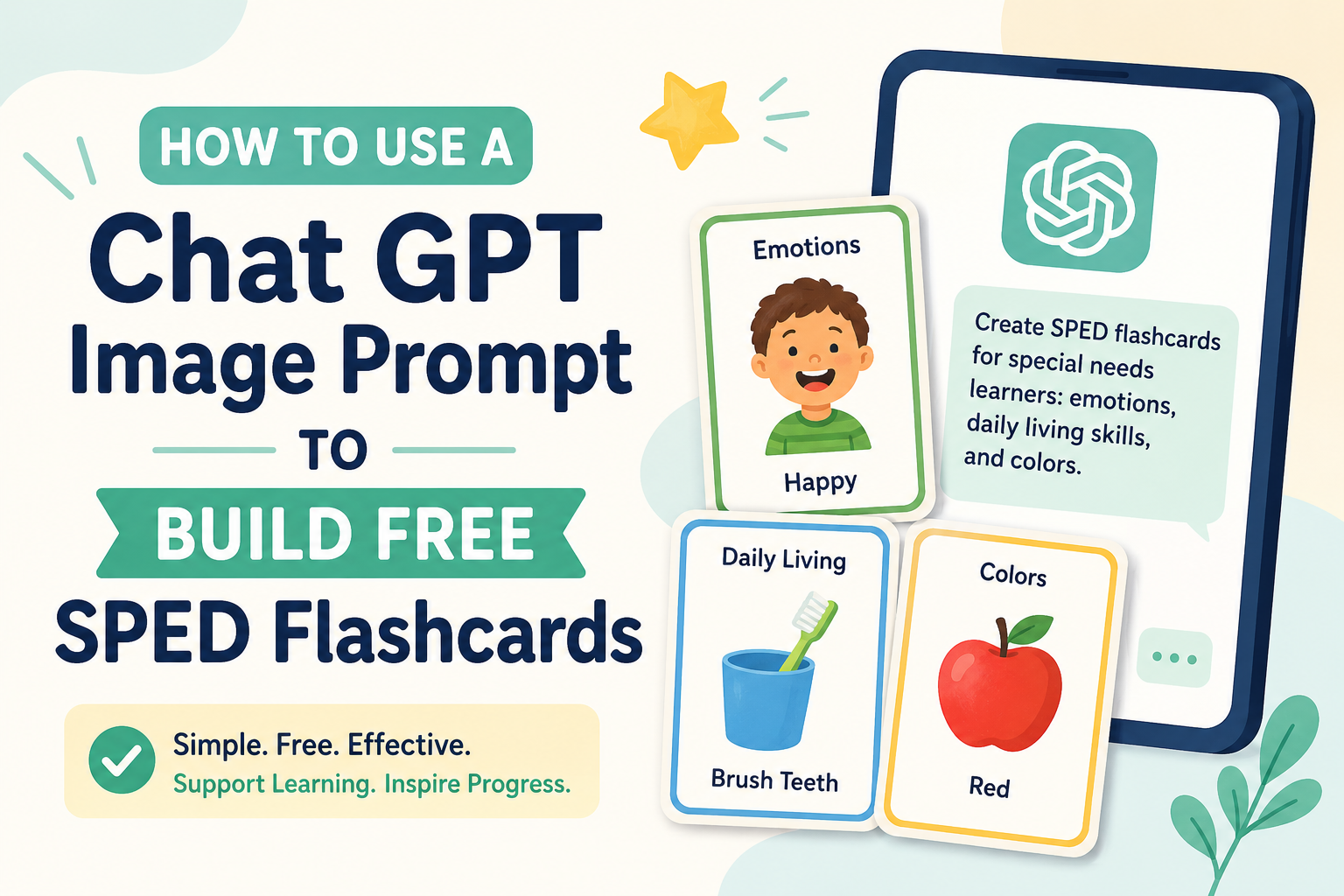
How to Use a Chat GPT Image Prompt to Build Free SPED Flashcards: Complete 2026 Guide 💛
🎴 Did you know Chat GPT Image is now FREE for K-12 teachers through June 2027? This 2026 step-by-step guide shows you how to build powerful SPED flashcards with exact prompts — zero design skills needed. 💛👇

- 🌟 Can a ChatGPT Image Prompt Really Build Free SPED Flashcards?
- 📊 ChatGPT Image and AI in Special Education — The 2026 Research Picture
- 🧠 Why Visual Flashcards Work for Special Needs Learners — The Research
- 🤖 Understanding Chat GPT Image Generation in 2026 — What You Need to Know
- 📋 The Master Chat GPT Image Prompt Formula for SPED Flashcards
- 📚 The Complete Chat GPT Image Prompt Library for SPED Flashcards
- Category 1: Alphabet Flashcards 🔤
- Category 2: Number Flashcards 🔢
- Category 3: Emotion Flashcards 😊
- Category 4: Colours Flashcards 🎨
- Category 5: Shapes Flashcards 🔷
- Category 6: Community Helpers / Jobs Flashcards 👩⚕️
- Category 7: Daily Living / ADL Flashcards 🪥
- Category 8: Safety Concepts Flashcards 🛑
- Category 9: AAC / Communication Boards Flashcard Images 🗣️
- Category 10: Seasonal and Holiday Vocabulary Flashcards 🍂
- Category 11: Food and Nutrition Flashcards 🍎
- Category 12: Sight Words Flashcards 📖
- 🖨️ Printing, Cutting, and Laminating Your Chat GPT Image Flashcards
- 🛠️ Advanced Techniques
- Technique 1: The “Describe My Student” Custom Character
- Technique 2: Dual-Language Flashcards for Multilingual Families
- Technique 3: Sequential Skill Flashcard Series
- Technique 4: “Check the Box” Version for Student Self-Monitoring
- Technique 5: Colour-Coded Category System
- 💬 A Teacher’s Real Experience — Chat GPT Image Flashcards in the SPED Classroom
- 📱 Using ChatGPT Flashcard GPTs — Custom Tools for SPED Materials
- ❓ FAQs — Chat GPT Image Prompts for SPED Flashcards 2026
- Q1: Can I use ChatGPT image for free to create SPED flashcards?
- Q2: What is the best Chat GPT image prompt structure for special education flashcards?
- Q3: How do I make all my ChatGPT image flashcards look consistent?
- Q4: Can Chat GPT image add readable text labels to flashcards?
- Q5: Are ChatGPT image-generated flashcards appropriate for students with autism?
- Q6: How many flashcards can I generate for free with ChatGPT?
- Q7: Can I create bilingual flashcards using ChatGPT image?
- Q8: What size should I print ChatGPT image flashcards?
- Q9: Can I use ChatGPT images for commercial SPED teaching products?
- Q10: What other AI tools work alongside Chat GPT image for SPED flashcard creation?
- 💛 Final Words: The Best Flashcard Set Is the One That Matches Your Student
🌟 Can a ChatGPT Image Prompt Really Build Free SPED Flashcards?
A ChatGPT image prompt can build professional-quality special education flashcards entirely for free — and in 2026, this is more accessible than ever.
The direct answer: with a correctly structured ChatGPT image prompt, any parent or teacher can generate custom SPED flashcards featuring consistent illustrations, readable text labels, and child-appropriate visual design in under 60 seconds per card — at zero cost using the new ChatGPT for Teachers free plan or existing free tier access.
This guide gives you every element: the research behind visual flashcards for special needs learners, step-by-step ChatGPT image prompt formulas, a complete ready-to-use prompt library across 12 SPED categories, printing and laminating guidance, and the advanced techniques most guides never cover.
📊 ChatGPT Image and AI in Special Education — The 2026 Research Picture
| Statistic | Data | Source |
|---|---|---|
| ChatGPT for Teachers — free access launch | In November 2025, OpenAI launched ChatGPT for Teachers — giving verified US K-12 educators free access to premium features including DALL-E image generation through June 2027 | OpenAI — ChatGPT for Teachers |
| Free teacher plan features | The free teacher plan includes unlimited messages, web search, file uploads, image generation with DALL-E, data analysis, memory features, and Custom GPTs | Educators Technology, February 2026 |
| ChatGPT image quality in 2026 | The image generation capabilities in ChatGPT 5.2 are genuinely impressive — with carefully written prompts the system produces high-quality visuals that can support instructional materials | AI for Teachers PDF, January 2026 |
| Special educators using AI tools | Large language models such as ChatGPT can be adept at generating key special education documents including IEPs — use is expanding rapidly to instructional materials | The Conversation, January 2026 |
| Special ed teacher AI adoption | Educators across the country are using AI both formally and informally — from free consumer platforms like ChatGPT to district-approved tools — for lesson planning, materials creation, and IEPs | NPR — Special Ed Teachers AI, May 2026 |
| AI use for SPED lesson planning | Some professional organisations in special education have encouraged educators to use AI for documents such as lesson plans — extending naturally to flashcard and materials creation | The Conversation, 2026 |
| Education Countries initiative | In January 2026 at Davos, OpenAI announced “Education for Countries” — helping governments use AI to modernise national education systems globally | Educators Technology, 2026 |
| Flashcard GPTs available | Purpose-built flashcard Custom GPTs now available including Anki Flashcards GPT and Flashcards Generator for Quizlet — all accessible within ChatGPT | Monsha AI — Best Teaching GPTs 2026 |
🧠 Why Visual Flashcards Work for Special Needs Learners — The Research
Before building Chat GPT image flashcards, understanding the neuroscience behind why visual flashcards work for special needs children gives you the foundation to build better ones.
The Dual Coding Advantage
Dual coding theory — proposed by Allan Paivio — holds that information processed through both verbal and visual channels simultaneously is stored more robustly and retrieved more reliably than information processed through either channel alone.
For special needs learners specifically:
| Learner Profile | How Visual Flashcards Help |
|---|---|
| Autism (ASD) | Many autistic learners have superior visual processing — visual-image pairing with text creates a stronger encoding pathway than text alone |
| Dyslexia | Pairing visual images with words reduces dependence on phonological decoding during recall |
| Down Syndrome | Consistent visual-verbal pairing across repeated trials builds stronger vocabulary networks |
| ADHD | Bright, clean visual images attract and hold attention during brief review sessions |
| Intellectual Disability | Concrete visual representations of abstract concepts make concepts accessible that text alone cannot communicate |
| Speech and Language Delay | Picture-word paired flashcards build receptive vocabulary that precedes expressive language |
| Cerebral Palsy | Digital or large-format visual flashcards eliminate the fine motor barrier to card manipulation |
Why Standard Flashcards Fall Short for SPED Learners
Most commercial flashcards and clip art sets fail special needs learners for specific, correctable reasons:
- Inconsistent art style — mixing realistic photographs with cartoons creates visual inconsistency that confuses literal processors
- Wrong developmental level — commercial cards aimed at typical learners often use abstract representations that are inaccessible for children with intellectual disabilities
- Missing cultural representation — generic flashcards rarely reflect diverse skin tones, family structures, or cultural contexts
- No customisation for specific IEP targets — commercial sets cover standard curricula, not individual IEP goals
- Cluttered backgrounds — visual noise competes with the target image for attention
A ChatGPT image prompt solves every one of these problems — because you design every card specifically for your student.
🤖 Understanding Chat GPT Image Generation in 2026 — What You Need to Know
Which Version to Use
In 2026, ChatGPT image generation uses the gpt-image-1 model (launched April 2025) — a dramatic improvement over earlier DALL-E models in instruction following, text rendering within images, and style consistency.
Your Free Access Options
| Access Type | Who Qualifies | Image Generation | How to Access |
|---|---|---|---|
| ChatGPT for Teachers (Free) | Verified US K-12 educators | ✅ DALL-E image generation included | openai.com/index/chatgpt-for-teachers |
| ChatGPT Free Tier | Any user | ✅ Limited image generation | chatgpt.com |
| ChatGPT Plus | Any user | ✅ Full image generation | ~$20/month |
| ChatGPT Free (via GPT Store) | Any user | ✅ Some Custom GPTs include image features | chatgpt.com/gpts |
For verified K-12 special education teachers: The ChatGPT for Teachers plan is the most significant development of 2025–2026 for SPED material creation. Free, comprehensive, and specifically designed for educational use — apply at the link above.
What Chat GPT Image Can Now Do That It Couldn’t Before
- ✅ Render text accurately within images — flashcard labels appear clearly and correctly spelled
- ✅ Follow complex, multi-part instructions — “child, alphabet letter, dark background, simple cartoon, text in bottom centre” all in one image
- ✅ Maintain stylistic consistency — with the right prompt structure, multiple cards can maintain the same visual style
- ✅ Generate culturally diverse characters — specify skin tone, hair, and clothing accurately
- ✅ Create high-resolution images — suitable for printing on card stock
📋 The Master Chat GPT Image Prompt Formula for SPED Flashcards

The 6-Element Prompt Structure
Every effective Chat GPT image prompt for SPED flashcards should include these six elements in this order:
[Style] + [Subject/Concept] + [Character/Object specifics] + [Background] + [Layout] + [Text instruction]
Full Formula Example:
“Flat illustration, simple cartoon, bold colours, thick outlines. [Concept: the letter B]. Large blue letter B in centre with a clear image of a BANANA beside it. White background. Flashcard layout. Bold readable text label at bottom reading ‘B is for BANANA’ in large, clean, rounded font. No clutter. Child-friendly.”
Your SPED Style Anchor — Save This and Reuse It
Create your personal style anchor that you will paste into every prompt. This ensures all your ChatGPT image flashcards look like they belong to the same set.
Recommended SPED Style Anchor: “Flat illustration style. Simple cartoon. Bold, warm colours. Thick black outlines. White or very light background. Minimal detail. Child-appropriate. Clean and uncluttered. Large central image. Bold text label at bottom in rounded, readable font.”
📚 The Complete Chat GPT Image Prompt Library for SPED Flashcards
Category 1: Alphabet Flashcards 🔤
The prompt formula: Style anchor + letter name + example word starting with that letter + colour coding + text instruction
Letter A (Apple): “Flat illustration, simple cartoon, bold colours, thick outlines. White background. Large red letter ‘A’ on left side. Clear illustration of a red apple with a leaf on right side. Flashcard format. Bold text at bottom: ‘A is for APPLE’ in large rounded black font. Minimal detail. Child-friendly.”
Letter B (Ball): “Flat illustration, simple cartoon. White background. Large blue letter ‘B’ with a colourful bouncing ball beside it. Text at bottom in large rounded font: ‘B is for BALL’. Clean, uncluttered. SPED flashcard style.”
Letter S (Sun): “Flat illustration, bold colours. White background. Large orange letter ‘S’ beside a bright yellow cartoon sun with rays. Large readable text label at bottom: ‘S is for SUN’. Thick outlines. Child-friendly.”
Quick batch prompt tip: After generating A, ask ChatGPT: “Using the exact same style, generate B — the letter B with a BALL illustration and the label ‘B is for BALL’.” Continue through the alphabet.
Category 2: Number Flashcards 🔢
Number 1 (One Dog): “Flat illustration, simple cartoon, bold colours, white background. Large numeral ‘1’ in blue with one cartoon dog sitting beside it. Three dots below showing quantity 1. Text label at bottom: ‘ONE — 1’ in large rounded font. Clean SPED flashcard layout.”
Number 5 (Five Stars): “Flat illustration, white background. Large orange numeral ‘5’ with five gold star shapes arranged around it. Counting dots showing five. Text label: ‘FIVE — 5’. Clean, uncluttered. Bold rounded font. Child-appropriate.”
Counting and Quantity Concept Card: “Flat illustration, white background. Show 3 cartoon apples on a table. Large numeral ‘3’ beside them. Clear bold text label: ‘THREE 🍎🍎🍎’ in rounded font. Simple, no background detail. SPED flashcard style.”
Category 3: Emotion Flashcards 😊
Emotion flashcards are among the highest-priority SPED materials for autistic children and those with social-emotional learning goals.
Happy: “Flat illustration, simple cartoon face. Round cartoon character with a big smile, raised cheeks, open happy eyes. Bright yellow background circle. White background overall. Large text label at bottom: ‘HAPPY’ in bold rounded font. SPED emotion flashcard. Simple, clear, no other detail.”
Sad: “Flat illustration. Round cartoon face with downturned mouth, drooping eyes, one tear on cheek. Blue background circle. White background overall. Large bold text: ‘SAD’ at bottom. Emotion flashcard. Simple, clean, thick outlines.”
Angry: “Flat illustration. Round cartoon face with furrowed brows, tight mouth, red face tint. Red background circle. White background overall. Bold text: ‘ANGRY’. SPED emotion flashcard. Clear, simple, child-friendly.”
Calm: “Flat illustration. Round cartoon face with neutral relaxed expression, closed gentle eyes, soft smile. Light blue background circle. Bold text at bottom: ‘CALM’. SPED flashcard. Minimal detail. Warm colours.”
Scared: “Flat illustration. Round cartoon face with wide eyes, mouth in small O shape, hands raised. Purple background circle. Bold text: ‘SCARED’. SPED emotion card. Simple, clear outlines. White background overall.”
Category 4: Colours Flashcards 🎨
Red: “Flat illustration, white background. Large bold word ‘RED’ in red font at top. Centre: several clearly red objects — red apple, red fire truck, red balloon. Simple cartoon style, thick outlines. Text label at bottom: ‘RED’ in large rounded bold font. SPED colour flashcard.”
Blue: “Flat illustration, white background. Bold word ‘BLUE’ at top in blue font. Centre: blue sky, blue water, blue blueberry. Simple cartoon, thick outlines. Text at bottom: ‘BLUE’. Child-appropriate, clean design.”
Category 5: Shapes Flashcards 🔷
Circle: “Flat illustration, white background. Large orange circle in centre. Simple cartoon style. Arrow pointing to circle. Bold text at bottom: ‘CIRCLE’. SPED shapes flashcard. Clean, uncluttered. Thick outlines.”
Rectangle: “Flat illustration, white background. Large blue rectangle with a small example image inside — a door. Bold text at bottom: ‘RECTANGLE’. SPED flashcard. Simple, clear. Bold rounded font.”
Category 6: Community Helpers / Jobs Flashcards 👩⚕️
Doctor: “Flat illustration, simple cartoon. Doctor character — short-sleeved white coat, stethoscope around neck, warm smile. White background. Bold text at bottom: ‘DOCTOR’. SPED community helpers flashcard. Clear, simple, child-friendly. Diverse skin tones — warm brown skin.”
Teacher: “Flat illustration, simple cartoon. Teacher character — female, dark skin, natural hair, standing at a whiteboard with a marker, smiling. White background. Bold text: ‘TEACHER’. SPED flashcard. Clean, simple cartoon style.”
Firefighter: “Flat illustration, simple cartoon. Firefighter character in yellow-orange gear and helmet, holding a red hose. White background. Bold text: ‘FIREFIGHTER’. SPED community helpers flashcard. Thick outlines. Child-friendly.”
Category 7: Daily Living / ADL Flashcards 🪥
These are often the highest-priority cards for SPED teachers supporting independence skills.
Wash Hands: “Flat illustration. Simple cartoon child character with dark curly hair, washing hands under running tap water, soap bubbles visible. White background. Bold text label: ‘WASH HANDS’ in large rounded font at bottom. SPED ADL flashcard. Clean, uncluttered.”
Brush Teeth: “Flat illustration. Simple cartoon child character, toothbrush in hand, brush visible at mouth. White background. Bold text: ‘BRUSH TEETH’. SPED daily living flashcard. Simple cartoon, thick outlines.”
Eat with a Fork: “Flat illustration. Simple cartoon hands holding a fork, picking up a piece of food. Plate visible. White background. Bold text: ‘USE A FORK’. SPED ADL flashcard. Clean background. Child-friendly.”
Category 8: Safety Concepts Flashcards 🛑
Stop: “Flat illustration. Bold red STOP sign — octagon shape, white text reading STOP inside. White background. Large text label at bottom: ‘STOP — RED means STOP’. Simple, clear, no clutter. SPED safety flashcard.”
Hot — Do Not Touch: “Flat illustration. Cartoon stove top with flame visible. Large red X overlay. Simple bold text: ‘HOT — DO NOT TOUCH’. White background. Warning style design. Clear visual. SPED safety flashcard.”
Category 9: AAC / Communication Boards Flashcard Images 🗣️
These ChatGPT images are particularly valuable for generating custom AAC supplemental materials.
I Want: “Flat illustration. Simple cartoon hand pointing forward eagerly. White background. Bold text at top: ‘I WANT’. SPED communication flashcard, AAC style. Clean, simple, thick outlines. Readable label.”
Help: “Flat illustration. Simple cartoon character raising one hand confidently. White background. Bold large text: ‘HELP’. SPED AAC flashcard. Simple, clean, uncluttered. Child-friendly.”
All Done: “Flat illustration. Simple cartoon character with both hands raised, palms forward, relaxed smile. White background. Bold text: ‘ALL DONE’. SPED AAC communication flashcard. Clean, clear.”
Category 10: Seasonal and Holiday Vocabulary Flashcards 🍂
Autumn / Fall: “Flat illustration. Simple cartoon scene — one tree with orange and red leaves falling, leaf pile on ground. White background. Bold text at bottom: ‘AUTUMN’ (with ‘FALL’ in smaller text below). SPED seasonal flashcard. Clean, warm colours. Simple cartoon.”
Winter: “Flat illustration. Simple cartoon snowman with hat and scarf, snowflakes around. White or very light blue background. Bold text: ‘WINTER’. SPED seasonal vocabulary flashcard. Child-friendly, simple.”
Category 11: Food and Nutrition Flashcards 🍎
Apple: “Flat illustration. Large realistic-but-simple cartoon red apple with green leaf and stem. White background. Bold text: ‘APPLE’ at bottom in rounded font. SPED food flashcard. Clean, bright, simple.”
Bread: “Flat illustration. Simple cartoon loaf of bread with two slices leaning against it. White background. Bold text: ‘BREAD’. SPED nutrition flashcard. Clean, simple, thick outlines.”
Category 12: Sight Words Flashcards 📖
The: “Flat illustration, white background. Very large bold word ‘THE’ in the centre in blue font. Simple decorative border. Below the word, a small example sentence: ‘THE cat sat.’ in smaller text. SPED sight word flashcard. Clean, simple. No clutter.”
Go: “Flat illustration, white background. Large bold word ‘GO’ in green font, centre. Small cartoon traffic light showing green below. Text: ‘GO — means to move!’ at bottom in smaller font. SPED sight word flashcard.”
🖨️ Printing, Cutting, and Laminating Your Chat GPT Image Flashcards
Step-by-Step Printing Guide
Step 1: Download your ChatGPT image cards
Right-click each generated image and save as PNG. Name them systematically: emotions_happy.png, emotions_sad.png, etc.
Step 2: Arrange for printing
Open Google Slides or Microsoft PowerPoint:
- Set slide size to A4 landscape
- Place 4–6 cards per slide depending on desired final card size
- Resize each image to equal dimensions for consistency
Recommended card sizes:
| Student Age | Card Size | Cards per A4 Sheet |
|---|---|---|
| 2–4 years | A5 (half A4) | 2 per sheet |
| 4–8 years | A6 (quarter A4) | 4 per sheet |
| 8+ years | Postcard / 10×7cm | 6 per sheet |
Step 3: Print specifications
- Paper: 200gsm card stock for direct printing; 80gsm paper if laminating after
- Printer: Any home inkjet or laser printer; 300dpi minimum
- Colour setting: Vivid/Photo mode for richest colour output
Step 4: Laminate
- Use a cold or hot laminator at home
- A3 laminator pouches work best for full sheets before cutting
- Cut cards after laminating for clean, professional edges
Step 5: Storage and organisation
- Ring binder with card sleeves — organise by category
- Zip-lock bags labelled by topic
- Card box with tabbed dividers
- Velcro-backed cards stored on a fabric schedule board
🛠️ Advanced Techniques
Technique 1: The “Describe My Student” Custom Character
For students who respond better to seeing themselves represented in learning materials, create a custom character that matches your student’s appearance and include it in every relevant ChatGPT image prompt.
Character description template: “The child character is: [age]-year-old [boy/girl], [skin tone: light/medium/dark/warm brown/deep brown], [hair colour and style: short black curly hair / long straight brown hair / natural afro / braids], usually wearing [colour] clothing.”
Include this in every ADL, community helpers, and emotion flashcard prompt for a personalised set.
Technique 2: Dual-Language Flashcards for Multilingual Families
For families where English is not the primary home language, ChatGPT image can generate bilingual flashcards in a single prompt.
Bilingual prompt example (English/Hindi): “Flat illustration, white background. Simple cartoon red apple. Bold English text at top: ‘APPLE’. Bold Hindi text at bottom: ‘सेब’ (Seb). SPED bilingual flashcard. Clean, simple, thick outlines. Large clear fonts in both languages.”
Technique 3: Sequential Skill Flashcard Series
For teaching multi-step skills (handwashing, dressing sequence, tooth brushing), generate a numbered series of ChatGPT images that form a visual task analysis.
Series prompt example: “Flat illustration. Simple cartoon child washing hands. This is STEP 2 of 5. Show: turning on water tap, hands under running water. White background. Large bold text at top: ‘STEP 2 — WET HANDS’. Number ‘2’ in large circle at top left corner. SPED task analysis flashcard.”
Generate Steps 1–5 with this format for a complete visual task analysis.
Technique 4: “Check the Box” Version for Student Self-Monitoring
For students working on self-regulation or task completion, create a version of each flashcard with an empty checkbox:
“Flat illustration. Simple cartoon child completing homework. White background. Bold text: ‘HOMEWORK ✓’. Empty square checkbox in top right corner of card. SPED self-monitoring flashcard. Clean, simple, thick outlines.”
Technique 5: Colour-Coded Category System
Generate a consistent colour border for each flashcard category by including border colour instructions in every prompt:
| Category | Border Colour | Add to Prompt |
|---|---|---|
| Emotions | Yellow | “Add a yellow border around the card edge” |
| ADL / Daily Living | Green | “Add a green border around the card edge” |
| Alphabet | Blue | “Add a blue border around the card edge” |
| Numbers | Orange | “Add an orange border around the card edge” |
| Safety | Red | “Add a red border around the card edge” |
💬 A Teacher’s Real Experience — Chat GPT Image Flashcards in the SPED Classroom
“I am a special education teacher with a class of seven students, ages 6–10, with a range of diagnoses including autism, Down Syndrome, and cerebral palsy. Before ChatGPT image generation, creating custom materials meant hours in Canva or paying for commercial card sets that never quite matched what I needed.
In January 2026, I verified my account and got the free ChatGPT for Teachers plan.
My first project was a complete emotion flashcard set for my students — twelve emotions, each with a simple cartoon face and a one-word label. I generated all twelve cards in one afternoon session. Printed, laminated, and ready the next morning.
What surprised me most was how my students responded. Two of my autistic students who had shown limited engagement with the commercial emotion cards immediately engaged with the new ones. My theory is the consistency — every card had the same visual style, the same clear face, the same clean white background. There was nothing to compare across cards because they all lived in the same visual world.
I have since built alphabet cards, number cards, an ADL sequence for handwashing, and community helpers cards — all in the same style. My classroom now has over 200 custom flashcards that I generated for free. As a special education teacher who has always felt resource-poor, this feels genuinely transformative.” — Sarah M., Special Education Teacher, Grade 1–4, Texas
📱 Using ChatGPT Flashcard GPTs — Custom Tools for SPED Materials
Beyond standard ChatGPT image generation, the GPT Store includes specific Custom GPTs designed for flashcard creation that SPED teachers can leverage:
| Custom GPT | What It Does | Best For |
|---|---|---|
| Anki Flashcards GPT | Creates educational flashcards exportable as CSV for Anki app | Digital self-paced review; older students with technology access |
| Flashcards Generator for Quizlet | Transforms study material into Quizlet flashcard sets | Students who can use Quizlet platform |
| Quiz Maker GPT | Generates quiz questions from any content — can extend flashcard learning | Assessment and review beyond the card |
Access these at chatgpt.com/gpts — search the GPT name to find and use them.
❓ FAQs — Chat GPT Image Prompts for SPED Flashcards 2026
Q1: Can I use ChatGPT image for free to create SPED flashcards?
Yes — in 2026, there are two main free options. First, the ChatGPT for Teachers plan — free for verified US K-12 educators through June 2027 — includes DALL-E image generation. Apply at openai.com/index/chatgpt-for-teachers. Second, the standard ChatGPT free tier includes limited image generation available to any user at chatgpt.com. (Source: OpenAI)
Q2: What is the best Chat GPT image prompt structure for special education flashcards?
The most effective ChatGPT image prompt for SPED flashcards includes six elements: style instruction, concept or subject, character or object specifics, background type, layout instruction, and text label instruction. Example: “Flat illustration, simple cartoon, bold colours, white background. Large red letter ‘A’ with an apple beside it. Flashcard layout. Bold text at bottom: ‘A is for APPLE’ in large rounded font.”
Q3: How do I make all my ChatGPT image flashcards look consistent?
Create a “style anchor” — a written description of your chosen illustration style — and paste it into every single prompt. Include: illustration style (flat/cartoon/realistic), colour palette (warm/bold/pastel), outline style (thick/thin), background (white/coloured), and any character specifications. Consistency in your prompts produces visual consistency across all cards.
Q4: Can Chat GPT image add readable text labels to flashcards?
Yes. The gpt-image-1 model launched in April 2025 dramatically improved text rendering within generated images. Include specific text instructions in your prompt: “Bold text label at bottom reading ‘[WORD]’ in large, clean, rounded font.” For best results, keep labels to 1–3 words and specify “large” and “bold” to ensure readability. (Source: OpenAI)
Q5: Are ChatGPT image-generated flashcards appropriate for students with autism?
Yes — with careful prompt design. For autistic learners, the most important features are: consistent art style across all cards, simple uncluttered backgrounds, single clear central image, and large readable text labels. The fact that ChatGPT image can produce an entire flashcard set in exactly the same visual style — which is impossible with commercial or clip art sets — makes it particularly well-suited for autistic learners who process visual information literally.
Q6: How many flashcards can I generate for free with ChatGPT?
This depends on your access level. The ChatGPT for Teachers free plan for verified US educators includes image generation as part of the unlimited messages plan. The standard free tier limits image generation. For parents and international educators, a ChatGPT Plus subscription at ~$20/month provides sufficient image generation capacity to create hundreds of flashcards. Most full card sets (20–30 cards) can be completed in a single session.
Q7: Can I create bilingual flashcards using ChatGPT image?
Yes. Include dual-language text instructions in your prompt: “Bold English text at top: ‘APPLE’. Bold [target language] text at bottom: ‘[translation]’.” ChatGPT image can render text in many languages including Hindi, Punjabi, Spanish, Arabic, and more. Test with one card first to check text accuracy in your target language before generating a full bilingual set.
Q8: What size should I print ChatGPT image flashcards?
For young children (2–5 years): A5 size (2 per A4 sheet) — large enough for easy pointing and handling. For school-age students (5–12): A6 size (4 per A4 sheet) — practical for classroom use. For digital display on a tablet or classroom screen: original PNG resolution is sufficient. Print on 200gsm card stock for direct durability or 80gsm paper followed by lamination.
Q9: Can I use ChatGPT images for commercial SPED teaching products?
For personal classroom and family use, ChatGPT-generated images are freely usable. For commercial products (selling flashcard sets, publishing materials), review OpenAI’s current usage policies at openai.com/policies. As of 2026, teachers using images for their own classrooms and sharing with colleagues within their school are well within acceptable use.
Q10: What other AI tools work alongside Chat GPT image for SPED flashcard creation?
Complementary tools include: Canva (layout and final design); Google Slides (arranging multiple cards per print sheet); MagicSchool AI (generating IEP-aligned content to put on cards); Quizlet (digital flashcard review using content from your cards); and Choiceworks (uploading your custom ChatGPT image cards to a digital visual schedule format). All integrate well with ChatGPT image as the image source.
💛 Final Words: The Best Flashcard Set Is the One That Matches Your Student
For years, special education teachers and parents have made do with generic commercial flashcards that were close enough — but never quite right. The wrong skin tone. The wrong art style mixed between cards. The vocabulary that matched the publisher’s curriculum, not the individual child’s IEP goals.
In 2026, a ChatGPT image prompt changes this equation completely. In 60 seconds, you can generate a flashcard that shows:
- The exact vocabulary word from your student’s IEP goal
- A character that looks like your student
- A consistent style that matches every other card in your set
- A clear text label your student can read or is learning to read
And — especially for verified US K-12 educators — this costs nothing.
The ChatGPT for Teachers plan, launched in November 2025, made professional-grade image generation free for special education teachers through June 2027. That represents two full academic years of custom SPED flashcard creation at zero cost.
Use it. Your students deserve materials made specifically for them. 💛
🔗 Essential Resources
- 🌐 OpenAI — ChatGPT for Teachers (Free Plan)
- 🌐 ChatGPT Image Generation — Start building your flashcards
- 🌐 MagicSchool AI — SPED Materials — IEP-aligned content creation
- 🌐 Educators Technology — ChatGPT for Education 2026
- 🌐 Council for Exceptional Children — AI Resources
- 🌐 Monsha AI — Best Teaching GPTs 2026
This article is written for educational and informational purposes only. Always review AI-generated materials for accuracy and appropriateness for your specific student before use in instruction.