
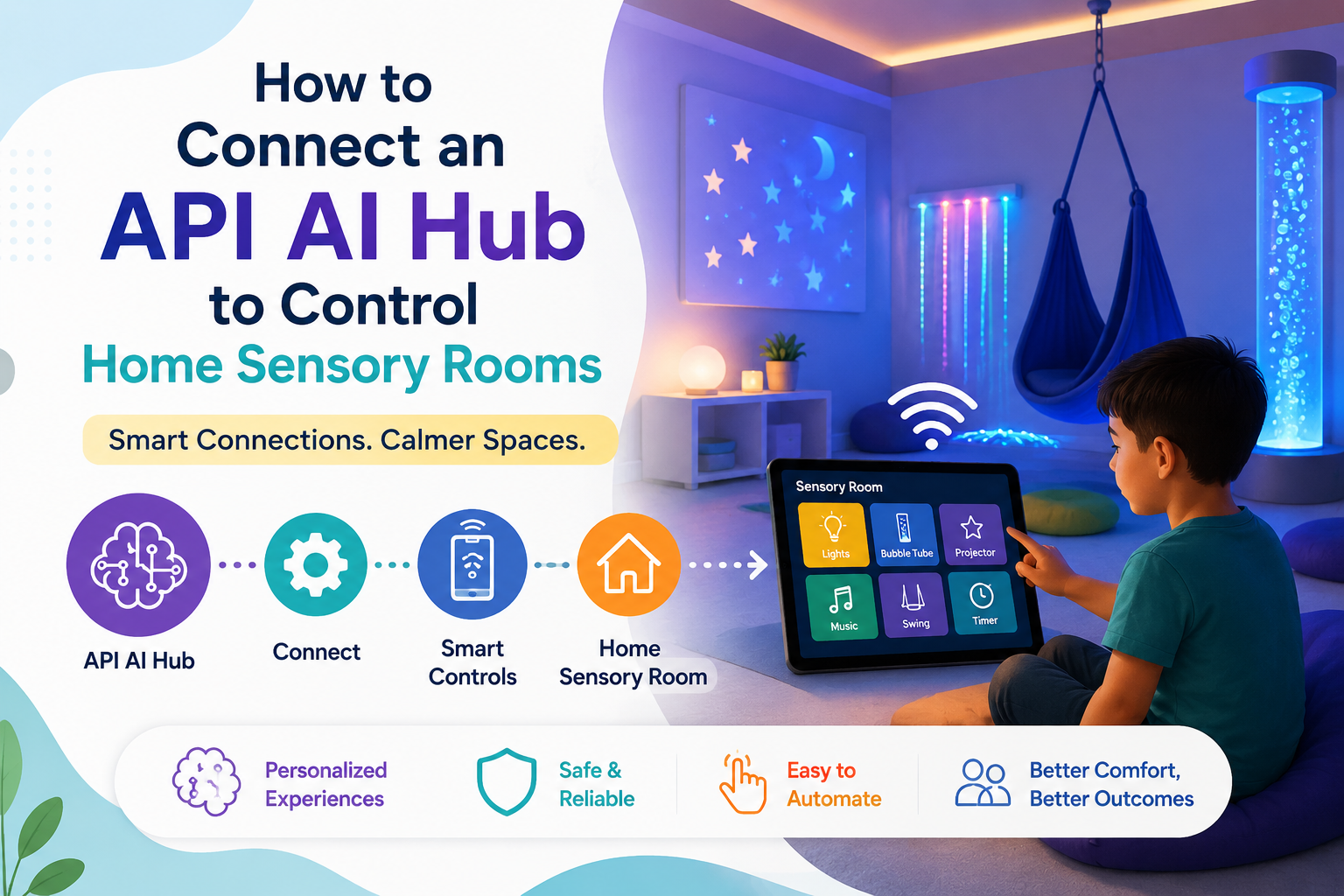
🏠 How to Connect an API AI Hub to Control Home Sensory Rooms: 2026 Parent Guide
An API AI gateway connected to smart-home hardware like Philips Hue or smart plugs can transform a room into a fully responsive sensory environment — where your non-verbal child triggers a specific calming light scene, a bubble machine, or a sound system using a single gesture, button tap, or minimal physical input. In short: yes, this is technically achievable for a non-technical parent in 2026, and this guide walks you through every step.
No coding degree required. No enormous budget. Just the right setup, done right. 💛

- 🔌 What Is an API AI Hub and Why Does It Matter for Sensory Rooms?
- 🧠 The Research Foundation: Why Sensory Rooms Work for Autism
- 📊 The Numbers: Smart Home, Autism, and Sensory Research
- 🛒 THE HARDWARE YOU NEED: A Plain-Language Buying Guide
- 🤖 THE API AI PLATFORMS THAT CONNECT IT ALL
- Platform 1: Home Assistant (Free, Open Source — Recommended)
- Platform 2: Philips Hue API + AI Assistant (Built-in, Consumer-Friendly)
- Platform 3: n8n or Make (No-Code API AI Workflow Builder)
- ✅ THE 8-STEP SETUP: FROM UNBOXED HARDWARE TO WORKING SENSORY SCENES
- 📋 Step 5 Deep Dive: Connecting Hue to Home Assistant
- 📋 Step 7 Deep Dive: Building a Calming Scene Automation
- 🎨 DESIGNING YOUR SENSORY SCENES: WHAT TO AUTOMATE AND WHY
- 👋 GESTURE AND SWITCH INPUT: HOW NON-VERBAL CHILDREN TRIGGER THE SYSTEM
- 🟦 Option 1: Philips Hue Dimmer Switch (Easiest — No Setup Beyond Step 5)
- 🟦 Option 2: Large AAC-Style Single Switch Button (Most Accessible)
- 🟦 Option 3: Gesture Sensor (Contactless — Most Advanced)
- 🟦 Option 4: Tablet AAC App + Webhook Integration
- 🔍 What You Must Not Miss About This Topic
- 1. 🧩 The API Layer Is Almost Never Explained for Non-Technical Parents
- 2. 🎮 The Input Device Is More Important Than the Hub Platform
- 3. 🔐 Privacy Matters Enormously for This Use Case
- 4. 🌈 Philips Hue’s New SpatialAware Feature Is Directly Relevant
- 5. ♿ The AAC + Smart Home Webhook Integration Is a Genuine Gap
- 💙 A Parent’s Story: The Room That Changed Bedtime
- ❓ FAQs About API AI Sensory Room Control
- Q: What is an API AI hub and how does it work for a sensory room?
- Q: What is the best platform to build an API AI smart sensory room?
- Q: How can a non-verbal child control a sensory room without typing or speaking?
- Q: Does the Philips Hue API require coding knowledge to set up?
- Q: What is the Philips Hue SpatialAware feature and how does it help sensory rooms?
- Q: Is it safe to connect an autistic child’s sensory environment to smart home devices?
- 🔗 Trusted Resources for Families and Makers
- 💙 Final Thoughts: Control Is Not a Luxury. For These Children, It Is Everything.
🔌 What Is an API AI Hub and Why Does It Matter for Sensory Rooms?
An API AI hub — an Application Programming Interface combined with an artificial intelligence gateway — is a software layer that sits between your child’s input device (a button, a gesture sensor, a tablet tap) and your smart home hardware (lights, fans, projectors, smart plugs), translating simple commands into specific automated responses.
Think of it as a translator. Your child presses a single large button. The API AI hub receives that signal, interprets it according to rules you have set up, and sends instructions simultaneously to the Philips Hue bridge to switch to a “calm blue ocean” scene, to a smart plug to turn on the bubble machine, and to a Bluetooth speaker to begin playing ocean sounds — all within a second.
Without the API AI layer, each device operates independently and requires separate manual control. With it, your child controls an entire sensory environment with a single, accessible input — regardless of whether they can speak, type, or use standard device interfaces.
This is not futuristic. Philips Hue’s AI-powered assistant is now live in most markets and can create automations based on natural language user requests. (Source: Signify — Philips Hue SpatialAware Press Release, January 2026)
The infrastructure that makes sensory room automation possible is already deployed, already consumer-accessible, and — for the first time — genuinely approachable for a non-technical parent.
🧠 The Research Foundation: Why Sensory Rooms Work for Autism
Before investing in any hardware, it helps to understand the evidence behind what sensory environments actually do for autistic children — because the case for this investment is genuinely strong.
Autistic individuals frequently experience atypical sensory processing — either sensory hypersensitivity (where ordinary sensory input feels overwhelming) or sensory seeking (where they actively seek intense sensory input). Environments that allow a child to control their own sensory input — adjusting the intensity, type, and timing of light, sound, and touch stimulus — produce significant benefits for regulation, engagement, and anxiety reduction.
The Hoomie multisensory space study, reviewed in CHI 2022, examined a small multisensory space designed for autistic children in a primary school and documented meaningful outcomes for inclusion and regulation. (Source: CHI 2022 via arXiv — Designing LLM-simulated Immersive Spaces, 2025)
The FUTUREGYM project, a gymnasium with interactive floor projection designed specifically for children with special needs, found similar positive outcomes — demonstrating that controllable, responsive environments consistently outperform static ones for this population. (Source: International Journal of Child-Computer Interaction — FUTUREGYM Study, via arXiv Magicarpet Paper, 2025)
The common thread across this research is consistent and clear: when the environment responds to the child — rather than requiring the child to adapt to the environment — sensory experiences become therapeutic rather than triggering.
An API AI-connected sensory room is a home implementation of exactly this principle.
📊 The Numbers: Smart Home, Autism, and Sensory Research
| Statistic | Figure | Source |
|---|---|---|
| Global ASD prevalence | Approximately 1 in 100 children worldwide | arXiv — CHI 2024 ASD Social-Emotional Games, 2024 |
| US students receiving IDEA special education services (2023–24) | 7.9 million (14.7% of all students) | Congress.gov — IDEA Part B, Feb 2026 |
| Philips Hue AI assistant launch (English) | June 2025 | TechRadar — Philips Hue AI Upgrade, 2025 |
| Philips Hue AI natural language automations | Now live — “wake me up at 6:45 am except Wednesdays” type commands | Signify Press Release, Jan 2026 |
| Signify (Philips Hue parent company) annual sales 2025 | EUR 5.8 billion | Signify — Philips Hue Press Release, Jan 2026 |
| Philips Hue SpatialAware launch (space-aware adaptive scenes) | Spring 2026 | MacRumors — CES 2026 Philips Hue, Jan 2026 |
| Home Assistant (open-source smart home platform) users | Over 1 million active installations globally | Home Assistant — Community Data |
| API-accessible smart home protocols in 2026 | Matter, Zigbee, Z-Wave, Wi-Fi, Bluetooth LE | Industry standard — multiple sources |
🛒 THE HARDWARE YOU NEED: A Plain-Language Buying Guide
You do not need to spend thousands of dollars to build a functional API AI-controlled sensory room. Here is what you actually need, listed from essential to optional enhancement.
🟢 Tier 1: Essential Hardware (Starting Kit)
| Item | What It Does | Recommended Product | Approximate Cost |
|---|---|---|---|
| Smart bulbs or light strip | Creates colour-changing, dimmable sensory lighting | Philips Hue starter kit (hub + bulbs) | $100–$180 |
| Smart hub / bridge | Enables API control of all connected devices | Philips Hue Bridge (included in starter kits) | Included |
| Smart plug | Turns any device (bubble machine, fan, fibre optic light) into a smart device | TP-Link Kasa Smart Plug (KP115) | $15–$25 each |
| Accessible input device | Gives your child a way to trigger scenes | Philips Hue Dimmer Switch or large AAC-style button | $25–$50 |
| Tablet or small computer | Runs the automation hub software | Existing tablet, Raspberry Pi 4, or old Android phone | $0–$80 |
🟡 Tier 2: Enhanced Setup (For More Complex Responses)
| Item | What It Does | Recommended Product | Approximate Cost |
|---|---|---|---|
| Gesture sensor | Detects hand gestures to trigger scenes without touching anything | Seeed Studio APDS-9960 sensor with Raspberry Pi | $15–$40 |
| Colour light panels | Creates immersive wall lighting | Nanoleaf Shapes or Philips Hue Play bars | $80–$200 |
| Projector | Projects calming visuals onto ceiling or wall | Any 720p+ mini projector with smart plug | $60–$150 |
| Bluetooth speaker | Adds soundscapes to scenes | Any Alexa-compatible or smart speaker | $30–$100 |
| Motion sensor | Automatically activates calming scene when child enters room | Philips Hue Motion Sensor | $30–$40 |
🤖 THE API AI PLATFORMS THAT CONNECT IT ALL
This is the software layer — the API AI gateway that translates your child’s input into multi-device sensory responses.
Platform 1: Home Assistant (Free, Open Source — Recommended)
Home Assistant is the most powerful and privacy-respecting API AI platform available for home sensory room automation. It runs locally on a Raspberry Pi or similar device, integrates with over 3,000 smart home devices including the full Philips Hue ecosystem, and requires no cloud subscription.
Why it works for sensory rooms:
- Create scenes that trigger multiple devices simultaneously with one tap
- HACS (Home Assistant Community Store) provides accessibility-specific integrations
- Fully offline — your child’s sensory environment does not depend on an internet connection
👉 Learn more: home-assistant.io
Platform 2: Philips Hue API + AI Assistant (Built-in, Consumer-Friendly)
Philips Hue has its own native API that allows direct HTTP calls to control any light or scene in your home. In 2026, the Hue app’s AI assistant can create automations based on natural language requests — you describe what you want, the AI builds the automation.
Philips Hue’s AI-powered assistant has been updated and can now create automations based on user requests such as “wake me up at 6:45 am every day except Wednesdays.” (Source: Signify Press Release, Jan 2026)
For a sensory room, this means you can describe scenes conversationally: “When the blue button is pressed, set the bedroom lights to 20% warm white and turn on the smart plug for the fan.” — and the AI generates the automation without requiring manual rule-building.
👉 Learn more: developers.meethue.com
Platform 3: n8n or Make (No-Code API AI Workflow Builder)
For parents who want an API AI approach without any coding, n8n (self-hostable, free tier) and Make (formerly Integromat) provide visual, drag-and-drop workflow builders that connect smart home APIs to triggers including button webhooks, simple gesture sensor outputs, and even AAC device taps.
These platforms act as the intelligence layer — receiving a trigger from one source and sending instructions to multiple devices, in sequence or simultaneously.
👉 n8n: n8n.io | Make: make.com
✅ THE 8-STEP SETUP: FROM UNBOXED HARDWARE TO WORKING SENSORY SCENES
This is the practical workflow — what to do, in what order, to build a working API AI-controlled sensory room.

| Step | Action | Time Required |
|---|---|---|
| 1 | Set up Philips Hue Bridge and connect your smart bulbs via the Hue app | 15–30 minutes |
| 2 | Create your base sensory scenes in the Hue app (calm, alert, transition) | 30–45 minutes |
| 3 | Plug your sensory accessories (bubble machine, fan, fibre optic projector) into smart plugs and add them to your app | 15 minutes |
| 4 | Install Home Assistant on a Raspberry Pi or old Android device | 30–60 minutes (one-time) |
| 5 | Connect Philips Hue and TP-Link smart plugs to Home Assistant | 15–30 minutes |
| 6 | Connect your child’s input device (Hue Dimmer Switch or gesture sensor) to Home Assistant | 15–30 minutes |
| 7 | Build your first automation scene in Home Assistant | 20–30 minutes |
| 8 | Test, adjust, and let your child trial the trigger before “going live” | 20–30 minutes |
Total first-time setup time: Approximately 3–4 hours across one or two days.
📋 Step 5 Deep Dive: Connecting Hue to Home Assistant
- Open Home Assistant → Settings → Devices & Services → Add Integration
- Search “Philips Hue” — Home Assistant auto-discovers the Bridge on your network
- All lights, scenes, and sensors sync automatically
📋 Step 7 Deep Dive: Building a Calming Scene Automation
In Home Assistant:
- Go to Settings → Automations → Create Automation
- Action 1: Call service →
light.turn_on→ select your sensory room lights → scene: “Deep Calm” - Action 2: Call service →
switch.turn_on→ select smart plug for bubble machine - Action 3: Call service →
media_player.play_media→ URL of ocean sounds audio file - Save the automation
Result: When your child presses Button 1, lights shift to the calming scene, the bubble machine switches on, and ocean sounds begin — simultaneously.
🎨 DESIGNING YOUR SENSORY SCENES: WHAT TO AUTOMATE AND WHY
This is where the API AI setup transforms from a technical exercise into a genuinely therapeutic tool.
Design three to five distinct scenes based on your child’s specific sensory needs:
| Scene Name | Light Setting | Smart Plug Devices | Sound | Child Use Case |
|---|---|---|---|---|
| 🌊 Deep Calm | 15% warm white (2700K) | Bubble machine ON, fan slow ON | Ocean waves, low volume | Post-overwhelm regulation |
| ☁️ Transition Ready | 40% soft yellow | Bubble machine OFF, fan OFF | Gentle white noise | Before school or appointments |
| 🌈 Engage | 70% colourful, cycling slowly | Fibre optic projector ON | Light instrumental music | Play time, occupied attention |
| 🌙 Sleep Prep | 5% red-orange (2200K) | All sensory devices OFF | Rain sounds | 30 minutes before bedtime |
| ⚡ Alert | 100% bright white | All OFF | No sound | Meal times, tasks requiring focus |
Important design principles:
- Scenes are not steps — each scene is complete and self-contained; the child does not need to press a sequence
- Default to calming — if no input is received for 20 minutes, automation returns to the “Deep Calm” scene automatically
- Always test with child before relying on the setup — introduce the control method during a low-pressure, familiar moment
👋 GESTURE AND SWITCH INPUT: HOW NON-VERBAL CHILDREN TRIGGER THE SYSTEM
The API AI layer is only as useful as the input method your child can reliably and independently use. Here are the most accessible trigger options for non-verbal children.
🟦 Option 1: Philips Hue Dimmer Switch (Easiest — No Setup Beyond Step 5)
The Hue Dimmer Switch is a four-button wireless remote. Assign each button to a different sensory scene in Home Assistant. Mount it at the child’s height. This requires a deliberate button press — suitable for children with reliable finger or hand movement.
Advantage: No additional hardware beyond what you have already purchased.
🟦 Option 2: Large AAC-Style Single Switch Button (Most Accessible)
Jellybean, Ablenet Big Red, or similar large single-switch buttons connect via 3.5mm jack or Bluetooth. In Home Assistant, they appear as input devices and can trigger any automation. A child needs only to push anywhere on the large surface — no precision required.
Advantage: Accessible for children with significant motor limitations.
🟦 Option 3: Gesture Sensor (Contactless — Most Advanced)
The APDS-9960 sensor, connected to a Raspberry Pi running Home Assistant, detects hand swipe gestures (left, right, up, down) without any physical contact. A swipe left could trigger “Deep Calm.” A swipe right could trigger “Engage.” A wave up could trigger “Sleep Prep.”
This is the most empowering option for children with motor limitations who cannot reliably press a button but can produce a gross motor gesture.
Setup note: This requires basic Python scripting or a Home Assistant HACS integration. Several community-maintained integrations exist for this exact sensor. Approximately 1–2 hours of additional setup time.
🟦 Option 4: Tablet AAC App + Webhook Integration
If your child already uses an AAC tablet, buttons within their AAC app can be configured to trigger HTTP webhooks — direct calls to your Home Assistant server. This means pressing a communication symbol can simultaneously produce speech output AND trigger a sensory scene.
Example: The child taps “I need calm” in their AAC app. The symbol speaks the phrase aloud and simultaneously sends a webhook to Home Assistant, triggering the “Deep Calm” sensory scene.
This integration requires a small amount of technical setup but produces the most seamless, unified experience for AAC users.
🔍 What You Must Not Miss About This Topic
1. 🧩 The API Layer Is Almost Never Explained for Non-Technical Parents
Most smart home guides write for hobbyists who already understand APIs. Most special needs technology guides write for educators who understand autism but not APIs. This guide is one of the very few that writes for a parent at the intersection of both — someone who deeply understands their child’s needs but has never set up a Raspberry Pi.
2. 🎮 The Input Device Is More Important Than the Hub Platform
Most guides spend the majority of their attention on platform comparisons (Home Assistant vs. Apple Home vs. SmartThings) without emphasising that for a non-verbal child, the input device — the thing their hand or gesture controls — is the make-or-break element. An incredibly powerful API AI setup is useless if your child cannot reliably trigger it.
3. 🔐 Privacy Matters Enormously for This Use Case
A child’s sensory environment is an intimate, deeply personal space. Using cloud-dependent smart home systems means every “calm scene” request and every sensory trigger is potentially logged by a third party. Home Assistant’s local-only operation — where all processing happens on a device in your home with no cloud dependency — is specifically the right choice for this use case, and almost no guide makes this recommendation explicitly.
4. 🌈 Philips Hue’s New SpatialAware Feature Is Directly Relevant
The new Hue SpatialAware feature, launching in spring 2026, creates adaptive lighting scenes based on the specific dimensions and layout of a room. (Source: MacRumors — CES 2026 Philips Hue)
For a sensory room with specific spatial characteristics — a reading corner, a crash area, a lighting focal point — this means the lighting system can understand and respond to the room’s geometry rather than treating it as uniform space. This is an underreported feature with direct sensory room applications.
5. ♿ The AAC + Smart Home Webhook Integration Is a Genuine Gap
The idea of integrating an existing AAC communication system with API AI smart home control — so that pressing a communication symbol simultaneously produces voice output AND triggers environmental change — is genuinely novel in parent-facing content. This integration exists, works, and is implementable by a motivated parent, yet it appears in almost no mainstream resource.
💙 A Parent’s Story: The Room That Changed Bedtime
Tom was eleven years old, non-verbal, and had what his mother Yuki described as the most painful bedtime routine of anyone she knew.
“He would become dysregulated around 7:30 every evening,” she says. “The transition from the living room to the bedroom was always where it broke down. He had no way to tell us what he needed. We had no way to give him control over anything in that transition.”
Yuki had a background in IT support. She spent a Saturday setting up a Philips Hue starter kit, two smart plugs, and Home Assistant on an old Raspberry Pi she had in a drawer.
She created three scenes: a “Transition Ready” scene with soft yellow light and white noise; a “Deep Calm” scene with low warm light and a bubble machine; and a “Sleep” scene with near-darkness and rain sounds.
She mounted a four-button Hue Dimmer Switch on the wall at Tom’s shoulder height, just outside his bedroom door. Each button was labelled with a different coloured piece of tape matching the corresponding light colour — no text, no icons, just colour.
“The first night, I showed him what each button did,” Yuki recalls. “I pressed the green button. The bubble machine turned on and the lights went warm orange. He turned to look at me. Then he pressed the green button himself.”
That was three months ago.
“Tom now walks to his bedroom independently at 7:45 most nights,” Yuki says. “He presses the blue button — the calm scene — before he gets into bed. Last week he pressed the purple button — sleep mode — while I was still in the kitchen. He put himself to bed.”
She pauses.
“He had never done that before. In eleven years.”
❓ FAQs About API AI Sensory Room Control
Q: What is an API AI hub and how does it work for a sensory room?
An API AI hub is a software platform that connects smart home devices — lights, smart plugs, sensors — and allows them to respond to inputs from your child, such as a button press or a gesture. When your child triggers an input, the API AI hub simultaneously sends instructions to multiple devices, activating a complete sensory scene — specific lighting colour and brightness, devices like bubble machines or fans, and sounds — all from a single, accessible action.
Q: What is the best platform to build an API AI smart sensory room?
Home Assistant is the most recommended platform for sensory room automation because it runs locally on a device in your home, requires no cloud subscription, protects privacy, integrates with thousands of devices including Philips Hue, and is free. It has a learning curve for first-time users but extensive community documentation. Philips Hue’s own AI assistant and API are a simpler starting point for lighting-only control.
Q: How can a non-verbal child control a sensory room without typing or speaking?
Several accessible input options exist. A large single-switch button (such as the Ablenet Big Red) requires only a gross motor press anywhere on the surface. A Philips Hue Dimmer Switch is a four-button wireless remote mounted within reach. A gesture sensor detects hand swipes without physical contact. An existing AAC app on a tablet can be configured to trigger smart home scenes alongside speech output through webhook integration.
Q: Does the Philips Hue API require coding knowledge to set up?
Not necessarily. The Philips Hue app’s built-in AI assistant (live in most markets since 2025) creates automations from natural language descriptions with no coding required. For more advanced control — such as connecting to Home Assistant or building gesture-triggered scenes — a small amount of technical setup is required, but extensive step-by-step guides are available from both the Home Assistant and Philips Hue developer communities.
Q: What is the Philips Hue SpatialAware feature and how does it help sensory rooms?
SpatialAware, launching in spring 2026, creates adaptive lighting scenes based on the specific layout and dimensions of a room, allowing the lighting system to understand the room’s physical characteristics rather than treating all areas uniformly. For a sensory room with distinct zones — a calm corner, a movement area, a reading nook — this means lighting can be configured to respond appropriately to each zone rather than applying a single scene to the whole space.
Q: Is it safe to connect an autistic child’s sensory environment to smart home devices?
Yes, with appropriate safeguards. Use a platform like Home Assistant that processes everything locally on a device in your home, with no cloud logging. Ensure all automation failsafes are in place — a default “calm” state the room returns to automatically. Test every trigger response before introducing it to your child. Keep the input method simple, reliable, and unambiguous so your child always has clear, consistent feedback that their action produced a specific result.
🔗 Trusted Resources for Families and Makers
| Resource | What It Offers | Link |
|---|---|---|
| 🏠 Home Assistant — Official Documentation | Free, open-source smart home platform | home-assistant.io |
| 💡 Philips Hue Developer API | Official API documentation for Hue lighting control | developers.meethue.com |
| 🔌 TP-Link Kasa Smart Plugs | Affordable, Home Assistant-compatible smart plugs | kasa.tp-link.com |
| 🤖 n8n — No-Code Workflow Automation | Free self-hostable API workflow builder | n8n.io |
| ♿ AbleNet — Large Switch Input Devices | Accessible single-switch trigger devices | ablenetinc.com |
| 📊 Signify — Philips Hue Newsroom | Official 2026 Hue AI and SpatialAware updates | signify.com |
| 🏛️ IDEA — AT Funding Rights | Federal guidance on assistive technology funding | sites.ed.gov/idea |
💙 Final Thoughts: Control Is Not a Luxury. For These Children, It Is Everything.
For many non-verbal children, the inability to control their immediate environment — to say “the lights are too bright,” “I need the fan off,” “I want the bubbles now” — is one of the most frustrating and dysregulating aspects of daily life. Not because their needs are unusual, but because the tools to communicate and act on those needs have not been within their reach.
An API AI-connected sensory room changes that. It puts the lights, the fan, the bubble machine, and the sounds under the control of the child — through a button, a gesture, or a tap — within a system that responds instantly, consistently, and exactly as they have learnt to expect.
That consistency, that reliability, that agency — this is what helps an autistic child regulate. Not the lights themselves. The control of the lights.
Build it once. Test it carefully. Then watch what happens when your child realises they can change the room themselves.
That first independent button press is not a small thing. It is independence. 💛
📝 This article is for informational and educational purposes only. Smart home technology, API features, and platform capabilities change frequently. Always verify current capabilities with official product documentation. Technology builds described are for general guidance; consult an assistive technology specialist for your child’s specific needs.