

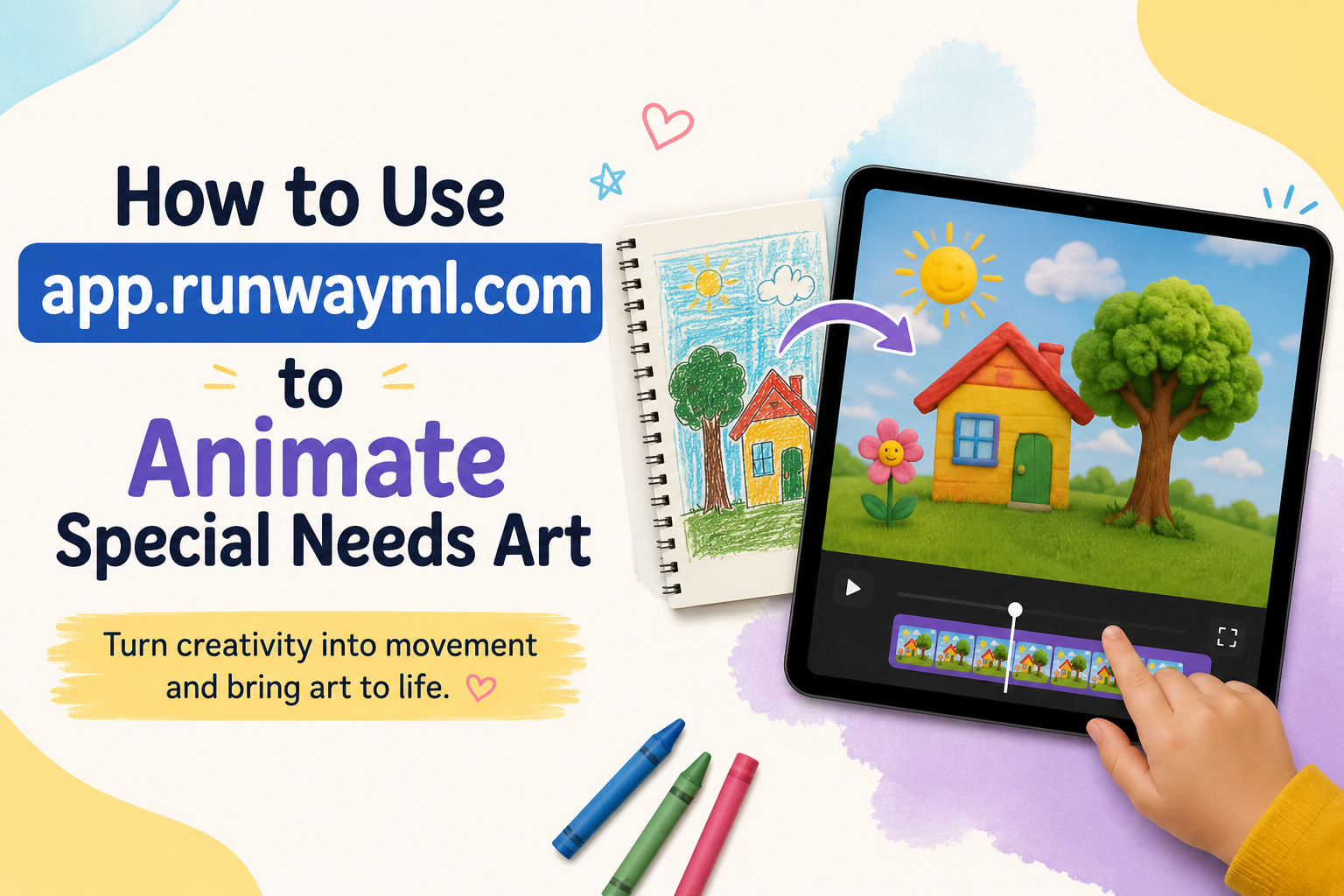
🎨 How to Use app.runwayml.com to Animate Special Needs Art: 2026 Parent Guide
app.runwayml.com is a professional AI video platform that can turn your child’s drawing into a short animated clip — and yes, parents can use it to bring special needs art to life, but it requires adult supervision, a paid plan for full results, and a few important safety steps before you upload anything.
This guide gives you the complete, honest picture: what the tool actually does, what it costs, how to use it step by step, and what to know before you ever upload your child’s artwork. 💛

- 🔍 What Is app.runwayml.com?
- 💛 Why Animating Special Needs Art Matters
- 📊 The Numbers: Art Therapy, Special Needs, and Creative Engagement
- 💳 Is app.runwayml.com Free? The Honest Pricing Breakdown
- 🔒 Before You Upload: Safety and Privacy Guidance for Parents
- ✅ THE 8-STEP PROCESS TO ANIMATE YOUR CHILD’S ART
- ✍️ Best Prompts for Animating Children’s Drawings
- 🌟 Simple, Gentle Motion Prompts (Best Starting Point)
- 🎈 Playful, More Dynamic Prompts
- 🎨 Tips for Better Prompt Results
- 🎯 Realistic Expectations: What app.runwayml.com Can and Cannot Do
- 🌈 Making It a Sensory-Friendly Family Activity
- 🔍 What You Must Not Miss About This Topic
- 1. 🧠 Sensory Considerations Are Never Mentioned
- 2. 👨👩👧 Most Guides Assume Solo, Adult Use
- 3. 💰 The “Free” Framing Is Often Misleading
- 4. 🔐 Privacy Guidance Specific to Children’s Content Is Almost Absent
- 5. ⏳ Processing Time and Realistic Workflow Expectations
- 💙 A Parent’s Story: Watching a Drawing Come to Life
- ❓ FAQs About Animating Special Needs Art With app.runwayml.com
- Q: Is app.runwayml.com free to use?
- Q: Is app.runwayml.com safe for children to use?
- Q: What kind of artwork works best for animation on app.runwayml.com?
- Q: How long does it take to animate a drawing using app.runwayml.com?
- Q: Can app.runwayml.com animate a child’s drawing exactly as imagined?
- Q: What is the difference between the free and paid versions of app.runwayml.com for this kind of activity?
- Q: Are there alternatives to app.runwayml.com for animating children’s art?
- 🔗 Trusted Resources for Families
- 💙 Final Thoughts: A Little Bit of Magic, Made Together
🔍 What Is app.runwayml.com?
app.runwayml.com is the web-based platform for Runway, a company that builds professional AI video generation tools. At its core, Runway lets you upload a still image — like a photo of your child’s drawing — and transform it into a short, moving video clip using AI.
This is often called “image-to-video” generation. You give the tool a single picture. The AI predicts and generates motion, turning that static image into a few seconds of animated footage — clouds drifting, a sun’s rays shimmering, a character appearing to blink or sway.
RunwayML is an AI-native creative platform offering text-to-video, image-to-video, and video-to-video tools powered by its Gen-4 and Gen-4.5 models, used by filmmakers, marketers, and creative professionals for producing high-quality AI-generated video content. (Source: ToolJunction — Runway ML Pricing 2026)
Important context for parents: app.runwayml.com was built primarily for filmmakers, marketers, and creative professionals — not specifically for children or families. There is no dedicated “kids mode,” parental dashboard, or content filter built for young users.
This does not mean it cannot be a wonderful family activity — it absolutely can be — but it means every session should be parent-led and parent-supervised, especially when working with images of a child’s own creations.
💛 Why Animating Special Needs Art Matters
For many children with special needs, art is more than a hobby. It is communication. It is regulation. It is one of the few spaces where a child who struggles with verbal expression can show the world exactly what is inside them.
Watching that artwork move — seeing a drawn sun actually shine, a drawn bird actually fly — adds an entirely new dimension to that experience. For a child who has poured hours into a piece of art, animation can feel like genuine magic: proof that their creation matters enough to come alive.
This kind of multisensory, motion-based engagement also aligns closely with therapeutic principles already used in many special needs settings — where movement, visual stimulation, and cause-and-effect feedback (I made this, and now it moves) build confidence, engagement, and a powerful sense of accomplishment.
Using app.runwayml.com for this purpose is not about replacing therapy or formal creative interventions. It is about creating a joyful, memorable, low-pressure family moment built around something your child already made and already loves.
📊 The Numbers: Art Therapy, Special Needs, and Creative Engagement
While there is limited published research specifically on AI-animated children’s art, the surrounding context — creative engagement and disability — is well documented.
| Statistic | Figure | Source |
|---|---|---|
| US students ages 3–21 receiving IDEA special education services | 7.5 million (15% of public school students) | NCES — Students With Disabilities |
| Students with autism spectrum disorder on IEPs | 12% of all IEP students | EdWeek — Special Education Statistics |
| app.runwayml.com free trial credits (one-time, not monthly) | 125 credits (~25 seconds of Gen-4 Turbo video) | Max Productive AI — Runway Review 2026 |
| app.runwayml.com Standard plan starting price | $12–15/month | SaaSworthy — RunwayML Pricing |
| app.runwayml.com Unlimited plan price | Up to $95/month | Filmora — Runway ML Review 2026 |
| Free plan video export limitation | Includes visible watermark | Filmora — Runway ML Review 2026 |
| Free tier video editor projects allowed | 3 projects, 5GB asset storage | ToolHatch — Runway ML Review, Jan 2026 |
💡 What this means for your family: app.runwayml.com’s free tier is genuinely useful for a first try — enough to animate one or two pieces of your child’s art and see how it feels. For an ongoing family tradition (animating a new piece every month, for example), a modest paid plan becomes worthwhile.
💳 Is app.runwayml.com Free? The Honest Pricing Breakdown
The Free plan includes 125 credits, given one time only — not on a monthly basis. This includes Gen-4 Turbo image-to-video and Gen-4 text-to-image generation, 3 video editor projects, and 5GB of asset storage, but does not include the more advanced Gen-4 video model. (Source: ToolHatch — Runway ML Pricing, January 2026)
The free tier is a one-time 125-credit deposit, not a monthly allowance, making it a trial rather than a usable ongoing plan. (Source: CheckThat.ai — Runway Pricing 2026)
📋 app.runwayml.com Pricing at a Glance
| Plan | Cost | What You Get | Best For |
|---|---|---|---|
| Free (Basic) | $0 | 125 one-time credits (~25 seconds of video), watermarked exports | Trying the tool once with your family |
| Standard | ~$12/month | Monthly credit allowance, fewer limitations | Families wanting to animate art regularly |
| Pro | Mid-tier pricing | Higher credit allowance, priority processing | Frequent creative projects |
| Unlimited | Up to $95/month | Unlimited generations within fair use | Power users, not typical for family use |
The RunwayML free plan includes a visible watermark on all video exports. Paid subscriptions are required for clean exports. (Source: Filmora — Runway ML Review 2026)
What this means practically: If you simply want to try animating one piece of your child’s art as a special, one-off moment — the free tier works, though the final video will have a watermark. If you want to build this into a recurring family activity, a basic monthly plan is a reasonable, modest investment.
🔒 Before You Upload: Safety and Privacy Guidance for Parents
This is the most important section in this entire guide. Please do not skip it.
⚠️ Key Things Every Parent Should Know
- app.runwayml.com is not designed specifically for children. There is no dedicated children’s privacy mode or built-in parental control system. All activity on the platform should be done by an adult, on the adult’s account, with the adult in full control of uploads and sharing.
- Never upload your child’s face or identifying photos unless you have read and fully understand Runway’s data and content policies. For this activity, you should be uploading photos of your child’s artwork — not photos of your child themselves.
- Review the platform’s terms before uploading anything. Policies on data use, content training, and image retention can change. Always check Runway’s current Privacy Policy directly at runwayml.com/legal before your first upload.
- Keep all account activity under your own email and login — never set up a separate account for your child, and never let a child use the platform unsupervised.
✅ A Simple Safety Checklist
| Before You Begin | Check |
|---|---|
| Use your own (adult) Runway account, not your child’s | ☐ |
| Upload only the artwork image — not photos of your child | ☐ |
| Read Runway’s current privacy and content policy | ☐ |
| Stay present and supervise the entire session | ☐ |
| Decide your sharing boundaries before generating anything | ☐ |
| Avoid entering any personal identifying details in prompts | ☐ |
✅ THE 8-STEP PROCESS TO ANIMATE YOUR CHILD’S ART
Here is exactly how to take a piece of your child’s artwork and bring it to life using app.runwayml.com.

| Step | What to Do |
|---|---|
| 1 | Take a clear, well-lit photo or scan of your child’s artwork (no glare, no shadows, fully visible) |
| 2 | Go to app.runwayml.com and sign in or create a free account |
| 3 | Select the image-to-video generation tool |
| 4 | Upload the artwork photo |
| 5 | Write a short, clear text prompt describing the motion you want (see examples below) |
| 6 | Generate the clip and review the result |
| 7 | Adjust your prompt and regenerate if the motion does not look right (this is normal — first attempts often need refining) |
| 8 | Download the finished video and watch it together as a family |
Pro tip: Sit beside your child during this entire process if they are present. Let them help choose the prompt wording — describing in their own words what they imagine their drawing doing. This keeps the activity collaborative and meaningful, rather than something that happens to their art rather than with them.
✍️ Best Prompts for Animating Children’s Drawings
The quality of your animation depends heavily on your prompt. Here are tested prompt structures that work well for hand-drawn children’s art on app.runwayml.com.
🌟 Simple, Gentle Motion Prompts (Best Starting Point)
- “Gentle, slow movement. The clouds drift softly. The sun glows warmly.”
- “Subtle breeze moving through the trees. Leaves sway gently.”
- “The character blinks slowly and smiles. Soft, calm motion.”
- “Water ripples gently across the lake. Peaceful, slow movement.”
🎈 Playful, More Dynamic Prompts
- “The balloon floats upward. Birds fly across the sky.”
- “The character waves both arms and jumps happily.”
- “Sparkles twinkle around the stars. Magical, gentle glow.”
🎨 Tips for Better Prompt Results
- Keep it simple. One or two specific motions work better than complex, multi-element instructions.
- Use calm, descriptive words — “gentle,” “soft,” “slow” — for predictable, soothing results, which is often ideal for children with sensory sensitivities.
- Avoid overly literal instructions about facial features or complex character actions; simple environmental motion (wind, light, water, floating objects) tends to animate most reliably from hand-drawn art.
- Expect to try more than once. AI-generated motion from a single static image is unpredictable. Treat the first few attempts as exploration, not failure.
🎯 Realistic Expectations: What app.runwayml.com Can and Cannot Do
Honesty matters here — and most articles about this topic oversell the results. Here is what you should genuinely expect.
| What It Can Do ✅ | What It Cannot Do ❌ |
|---|---|
| Add gentle, ambient motion to drawings (sky, water, light) | Perfectly preserve every fine detail of complex drawings |
| Create short clips (typically a few seconds) | Generate long, multi-minute animated stories from one image |
| Produce charming, dreamlike interpretations of artwork | Guarantee the result matches exactly what you imagined |
| Work well with simple, high-contrast drawings | Always handle very detailed or cluttered artwork cleanly |
| Surprise and delight on the first or second attempt | Be perfectly consistent — results vary between generations |
Manage expectations with your child in advance, especially if they tend toward rigid thinking or have difficulty with unpredictability. Frame it as: “We are going to see what the computer imagines your drawing doing. It might be a little different than what we picture — and that is part of the fun.”
This framing matters enormously for children who struggle with flexibility or unexpected outcomes — turning potential disappointment into curious exploration instead.
🌈 Making It a Sensory-Friendly Family Activity
Animating artwork with app.runwayml.com can be adapted into a calm, structured, sensory-friendly family activity. Here is how.
- Keep the screen brightness moderate — sudden bright animations can be overstimulating for some children
- Preview results yourself first before showing your child, especially for children sensitive to unexpected visual changes
- Build in breaks — generating and reviewing clips can take a few minutes each; structure the activity with clear start and end points
- Use a visual or verbal countdown before showing the finished animation: “In 3… 2… 1… let’s see what happened to your drawing!”
- Celebrate every result, even imperfect ones — the goal is connection and joy, not technical perfection
- Save and revisit favourites — create a simple family folder of animated artwork to watch again on hard days as a source of comfort and pride
🔍 What You Must Not Miss About This Topic
Here is what almost nobody else addresses about this topic:
1. 🧠 Sensory Considerations Are Never Mentioned
Generic Runway tutorials focus entirely on prompt engineering and output quality. They never discuss how unpredictable motion, sudden visual changes, or loading delays might affect a child with sensory processing differences or anxiety around unpredictability. Building in previewing, pacing, and calm framing — as outlined above — is a gap this guide specifically fills.
2. 👨👩👧 Most Guides Assume Solo, Adult Use
Standard Runway tutorials are written for individual creative professionals working alone. They do not address how to structure the experience as a shared, collaborative activity between parent and child — including how to involve a non-verbal or minimally verbal child in the creative decision-making process (e.g., using picture choice boards for prompt elements, or letting the child point to what they want to see move).
3. 💰 The “Free” Framing Is Often Misleading
Many articles call Runway a “free AI tool” without clarifying that the free tier is a one-time credit allowance, not an ongoing free plan. The free tier is a one-time 125-credit deposit — not a monthly allowance — making it a trial rather than a usable plan. (Source: CheckThat.ai) Parents deserve this clarity before they build an activity around a tool they assume will remain free indefinitely.
4. 🔐 Privacy Guidance Specific to Children’s Content Is Almost Absent
Very few articles address what families should consider before uploading any child-related content to a general-purpose AI platform not built with children’s privacy in mind. This guide’s safety checklist fills that critical gap.
5. ⏳ Processing Time and Realistic Workflow Expectations
Verified user reviews report queue times across subscription tiers, with messages instructing users to “come back later” during high-demand periods. (Source: CheckThat.ai) Most tutorials do not warn families that generation can take time — important information when planning this as a timed family activity, especially for children who need predictable timelines.
💙 A Parent’s Story: Watching a Drawing Come to Life
Marcus is eight years old and has autism. He draws constantly — pages and pages of suns, birds, and his favourite character, a blue dragon he calls “Spark.”
His mother, Tanya, had heard about AI animation tools from a parenting group and decided to try it as a weekend activity, just the two of them.
“I scanned his best dragon drawing,” she says. “I sat with him and explained, very simply: ‘We are going to see if the computer can make Spark move a little bit. It might look funny. It might not be perfect. Let’s see together.'”
Their first attempt used a prompt that was too complex — asking for the dragon to “fly and breathe fire and wink.” The result was strange and a little unsettling, with motion that did not quite match what Marcus had imagined.
“He got upset,” Tanya admits. “So we paused. We talked about it calmly. Then we tried something simpler: just gentle clouds moving behind Spark, and Spark’s wings lifting slightly.”
The second attempt worked beautifully. Marcus watched his dragon’s wings rise and fall in a slow, gentle loop, clouds drifting peacefully behind it.
“He watched it probably thirty times in a row,” Tanya laughs. “He kept saying, ‘Spark is real now. Spark is real.’ We saved it, and it is still his phone background today, eight months later.”
Tanya’s advice to other parents: “Start simple. Manage expectations before you even open the website. And remember — the magic is not really about the technology. It is about sitting next to your kid while something they made comes to life, even just a little bit.”
❓ FAQs About Animating Special Needs Art With app.runwayml.com
Q: Is app.runwayml.com free to use?
app.runwayml.com offers a free tier, but it is a one-time allowance of 125 credits (roughly 25 seconds of video), not a recurring monthly free plan. Free exports also include a visible watermark. For ongoing use, paid plans start at approximately $12–15 per month.
Q: Is app.runwayml.com safe for children to use?
app.runwayml.com is not specifically designed for children and has no dedicated parental controls or children’s privacy mode. It should always be used by an adult, on the adult’s account, with full parental supervision. Upload only artwork images, not photos of your child, and review Runway’s current privacy policy before use.
Q: What kind of artwork works best for animation on app.runwayml.com?
Simple, high-contrast drawings with clear shapes tend to animate most reliably. Complex, highly detailed, or cluttered drawings can produce less predictable results. Starting with a favourite, relatively simple drawing is the best approach for a first attempt.
Q: How long does it take to animate a drawing using app.runwayml.com?
Generation time varies, typically ranging from under a minute to several minutes depending on platform demand and the complexity of your request. During high-demand periods, processing queues can take longer. Plan your activity with some flexibility in timing, especially for children who benefit from predictable routines.
Q: Can app.runwayml.com animate a child’s drawing exactly as imagined?
Not always, and it is important to set this expectation in advance. AI-generated motion from a single static image is inherently unpredictable. Results can be charming and delightful, but they may differ from what you or your child originally pictured. Treat each generation as a creative experiment rather than a guaranteed outcome.
Q: What is the difference between the free and paid versions of app.runwayml.com for this kind of activity?
The free version provides a one-time credit allowance sufficient for a few short test animations, with a visible watermark on exports. Paid plans remove the watermark, provide ongoing monthly credits, and unlock more advanced generation models — better suited for families wanting to make this a regular, recurring activity.
Q: Are there alternatives to app.runwayml.com for animating children’s art?
Yes, several AI image-to-video platforms exist with similar core functionality. However, pricing, safety policies, and output quality vary between platforms. Always research the specific privacy and data policies of any platform before uploading content related to your child, regardless of which tool you choose.
🔗 Trusted Resources for Families
| Resource | What It Offers | Link |
|---|---|---|
| 🎬 app.runwayml.com (Official Platform) | Direct access to the tool discussed in this guide | app.runwayml.com |
| 📜 Runway Legal and Privacy Policy | Official terms governing data use and content policy | runwayml.com/legal |
| 👨👩👧 Common Sense Media — AI Tools for Families | Independent reviews of AI tools and family safety guidance | commonsensemedia.org |
| 🏫 National Center for Education Statistics — Special Education Data | Official US data on students with disabilities | nces.ed.gov |
| 🎨 American Art Therapy Association | Information on the role of art in therapeutic settings | arttherapy.org |
💙 Final Thoughts: A Little Bit of Magic, Made Together
Your child’s artwork already means something. It already holds their focus, their imagination, and very often, a piece of how they see and process the world.
app.runwayml.com will not replace the meaning behind that drawing. But used thoughtfully — with the right preparation, the right safety steps, and the right expectations — it can add one more layer of joy to something your child already loves.
Sit beside them. Keep it simple. Celebrate whatever comes out the other side, wobbly or imperfect as it may be.
Sometimes the most powerful technology is not the one that gets everything perfectly right. It is the one that gives you and your child one more reason to sit close together and say: look what we made. 💛
📝 This article is for informational and educational purposes only. Pricing, features, and policies for app.runwayml.com may change; always verify current details directly on the official website before use. Always supervise children’s creative activities involving third-party online platforms and review current privacy policies before uploading any content.


