

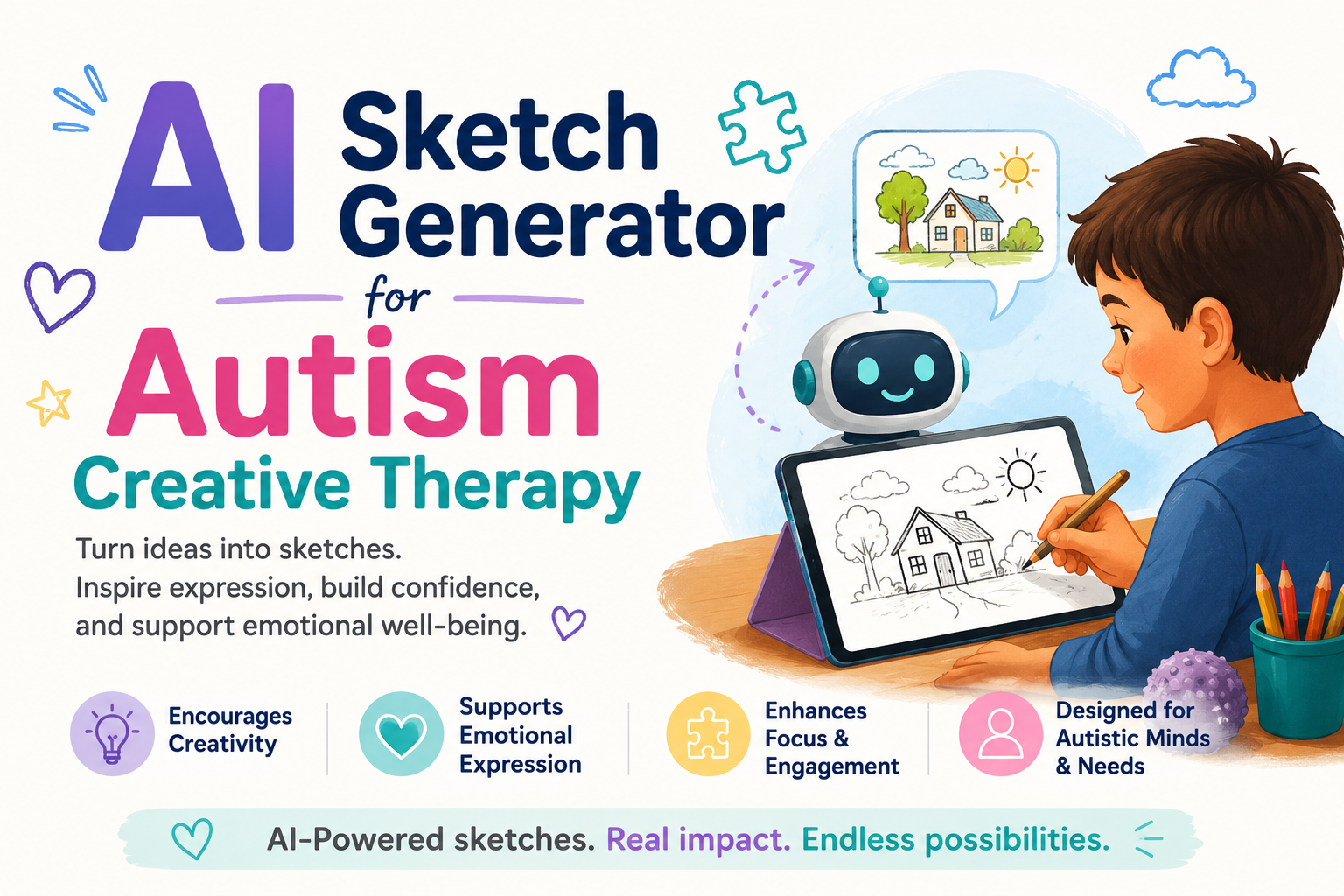
🎨 How an AI Sketch Generator 2026 is Unlocking Creative Therapy for Autistic Children?
An AI sketch generator removes the barrier between an autistic child’s inner world and the page — replacing blank-page anxiety with instant, personalised visual creativity. Discover how it transforms therapy outcomes.

- 🎨 What Is an AI Sketch Generator — and How Does It Unlock Creative Therapy for Autistic Children?
- 🧠 The Science of Creative Therapy in Autism: Why It Matters So Much
- 🚧 The Barriers That Block Creative Expression for Autistic Children
- 🛠️ The Best AI Sketch Generator Tools for Autism Creative Therapy in 2026
- 📖 Step-by-Step: How to Use an AI Sketch Generator in Autism Creative Therapy
- 🔷 PHASE 1: Preparation — Setting Up for Success
- 🔷 PHASE 2: The Three Entry Points — Choose the Right One for Your Child
- 🔷 PHASE 3: The Creative Conversation — Turning Sketches into Therapeutic Expression
- 🔷 PHASE 4: Closing and Reflecting
- 💔 A Story That Shows Why This Technology Changes Everything
- 🌟 Advanced Therapy Applications of the AI Sketch Generator
- 🔷 Social Scenario Visualisation
- 🔷 Anxiety Externalisation
- 🔷 Narrative Therapy Through Sequential Sketching
- 🔷 Special Interest-Based Emotional Exploration
- 🔍 What You Must Not Miss About AI Sketch Generators in Autism Therapy
- 🔗 Trusted Resources for AI-Enhanced Creative Therapy in Autism
- ❓ FAQs: AI Sketch Generator for Autism Creative Therapy
- Q: What is an AI sketch generator and how is it used in autism therapy?
- Q: Can a non-verbal autistic child use an AI sketch generator?
- Q: What is the best free AI sketch generator for children with autism?
- Q: Is art therapy evidence-based for autism?
- Q: How does the AI sketch generator help with emotional regulation in autism?
- 💙 A Final Word — Because Every Child Deserves a Voice That Reaches the World
🎨 What Is an AI Sketch Generator — and How Does It Unlock Creative Therapy for Autistic Children?
An AI sketch generator is a tool that converts text descriptions, rough doodles, or uploaded photographs into clean, detailed sketches or illustrations using artificial intelligence.
For autistic children and young people who struggle with traditional art materials, motor difficulties, or the anxiety of a blank page, the AI sketch generator removes the barrier between internal creative vision and external expression — making creative therapy genuinely accessible for the first time.
🧠 The Science of Creative Therapy in Autism: Why It Matters So Much
Before exploring how the AI sketch generator transforms creative therapy, it is essential to understand why creative expression matters clinically for autistic individuals — and what happens when that expression is blocked.
Art therapy can help autistic children and adults improve social communication, process emotions, reduce anxiety, and develop self-identity. It provides a non-verbal channel for expression that bypasses the language-based barriers that many autistic individuals experience. (Source: American Art Therapy Association — autismart.org)
| Research Finding | Statistic | Source |
|---|---|---|
| Autistic children who respond positively to art therapy | Documented therapeutic outcomes | AATA — Art Therapy Research |
| Children with autism with fine motor challenges | ~87% have some motor difficulty | PMC — Motor Skills in ASD |
| Autistic individuals with alexithymia (difficulty naming emotions) | 50% or higher | PMC — Alexithymia and ASD |
| Art therapy reducing anxiety in autism | Significant reduction in anxiety measures | PMC — Art Therapy in ASD |
| Non-verbal communication preference in autism | High proportion prefer non-verbal expression | Autism Speaks — Communication |
| Creative therapies recommended in autism care | Included in comprehensive care guidelines | NICE Guidelines — Autism |
Many autistic individuals experience alexithymia — difficulty identifying and describing their own emotional states — affecting approximately 50% of autistic people. Creative activities provide an alternative pathway to emotional expression and processing that does not require verbal articulation of feelings. (Source: PMC — Alexithymia and Autism)
The challenge has always been this: traditional creative therapy requires fine motor coordination, tolerance of tactile materials, sustained focus during setup, and the ability to tolerate an uncertain outcome when the art does not match the internal vision. For many autistic children, every one of these demands creates a barrier before a single mark is made.
The AI sketch generator removes these barriers — one by one.
🚧 The Barriers That Block Creative Expression for Autistic Children
Understanding the specific barriers helps clarify exactly why the AI sketch generator produces such transformative results in creative therapy.
| Barrier | How It Manifests | How AI Sketch Generator Removes It |
|---|---|---|
| Fine motor difficulties | Pencil grip, line control, and brush coordination are painful or impossible | Text or voice description replaces drawing; AI produces the image |
| Blank page anxiety | Empty paper triggers anxiety, freezing, and avoidance | AI generates a starting point immediately; no blank page exists |
| Tactile sensitivity | Paint, clay, and paper textures are intolerable | Entirely digital process; no physical materials required |
| Perfectionism and intolerance of mistakes | One “wrong” line collapses the whole creative session | AI image can be regenerated infinitely; no mistakes are permanent |
| Mismatch between vision and output | The internal image and the produced drawing look nothing alike | AI produces photorealistic or accurate outputs matching the description |
| Initiation difficulties | Starting any open-ended task is disproportionately difficult | A single text prompt starts the entire creative process |
| Social demand of group art | Art classes with peer comparison create anxiety | Fully independent; self-paced; no comparison possible |
🛠️ The Best AI Sketch Generator Tools for Autism Creative Therapy in 2026
Here is the most useful guide available — with specific notes on which tools work best for which therapy applications:
| Tool | Best Feature for Autism Creative Therapy | Skill Level Required | Free/Paid | Link |
|---|---|---|---|---|
| SketchAI | Converts rough doodles to clean sketches; very simple interface | Beginner | Free + paid | sketchai.app |
| AutoDraw (Google) | Real-time AI sketch completion from rough drawings | Complete beginner | Free | autodraw.com |
| Adobe Firefly (Sketch mode) | Text-to-sketch; high quality; adjustable style | Intermediate | Free + paid | adobe.com/firefly |
| Canva AI (Draw + Generate) | Sketch generation combined with text layout | Beginner | Free + paid | canva.com |
| DALL-E 3 in ChatGPT | Highly detailed sketch/illustration from text description | Beginner (text only) | Free + paid | chat.openai.com |
| Stable Diffusion (sketch style) | Full customisation of sketch style and detail level | Advanced | Free | stability.ai |
| Procreate (with AI brushes — iPad) | Natural drawing feel with AI-assisted stroke completion | Beginner-intermediate | Paid | procreate.com |
| Wombo Dream | Text-to-art in multiple styles including sketch; very simple | Complete beginner | Free + paid | dream.ai |
The best starting point for most families and therapists: Google AutoDraw. It is completely free, requires no account, and provides immediate AI sketch completion for even the roughest initial drawing. This zero-barrier entry makes it ideal for introductory sessions.
📖 Step-by-Step: How to Use an AI Sketch Generator in Autism Creative Therapy
This is the complete practical guide — structured as a therapy session framework that art therapists, occupational therapists, and parents can adapt for their specific child.

🔷 PHASE 1: Preparation — Setting Up for Success
Session length: 30–45 minutes for most children; start with 20 minutes for children with shorter focus windows
Environment setup:
- Use a device your child is already comfortable with (iPad, tablet, or computer)
- Position the screen to minimise glare
- Use headphones if the AI sketch generator has audio features and sound sensitivity is present
- Ensure the session space is calm — reduce other visual distractions
Prepare the child:
- Pre-warn using a visual schedule that “today we are doing digital art”
- Show a brief example of what the AI sketch generator creates — so the process is not novel and surprising
- Establish a “finished” signal — the child knows when the session will end
🔷 PHASE 2: The Three Entry Points — Choose the Right One for Your Child
Different children engage better through different starting approaches. The AI sketch generator supports three primary entry points:
Entry Point A: Rough Drawing Input (Best for children with some drawing ability)
- Open Google AutoDraw or SketchAI
- Invite the child to draw any rough shape or object — even a circle or scribble
- The AI sketch generator displays suggestions based on what it detects in the rough drawing
- The child selects the image that matches their intention
- The AI completes the sketch cleanly
Entry Point B: Text Description Input (Best for verbal children who struggle with drawing)
- Open ChatGPT with DALL-E 3 or Adobe Firefly
- Ask the child to tell you — or type themselves — what they want to see
- Example prompts to model:
- “A sketch of a fast red racing car going through a forest”
- “A simple drawing of a cat sitting on a purple pillow”
- “A sketch of a robot that has a friendly face and is waving”
- The AI sketch generator produces the image in seconds
- The child reacts, refines, or requests a different version
Entry Point C: Photograph-to-Sketch Input (Best for children with special interests in real objects or animals)
- Photograph a real object the child loves — their favourite toy, a household pet, a specific vehicle
- Upload the photograph to Adobe Firefly or Canva AI
- Request: “Convert this photograph to a simple, clean pencil sketch”
- The AI sketch generator transforms the real photograph into a personalised line drawing
- The child can colour, modify, or simply own their personalised sketch
🔷 PHASE 3: The Creative Conversation — Turning Sketches into Therapeutic Expression
This is where the AI sketch generator becomes a genuine creative therapy tool rather than just an art-making tool. The sketch is a starting point. The therapeutic work happens in the conversation around the sketch.
Techniques for using AI-generated sketches therapeutically:
1. Emotional Mapping
Once a sketch is generated, invite the child to add emotional content:
- “How does this character feel right now?”
- “What colour would you add to show how they’re feeling?”
- “Would you like to draw something near this character to show what they’re thinking?”
This creates an externalised emotional narrative — one of the core goals of art therapy with autistic children.
2. Story Building
The AI sketch generator can produce sequential images:
- “Now generate what happens next”
- “Create a sketch of where this character goes after this”
- “Show me what this character’s home looks like”
This builds narrative sequencing skills, social understanding through fictional scenarios, and cause-and-effect thinking.
3. Self-Portrait Work
Invite the child to describe themselves to the AI sketch generator:
- “Generate a sketch of a person who has [child’s hair colour, a favourite item, a specific expression]”
The resulting sketch creates a safe, non-confrontational mirror for self-concept work — without the vulnerability of a drawn self-portrait.
4. Safe Processing of Difficult Experiences
Children can use the AI sketch generator to create representations of difficult experiences without direct verbal processing:
- “Draw what the feeling in my stomach feels like”
- “Make a sketch of the scary thing but make it smaller and far away”
This distance — the image is on screen, controllable, and not permanent — makes approaching difficult emotional material significantly safer.
🔷 PHASE 4: Closing and Reflecting
At the end of each session:
- Allow the child to save or print their favourite AI sketch generator output
- Create a physical or digital portfolio over time — this becomes a visual record of the child’s creative and emotional development
- Use a simple reflection: “What was your favourite part of today’s drawing?”
- Preview the next session to reduce transition anxiety
💔 A Story That Shows Why This Technology Changes Everything
Meet Lily. She is 11 years old and has autism with significant motor difficulties in her hands. She had always been excluded from art activities at school — not because she lacked creativity, but because the physical process of drawing caused her pain and frustration.
Her internal world was rich and detailed. Her drawings looked nothing like what she imagined. The gap between vision and output destroyed every attempt.
At age 9, Lily’s art therapist introduced her to the AI sketch generator for the first time.
The therapist typed: “A sketch of a horse galloping through a purple forest at night with stars.” Lily had described exactly this image two weeks earlier in a verbal session but had been unable to create it.
The AI sketch generator produced it in 12 seconds.
Lily stared at the screen for a full minute.
“That’s exactly what I see,” she said.
Over the following 18 months, Lily built a digital portfolio of over 200 AI-generated sketches. They documented her inner emotional world — her fears, her hopes, her special interest in horses, her experiences of social confusion, her version of what happiness looked like.
Her therapist used this portfolio to understand Lily in ways that verbal sessions alone had never made possible.
“The AI sketch generator gave Lily a vocabulary that speech couldn’t provide,” her therapist said. “She had always had this extraordinary inner world. She just needed a tool that could keep up with it.”
🌟 Advanced Therapy Applications of the AI Sketch Generator
Once the basic workflow is established, here are the advanced therapeutic applications that you must not miss entirely:
🔷 Social Scenario Visualisation
For autistic children working on social understanding and perspective-taking, the AI sketch generator can create visual representations of social scenarios:
Example prompt series:
- “Sketch of two children at a playground — one looks upset because the other took their turn”
- “Now sketch the same scene but one child is asking: ‘Are you okay?'”
- “Now sketch both children smiling and taking turns”
This creates a visual social narrative with sequential images — far more accessible than verbal social story descriptions for many visual learners.
🔷 Anxiety Externalisation
A well-evidenced therapeutic technique for children with anxiety is externalising the anxiety — giving it a visual form. The AI sketch generator is uniquely powerful for this:
Prompt example:
- “Draw what my worry looks like. It is big and spiky and grey and follows me everywhere.”
Creating a visual representation of the anxiety separates it from the child’s identity. Follow-up prompts can then modify the image:
- “Now make the worry smaller and put it in a box.”
- “Now draw what I look like when the worry is very small.”
This visual anxiety work is directly aligned with cognitive-behavioural therapy principles used in autism anxiety treatment. (Source: NICE Guidelines — Anxiety in Autism)
🔷 Narrative Therapy Through Sequential Sketching
Narrative therapy — helping individuals reconstruct their story in empowering ways — is increasingly used with autistic clients. The AI sketch generator enables sequential visual narratives:
Example framework:
- “Sketch of [child’s name] before they learned [skill].”
- “Sketch of [child’s name] while they were working hard on [skill].”
- “Sketch of [child’s name] after they achieved [skill].”
This three-part visual narrative externalises a growth story and builds self-efficacy — without requiring verbal articulation of achievement, which can feel overwhelming for many autistic children.
🔷 Special Interest-Based Emotional Exploration
Special interests are one of the most therapeutically powerful tools available with autistic clients. The AI sketch generator can use special interests as entry points to deeper emotional work:
If a child’s special interest is trains:
- “Sketch of a train that is going too fast and the brakes aren’t working” — explores overwhelm
- “Sketch of a train safely in its station, lights on, door open” — explores safety and calm
- “Sketch of two trains on the same track — what happens next?” — explores conflict
The train is the container for the emotional content. The child can approach the emotion through the safety of their special interest.
🔍 What You Must Not Miss About AI Sketch Generators in Autism Therapy
🔸 The AI sketch generator works for non-verbal and minimally verbal children through photograph input.
A non-verbal child cannot type a text prompt — but they can photograph things. Using the photograph-to-sketch function, any child who can take a photograph can create personalised art.
🔸 Motor difficulties are not just a convenience issue — they are a clinical barrier.
Research shows that approximately 87% of autistic individuals have some degree of motor difficulty. (Source: PMC — Motor Skills in ASD) This means traditional art therapy excludes a significant proportion of autistic clients before the therapeutic work even begins. The AI sketch generator removes this exclusion.
🔸 The portfolio is as therapeutically valuable as the session.
Over time, a child’s collection of AI-generated sketches becomes a visual record of their emotional and creative development — reviewable by the child, therapist, and family. This longitudinal record is not possible with traditional art materials that are often discarded or destroyed.
🔸 Iterative generation is itself therapeutic.
The ability to generate, reject, and regenerate — to say “not quite right” and immediately see a different version — is a powerful experience of control and agency for children who often feel they have very little. This is not a side benefit. It is a therapeutic mechanism.
🔸 The technology removes the social comparison of art class.
In group art settings, autistic children often experience significant distress comparing their work to peers. The AI sketch generator produces outputs that are consistently “better” than hand-drawn work — removing the inferiority dynamic and allowing the child to focus on expression rather than performance.
🔗 Trusted Resources for AI-Enhanced Creative Therapy in Autism
| Resource | What It Provides |
|---|---|
| 🌐 American Art Therapy Association | Research, clinical standards, and family resources for art therapy |
| 🌐 Autism Speaks — Communication and Expression | Autism communication and creative expression guidance |
| 🌐 AOTA — Creative and Expressive Therapies | Occupational therapy and creative modalities research |
| 🌐 NICE — Autism Guidelines | Clinical guidelines including creative therapy recommendations |
| 🌐 Google AutoDraw | Best free beginner AI sketch generator — no account required |
| 🌐 Adobe Firefly | Best professional AI sketch generator for detailed work |
| 🌐 ChatGPT with DALL-E 3 | Most flexible text-to-sketch AI tool |
| 🌐 PMC — Art Therapy and Autism Research | Peer-reviewed research on art therapy outcomes in autism |
❓ FAQs: AI Sketch Generator for Autism Creative Therapy
Q: What is an AI sketch generator and how is it used in autism therapy?
An AI sketch generator is a tool that converts text descriptions, rough drawings, or photographs into clean, detailed sketches using artificial intelligence. In autism creative therapy, it removes the physical, motor, and anxiety-based barriers that prevent many autistic children from engaging with traditional art media — allowing them to express internal experiences visually without requiring drawing skill.
Q: Can a non-verbal autistic child use an AI sketch generator?
Yes — using the photograph-to-sketch feature. A non-verbal child can photograph objects, people, or environments, and the AI sketch generator transforms those photographs into personalised sketches. This requires no typing, no drawing, and no verbal communication — making it genuinely accessible for minimally verbal or non-verbal children.
Q: What is the best free AI sketch generator for children with autism?
Google AutoDraw is the best starting point — it is completely free, requires no account, and converts rough drawings into clean AI-generated sketches in real time. For text-based sketch generation, the free tier of ChatGPT with DALL-E 3 is excellent. Both are appropriate for children with autism and require minimal technical skill to use.
Q: Is art therapy evidence-based for autism?
Yes. Research supports art therapy as a beneficial intervention for autistic individuals, with studies documenting improvements in anxiety, emotional communication, and self-expression. Art therapy is recommended in comprehensive autism care guidelines. (Source: NICE Guidelines — CG170 | PMC — Art Therapy in ASD)
Q: How does the AI sketch generator help with emotional regulation in autism?
The AI sketch generator supports emotional regulation by providing a non-verbal pathway for expressing and externalising emotional experiences. Rather than describing feelings verbally — which is difficult for the approximately 50% of autistic people who experience alexithymia — children can describe or show feelings visually through AI-generated images. The iterative process of generating, adjusting, and creating also provides a controlled, calming activity that many children find self-regulating.
Q: Can the AI sketch generator be used in a school setting for autistic children? Yes — most AI sketch generator tools are accessible on tablets and school computers. Google AutoDraw works on any browser without installation. Schools implementing visual arts support for autistic students can integrate AI sketch generation as part of IEP-based creative expression activities. It is particularly valuable for students with fine motor difficulties who are currently excluded from traditional art lessons.
💙 A Final Word — Because Every Child Deserves a Voice That Reaches the World
The most profound thing about the AI sketch generator is not the technology. It is what the technology makes possible.
It is Lily’s horse galloping through a purple forest — exactly as she saw it in her mind, finally visible on a screen.
It is the child who never once used a paintbrush but now has a portfolio of 200 images that document their inner world.
It is the therapist who finally understands what a child has been experiencing — because the child could finally show them.
For too long, creative therapy has been shaped by the assumption that making art requires the ability to physically create art. The AI sketch generator removes that assumption. It says: the creative vision is what matters. The tool is just a way of making it visible.
Every autistic child who has ever had a rich, detailed, beautiful inner world — and no way to show it to the people who love them most — deserves this tool.
Give it to them. 💙🎨


