
🎨 AI Image Generator from Image 2026: How it is Stopping Sensory Overload in Special Needs Children?
An AI image generator from image can transform overwhelming visuals into calm, customised learning materials for autistic and ADHD children. Discover the exact steps, tools, and science that finally stop sensory overload.

- 🎨 What Is an AI Image Generator from Image — and Can It Really Stop Sensory Overload?
- 📊 The Sensory Overload Crisis: Why This Technology Arrives at the Right Moment
- 🧠 The Neuroscience: Why Visual Complexity Causes Sensory Overload
- 🛠️ What an AI Image Generator from Image Can Do for Special Needs Visual Materials
- 🖼️ The Best AI Image Generator from Image Tools for Special Needs Families in 2026
- 📖 Step-by-Step: How to Use an AI Image Generator from Image to Reduce Sensory Overload
- 🔷 STEP 1: Identify the Sensory Visual Triggers
- 🔷 STEP 2: Gather Your Source Images
- 🔷 STEP 3: Define Your Transformation Goal
- 🔷 STEP 4: Use Adobe Firefly (Recommended for Beginners)
- 🔷 STEP 5: Use DALL-E 3 in ChatGPT (Best for Complex Transformations)
- 🔷 STEP 6: Create a Complete Sensory-Safe Visual Learning Set
- 🔷 STEP 7: Optimise for Print and Screen
- 💔 A Story That Shows Why This Changes Everything
- 🌟 Advanced Applications: Beyond Flashcards
- 🔍 What Special Needs Families Should Not Miss About AI Image Generator from Image in Stopping Sensory Overload in Special Needs Kids
- 🔗 Trusted Resources for Visual Learning in Special Needs
- ❓ FAQs: AI Image Generator from Image for Sensory Overload
- Q: What is an AI image generator from image?
- Q: How does sensory overload affect visual learning in autistic children?
- Q: What is the best free AI image generator from image for parents?
- Q: How do I know what visual changes my autistic child needs?
- Q: Can I use AI-generated images in my child’s IEP or school materials?
- Q: Does using simplified images slow down a child’s ability to handle real-world complexity?
- 💙 A Final Word — Because the World Deserves to Be Made Accessible
🎨 What Is an AI Image Generator from Image — and Can It Really Stop Sensory Overload?
An AI image generator from image is a tool that takes an existing image as input and transforms, simplifies, or rebuilds it into a new visual — adjusted for colour, complexity, style, and detail level.
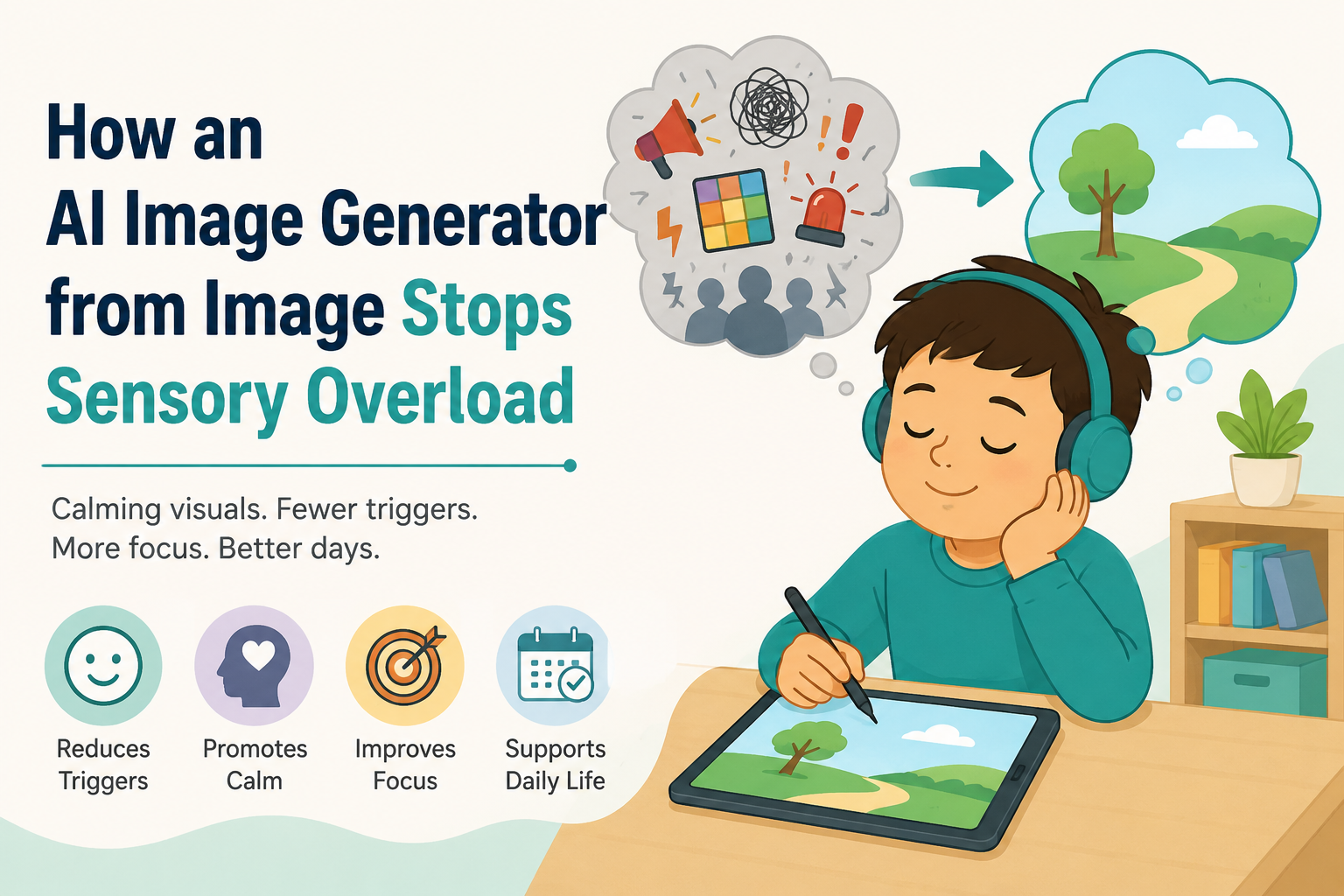
For children with autism, ADHD, or sensory processing disorder, this technology can take a visually overwhelming classroom photograph and turn it into a calm, clear, sensory-safe image that the child’s brain can actually process — in under 60 seconds.
📊 The Sensory Overload Crisis: Why This Technology Arrives at the Right Moment
Sensory overload is not a preference or a behaviour choice. It is a neurological event. Understanding its scale helps explain why AI image technology matters so urgently for families of special needs children.
| Statistic | Figure | Source |
|---|---|---|
| Children with autism experiencing sensory processing differences | 90% | Autism Speaks — Sensory Issues |
| Children with ADHD with sensory processing challenges | Up to 40% | CHADD — Sensory Processing in ADHD |
| Sensory overload as a trigger for meltdowns in autism | Most common trigger identified | AOTA — Sensory Processing |
| Visual sensory sensitivity in autism | Among the most frequently reported sensory differences | Autism Speaks |
| Children’s visual cortex processing in autism | Studies show atypical visual processing patterns | PMC — Visual Processing in ASD |
| Impact of visual environmental modifications on autism | Measurably reduces anxiety and increases task engagement | AOTA |
Up to 90% of autistic people are estimated to have some degree of sensory processing difference. (Source: Autism Speaks — Sensory Issues) Visual sensory sensitivity — being overwhelmed by busy, complex, or high-contrast images — is among the most common and impactful of these differences. And it affects learning materials, screen-based tools, classroom environments, and every visual educational resource a child encounters every day.
This is the problem the AI image generator from image can solve.
🧠 The Neuroscience: Why Visual Complexity Causes Sensory Overload
To understand why the AI image generator from image works, you first need to understand what is happening in the autistic or sensory-sensitive brain when it encounters complex visual information.
In neurotypical visual processing, the brain has a sophisticated filtering system that automatically directs attention toward relevant information and suppresses irrelevant background detail. For many autistic individuals, this filtering system works differently — the brain processes more of the visual scene simultaneously, with less automatic prioritisation of the relevant foreground.
Research has shown atypical visual processing in individuals with autism, including differences in the way the brain responds to visual complexity, pattern recognition, and figure-ground discrimination. (Source: PMC — Visual Processing in Autism Spectrum Disorder)
What This Means Practically
A neurotypical child looking at a busy classroom photograph sees: the teacher, the whiteboard, the activity.
An autistic child with visual sensory differences may see: every desk, every reflection in every window, every pattern on every carpet tile, every texture on every wall display, the flickering of fluorescent lights reflected in the glass cabinets, AND the teacher — all simultaneously and with roughly equal visual weight.
The cognitive load of processing all of that information at once is enormous. And it is precisely this overwhelming of visual processing capacity that triggers sensory overload, anxiety, meltdowns, and — critically — the inability to learn from the very visual material the teacher intended to be helpful.
The AI image generator from image changes the input. It simplifies the visual scene before it reaches the child’s brain.
🛠️ What an AI Image Generator from Image Can Do for Special Needs Visual Materials
Here is a comprehensive overview of the transformations available — and why each one matters for sensory processing:
| Transformation Type | What It Does | Why It Helps Sensory Processing |
|---|---|---|
| Background removal | Removes cluttered backgrounds from images | Isolates the relevant subject; eliminates competing visual stimuli |
| Style simplification | Converts photograph to clean line drawing or simple illustration | Reduces detail complexity; easier for visual processing |
| Colour palette reduction | Limits image to 2–4 colours | Removes visual noise from colour variation |
| Contrast adjustment | Softens harsh contrast or strengthens low contrast | Prevents visual glare; improves figure-ground distinction |
| Noise reduction | Smooths texture complexity | Reduces pattern-related visual overwhelm |
| Image-to-cartoon | Converts a photograph to a simple cartoon | Predictable visual style; less ambiguous |
| Subject isolation | Extracts single subject from complex scene | Pure visual focus on one element at a time |
| Environment simplification | Removes background while preserving context cues | Maintains meaning while reducing complexity |
🖼️ The Best AI Image Generator from Image Tools for Special Needs Families in 2026
These tools allow you to upload an image and transform it — no design skills required:
| Tool | Key Feature for Special Needs | Free/Paid | Link |
|---|---|---|---|
| Adobe Firefly | Image-to-image style transfer; background removal; exceptional quality | Free + paid | adobe.com/sensei/generative-ai/firefly |
| Canva AI (Magic Edit) | Upload image, remove background, restyle; very user-friendly | Free + paid | canva.com |
| Stable Diffusion (img2img) | Powerful image-to-image transformation; highly customisable | Free (open source) | stability.ai |
| DALL-E 3 in ChatGPT | Text description + reference image input; generates simplified versions | Free + paid | chat.openai.com |
| Midjourney | High-quality image style transformation from uploaded reference | Paid | midjourney.com |
| Remove.bg | Background removal specifically; fast and accurate | Free + paid | remove.bg |
| Microsoft Designer (Copilot) | Integrated AI image editing from image; accessible | Free | designer.microsoft.com |
| Google ImageFX | Image-to-image generation using uploaded reference | Free | aitestkitchen.withgoogle.com |
📖 Step-by-Step: How to Use an AI Image Generator from Image to Reduce Sensory Overload
This is the complete practical guide. Follow each step and you will produce sensory-safe visual materials for your child — regardless of your technical experience.

🔷 STEP 1: Identify the Sensory Visual Triggers
Before using any AI image generator from image, spend time observing what specifically triggers your child’s visual overwhelm. Children differ. The goal is to identify the exact characteristics of visual stimuli that cause distress — because these are what you will ask the AI to change.
Common visual sensory triggers in autism and sensory processing disorder:
| Trigger | Signs in the Child | What to Change in the Image |
|---|---|---|
| Busy backgrounds | Avoids looking at the material; looks to the side | Remove or blur background |
| High colour complexity | Covers eyes; short looking time | Reduce to 2–3 colours |
| High contrast | Winces; moves away from screen | Soften contrast settings |
| Repetitive patterns | Fixates on pattern; loses purpose of material | Remove or simplify patterned areas |
| Photographic realism | Struggles to identify the relevant subject | Convert to simple line illustration |
| Too many elements | Cannot identify which element to focus on | Isolate single subject |
Use a simple observation log for one week before creating your materials. Note which visual characteristics cause the most distress — this becomes your customisation checklist.
🔷 STEP 2: Gather Your Source Images
The AI image generator from image needs an input image to transform. Here is how to source appropriate starting images:
Option A: Take your own photographs
Photograph the actual objects, people, or environments your child needs to learn about. Using real images of the child’s actual world (their bedroom, their favourite toy, their school entrance) produces materials with the highest personal relevance and lowest generalisation barrier.
Option B: Use free stock photo resources
| Resource | Content Type | Link |
|---|---|---|
| Unsplash | High-quality photographs | unsplash.com |
| Pixabay | Photos, illustrations, vectors | pixabay.com |
| Pexels | Lifestyle and nature photographs | pexels.com |
| Freepik | Illustrations and icons | freepik.com |
Option C: Screenshot from digital learning materials If your child’s educational materials include overly complex digital visuals, take a screenshot and use the AI image generator from image to simplify those specific materials.
🔷 STEP 3: Define Your Transformation Goal
Before uploading to any AI image generator from image, write down exactly what you want to change — using specific, clear language. This is your transformation brief.
Example transformation brief:
This brief becomes the prompt you give to the AI image generator from image.
🔷 STEP 4: Use Adobe Firefly (Recommended for Beginners)
Adobe Firefly is the most accessible AI image generator from image for families without technical experience. Here is the exact process:
- Go to adobe.com/sensei/generative-ai/firefly.html and create a free account
- Select “Generative Fill” or “Image to Image” depending on what you need
- Upload your source image
- In the prompt box, describe the transformation you want:
Example prompt for Adobe Firefly:
“Simplify this supermarket photograph. Convert to a clean, flat cartoon illustration style. Remove all people and reflections. Reduce to a maximum of 4 items visible on the shelf. Use soft, muted colours only. Remove all text and signage. Smooth the floor to a single solid colour.”
- Select your preferred output from the generated variations
- Download the transformed image
- Use in your materials
🔷 STEP 5: Use DALL-E 3 in ChatGPT (Best for Complex Transformations)
For more specific transformations, the AI image generator from image within ChatGPT (using DALL-E 3) offers the most natural language control:
- Open ChatGPT at chat.openai.com
- Upload your source image by clicking the attachment icon
- Write a detailed transformation prompt:
Example prompt for DALL-E 3 image transformation:
“I am uploading a photograph of a busy playground for use with an autistic child who has severe visual sensory sensitivity. Please create a simplified version of this image with the following changes: Convert the style to a simple, clear cartoon illustration. Remove all background detail except a plain grass area and clear sky. Show only 1–2 children at most (or none). Remove all equipment except one clearly visible slide. Use only 4 colours maximum: green (grass), blue (sky), a warm neutral (slide), and a skin tone. Ensure clean lines and no textures.”
- Review the generated image
- If needed, refine: “Please make the background even simpler — solid green rather than detailed grass texture.”
- Download the final image
🔷 STEP 6: Create a Complete Sensory-Safe Visual Learning Set
Once you understand the transformation process, use the AI image generator from image systematically to build a complete visual learning library for your child. Here are the most important sets to create:
Set 1: Daily Routine Visual Schedule Cards
Transform photographs of your home environments (kitchen, bathroom, bedroom, front door) into simplified cartoon illustrations. Use these for visual schedule cards.
Prompt template:
“Transform this [kitchen/bathroom/bedroom] photograph into a simple, clean, flat-colour illustration suitable for an autistic child’s visual schedule card. Remove all clutter. Show only the main feature of the room [sink, toilet, bed]. Use maximum 3 soft colours. Add no text.”
Set 2: Community Navigation Cards
Places like shops, doctors’ surgeries, and bus stops are visually overwhelming. Transform real photographs of the specific locations your child needs to navigate.
Prompt template:
“Convert this [shop/doctor’s waiting room/bus stop] photograph into a simplified cartoon version. Remove all people, advertising, complex patterns, and text. Keep only the key structural features [counter, door, seats]. Use calm, soft, consistent colours.”
Set 3: Emotion Recognition Cards
Many commercial emotion cards use cartoon faces that are ambiguous or overly stylised. Using the AI image generator from image, you can create emotion faces that match the level of realism and detail your specific child can process.
Prompt template:
“Generate a simple, clear illustration of a [happy/sad/angry/scared] face. The face should be: very simple and clean-lined, no background, one face only, realistic enough to be a human face but not photographic, with clear and unambiguous expression, on a plain white background.”
Set 4: Transition Warning Cards
“In 5 minutes, we are going to [activity]” cards. Transform photographs of the upcoming activity into sensory-safe preview images.
🔷 STEP 7: Optimise for Print and Screen
Once your AI image generator from image has produced the transformed visuals, optimise them for your intended format:
For physical flashcards:
- Minimum size: 10cm × 10cm (larger for children with visual tracking difficulties)
- Print on matte paper — never glossy (glare from glossy adds sensory complexity)
- Laminate with matte laminate if durability is needed
- Leave a white border around each image (additional visual space)
For digital screens:
- Use dark mode or warm-toned display settings where possible
- Reduce screen brightness to 50–70% of maximum
- Display one image at a time — never a grid of multiple images
- Use consistent slide backgrounds (white or light grey — not gradient or patterned)
💔 A Story That Shows Why This Changes Everything
Meet Priya. She is the mother of 9-year-old Arjun, who has autism with significant visual sensory sensitivity. For three years, every attempt to teach Arjun about community settings using photographs ended with the same result: Arjun would look away immediately, cover his eyes, and become distressed.
His therapist had told Priya that Arjun needed to learn about the supermarket as part of his independence skills curriculum. But every photograph of a supermarket caused immediate overwhelm.
On a Wednesday evening in November 2025, Priya used an AI image generator from image for the first time. She uploaded a photo of their local Tesco. She wrote a prompt asking for a simplified cartoon version with one shelf, four items, no people, no text, and four calm colours.
The result took 40 seconds to generate.
The next morning, she showed Arjun the transformed image.
He looked at it for 11 seconds. Then he pointed to the shelf.
He had never pointed to any supermarket image before.
“Eleven seconds doesn’t sound like much,” Priya says. “But that was eleven seconds of him actually engaging with something that had always caused a meltdown. I cried. I genuinely cried.”
Three months later, Arjun visited the real supermarket for the first time. He was anxious but engaged. He recognised the shelf structure from his cards. He managed 8 minutes inside the store.
The AI image generator from image had built a visual bridge between his calm home environment and the overwhelming real world — one simplified image at a time.
🌟 Advanced Applications: Beyond Flashcards
The AI image generator from image has applications far beyond individual flashcard sets. Once you are comfortable with the basic workflow, here are the advanced uses that most guides miss entirely:
🔷 Personalised Social Stories
Social stories are one of the most well-evidenced interventions for autistic children. (Source: Gray Center for Social Learning — Social Stories) Traditionally, they use either generic stock photographs or hand-drawn images. Using the AI image generator from image, you can:
- Photograph your own child’s actual environment
- Transform those photographs into sensory-safe, simplified illustrations
This produces a social story that is simultaneously more personally relevant AND more visually accessible than any commercial product.
🔷 Sensory-Safe Video Thumbnails
Many special needs children use YouTube or educational video platforms. But video thumbnail images — often high-contrast, busy, face-heavy designs optimised for neurotypical attention — can trigger immediate visual overload before the child even reaches the calming content of the video.
Use the AI image generator from image to create alternative, simplified thumbnail images for your child’s saved/pinned videos. Replace the overwhelming thumbnail with your simplified version in your curated playlist or home screen layout.
🔷 Environmental Preparation Photographs
Before a new experience (a dentist visit, a new school, a birthday party venue), use the AI image generator from image to:
- Obtain a photograph of the environment (from Google Maps Street View, the venue’s website, or your own advance visit)
- Transform it into a simplified, sensory-safe version
- Review it with your child in the days before the visit
- Create a predictable, non-overwhelming visual preview of the upcoming environment
This is one of the most powerful applications for reducing anxiety around transitions and new environments — which is often cited by autistic individuals as one of their greatest daily challenges.
🔍 What Special Needs Families Should Not Miss About AI Image Generator from Image in Stopping Sensory Overload in Special Needs Kids
🔸 The child’s sensory profile must guide every transformation decision.
Not all autistic children have the same visual sensory sensitivities. Some are overwhelmed by colour complexity; others by pattern; others by photographic realism. The AI image generator from image is only as useful as the specificity of your understanding of your child’s individual visual sensory profile.
🔸 Consistency across a card set matters as much as individual card quality.
If you create 20 cards and each has a slightly different illustration style, colour palette, and line thickness, the variation itself becomes a sensory challenge. Set one style profile and apply it across all materials in a set.
🔸 The real-world generalisation gap must be deliberately bridged.
Moving from simplified AI-generated illustrations back to real-world visual complexity requires a deliberate, staged progression. Create a visual complexity ladder: simple illustration → more detailed illustration → photograph (simplified) → photograph (realistic) → real environment. The AI image generator from image can create every rung of this ladder.
🔸 Involve the child where possible.
Some older autistic children and young people can participate in the image transformation process — choosing which version they prefer, identifying what feels too busy, requesting changes. This participatory approach builds metacognitive awareness of their own sensory needs.
🔸 The technology is changing faster than the research.
Most published research on visual supports for autism pre-dates the AI image generation era. The principles (simplicity, consistency, relevance, personal connection) are research-evidenced — but the tool being used to implement them is new. Families are currently ahead of the research literature in discovering what works.
🔗 Trusted Resources for Visual Learning in Special Needs
| Resource | What It Provides |
|---|---|
| 🌐 Autism Speaks — Visual Supports | Research and guidance on visual supports for autism |
| 🌐 AOTA — Sensory Processing Resources | Occupational therapy research on sensory processing |
| 🌐 Gray Center for Social Stories | Social story research, guidelines, and creation resources |
| 🌐 CHADD — ADHD and Sensory | ADHD and sensory processing resources |
| 🌐 PMC — Visual Processing in ASD | Peer-reviewed research on visual processing in autism |
| 🌐 AOTA — Occupational Therapy in Schools | School-based sensory and visual support resources |
| 🌐 Adobe Firefly | Best beginner AI image generator from image tool |
❓ FAQs: AI Image Generator from Image for Sensory Overload
Q: What is an AI image generator from image?
An AI image generator from image is a tool that takes an uploaded photograph or image as input and transforms it into a new visual — changing its style, simplifying its complexity, adjusting its colours, or removing background elements. For special needs families, it converts overwhelming real-world images into calm, sensory-safe visual learning materials.
Q: How does sensory overload affect visual learning in autistic children?
Up to 90% of autistic people are estimated to have some degree of sensory processing difference. (Source: Autism Speaks) Visual sensory overload — triggered by complex, busy, or high-contrast images — can prevent a child from engaging with visual learning materials entirely. By simplifying images with an AI image generator from image, you remove the sensory barrier without removing the educational content.
Q: What is the best free AI image generator from image for parents?
For complete beginners: Canva’s Magic Edit (free tier available) is the most accessible. For more control: Adobe Firefly offers excellent free-tier image transformation. For most powerful results: ChatGPT with DALL-E 3 allows detailed text descriptions alongside image uploads for the most customised transformations.
Q: How do I know what visual changes my autistic child needs?
Observe your child’s responses to different visual materials for one week. Note which specific characteristics cause distress — high contrast, busy backgrounds, many colours, photographic realism, or pattern complexity. This observation becomes your customisation brief for the AI image generator from image. You can also consult your child’s occupational therapist for a formal sensory profile assessment.
Q: Can I use AI-generated images in my child’s IEP or school materials?
Yes — AI-generated images you create for personal educational use are generally appropriate for use in IEP materials, visual schedules, and home learning resources. Always check your school district’s or local authority’s guidelines on AI-generated content in educational materials if you plan to submit them formally.
Q: Does using simplified images slow down a child’s ability to handle real-world complexity?
No — when used correctly, simplified images are a starting point, not an endpoint. The goal is to build a visual complexity ladder: simplified image → more detailed image → real-world photograph → real-world environment. The AI image generator from image helps you create every rung of that ladder, making the progression from simplified to real-world manageable and staged.
💙 A Final Word — Because the World Deserves to Be Made Accessible
The most important thing to understand about using an AI image generator from image for special needs children is not the technology. It is what the technology makes possible.
For the first time, parents without design skills, teachers without art training, and therapists without graphic software can create visually personalised, sensory-safe learning materials in minutes.
The research has always told us that visual simplicity, personal relevance, and consistent style reduce sensory overload and improve learning engagement for autistic and sensory-sensitive children. What the research could not previously offer was a practical, accessible, free tool to make that simplicity achievable for every family.
Now there is one.
For Arjun, who pointed at a shelf for the first time. For every child who covers their eyes when the flashcard is too busy. For every parent who has wished, at midnight, that they could just make the world a little calmer for the child sleeping upstairs.
The AI image generator from image cannot fix everything. But it can make the visual world — one card, one image, one transformation at a time — a little more like the calm, clear place your child deserves to learn in. 💙🎨


